


File syncing and storage services, also known as cloud storage services, offer major convenience. They let you backup and access your data-documents, photos, and other file types-on any compatible device with an internet connection.
Some of them even provide access to multiple users to edit these files simultaneously without glitches and bug, offering great ease of use when working with number of collaborators. Their comparison depends on ease of use, reliability, platforms, extra features, pricing, and most importantly, privacy.
Many compelling choices like Google Drive, OneDrive, and Dropbox are available depending on your needs and budget, so read on for the best cloud storage services we’ve tested. This guide will provide you with a detailed comparison between storage types with their pros and cons and help you decide which one is best suited for you.

Pricing Vs Storage
Most users prioritize cost when choosing a cloud storage service. Knowing if you are getting the most value for your money can be difficult since there are so many cloud storage services. This pricing guide will help choose storage based on its value to money.
The main difference between the three is the depth of productivity and communication features, with Google Drive leading the way. If you need a lot of space for storing bulk data in the cloud, then Google Drive is the best option among all, as it offers up to 30TB of storage.
However, OneDrive and Dropbox are better than Google Drive for those who want more security additional sharing security features, such as password protection, and download limits.
It is worth noting that these three storage platforms are among the best, therefore, none of them are affordable as services like Sync.com or TeraBox, nor do they offer lifetime plans like pCloud and IceDrive. However, they run in an average price range for cloud storage.
Google Drive and OneDrive offer a slightly low rate for their basic plan of 2TB storage in $8.33 per month, while for the same amount of storage Dropbox charges around $1.5 extra per month. There are also free storage offers provided by the three, where Google Drive offers 15GB, OneDrive 5GB and Dropbox offers only 2GB of free storage space.
This comparison clearly puts Dropbox behind the other two with low storage and high pricing. However, this free storage is still not dedicated to a single service, it is divided across different apps. To understand this, Google spreads your 15GB across Google Drive, Gmail, and Google Photos.
Interestingly, OneDrive gives you an extra 15Gb for an Outlook account. As for Dropbox, it offers only 2GB, without any extras for its other apps, such as Dropbox Paper. Whereas Google Drive leads the way in storage options, though not free, but their paid plans range from 100GB to 30TB. Business plans are also available, offering up to 5TB per user storage with a Google Workspace account.
Comparing the other two options, Microsoft’s OneDrive presents fewer options for storage space. Plans start at 100GB and cap out at 2TB. All businesses plans offer 1TB of storage per user. While Dropbox is the most limited of the three cloud storage providers, offering just two plans for personal storage and two for business. The maximum range is up to 15TB, spread across a minimum of three active users.
A family storage plan is available in Dropbox and OneDrive, with the latter being more generous of the two. Dropbox spreads 2TB of storage space across a maximum of six users, while OneDrive provides 6TB for the same number of users.
Unfortunately, Google Drive doesn’t offer any kind of dedicated family plan, but you can add up to five family members to a personal plan. But do any of the three offers unlimited storage? The answer is no. Google used to provide this for users backing up Photos and Videos via its mobile apps, but sadly that ended a few years ago. A cloud storage service called Jottacloud named cloud storage is a good option if you are looking for unlimited storage space.
Features
Nowadays, covering the basics: Storage space, file management and sharing functionality is not enough. Services must provide features that allow users to be productive and work with others online and in remote workspaces.
Different platforms offer unique features which make them suitable for specific needs. Google Drive is the leading choice when it comes to creativity because it’s quick, makes collaboration seamless and has the best features for viewing videos and other types of creative content.
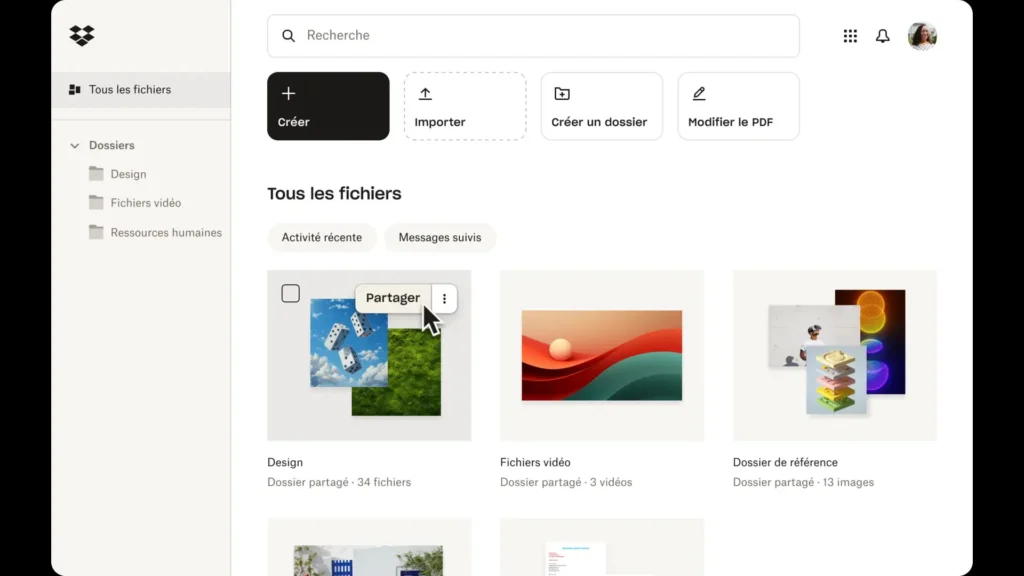
Not only these cloud storages are individual based but also come in handy with businesses. Thanks to its Office integration, eSignature functionality and dedicated business plans, Dropbox may be the most suited option for business users.
With its “file on-demand” feature and block-level sync, OneDrive is the leading option for those predominantly looking to use a desktop app.
Microsoft bakes its office tools into OneDrive. Users can create Word documents, Excel spreadsheets, ppts and more directly in the OneDrive interface. These tools are free to use online, while the desktop apps are available only with a paid subscription.
In Google Drive, there is a subset of the broader Google Workspace suite. Like with OneDrive, you can create docs and spreadsheets. Here you have access to video conferencing and messaging tools through Google Meet and Google Chat. In addition, you can start a video call while inside a document, allowing for more fluid and direct collaboration.
Compared to OneDrive, Google Drive offers better productivity and collaboration, with tools free to use, and some of them, like Docs and Sheets, allow offline access as well.
When you talk about Dropbox, it is more customized and offers integration of Microsoft Office and Google Workspace apps into its platform. Users can manage Word, Excel, and PowerPoint files from within Dropbox and share them with other users.
Aside from its integrations, Dropbox offers in-house productivity tool in the form of Dropbox Paper. Users can use it to create documents and collaborate with others in real time. However, there’s no equivalent Dropbox app for other productivity apps or communication tools.
Privacy And Security
There are two main types of cloud storage protections exist. First one which look after and manages the files being imported into cloud storage and those which rest at company’s servers. The other layer involves protection while sharing and accessing files in the cloud.
Is Cloud Storage Safe For Private Files?
Starting with encryption protocols which these storages use. Each of these cloud solutions use AES 256-bit encryption to protect your files on their servers. It is an industry standard protocol which is not easy to bypass for hackers due to its complex encryption. Google Drive uses TLS encryption for files in transit, while other two use TLS/SSL encryption.
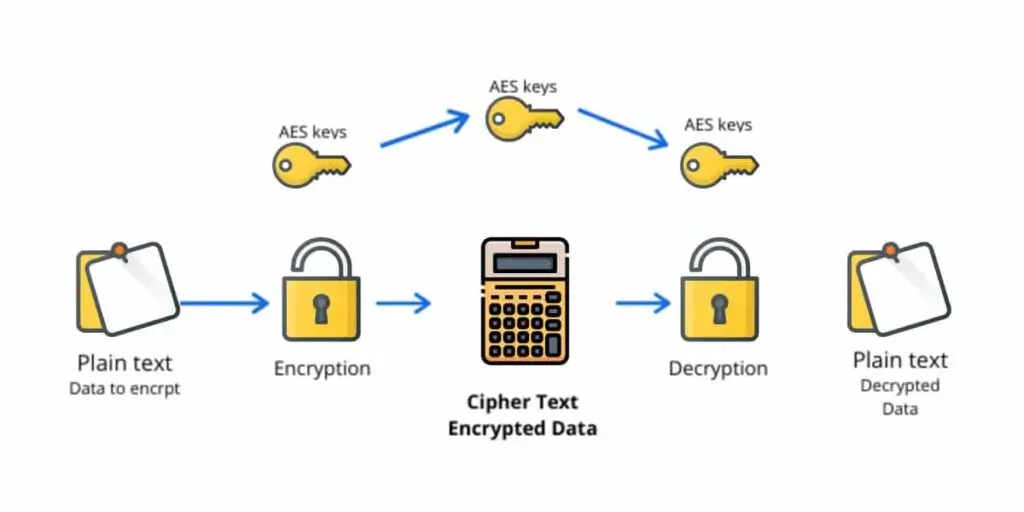
Along with that, other security features include Two-factor authentication which is available on all three platforms. In this security, each time you try for a log in, you are asked for one-time code, leading to minimal threat chances.
Dropbox and OneDrive also allow you to create a unique password and also lets you assign time limit for the availability of a file to somebody. When someone you want to give access to attempts to open the file, a password is required to unlock it.
However, Dropbox has had some unfortunate breaches in its lifespan. In 2011, a botched software update allowed anyone to access an account with only an email address. Just a year later, a data leak exposed 68 million Dropbox users’ email addresses and passwords.
And very recently in 2022, a GitHub repository breach meant hackers could potentially access accounts without a user password. Neither Google Drive nor OneDrive have had a similar level of security incident.
Moving on to discussing their privacy policies, Google Drive is akin to world’s worst spy: it snoops around in your business and doesn’t mind telling you about its privacy policy which involved collection of data from your docs and sheets, like your name, address, profile photo and payment information.
However, their privacy policy also clears that they won’t sell your information to any third-party, but only with those vendors who help Google Drive sell its services.
Microsoft’s OneDrive offers different agenda. Their policy says that they won’t use your data to train AI models, large language models or any other models, for that matter. However, that’s very thin on details as it doesn’t confirm which data it stores and which not.
Following the trend from Google Drive, Dropbox’s privacy policy allows it to collect a lot of data, including personal information, plus your IP address and browser type. The company also shares your data with Google and Amazon Web Services.
It is important to note that Dropbox’s policy marks it as a violation of its policy if anyone stores anything illegal in their accounts. While neither the terms of service nor the privacy policy state how Dropbox determines what users have stored in their accounts, but it does suggest that the company has algorithms in place to detect user files that are illegal and harmful.
Unfortunately, none of these cloud storage options offer client-side encryption — and they all have dubious privacy policies — so there is no perfect solution for privacy buffs.
Which One To Choose And When?
No doubt all of these cloud storage platforms are among one of the best storage options online. Only a few can rival them when it comes to remote-working tools, their apps are best in class. The storage offered in business and individual domains caters everyone and the pricing is also decent for all three overall.
If we had to pick one, I would recommend Google Drive. It tops the list because of its design, usability, file management, and productivity tools. People are also very familiar with it due to routine browser usage, making it easier to implement for new team members or those in your personal life.
For basic users, sharing files with friends and family, Dropbox is enough and good option to choose because it’s a familiar product that’s widely used. HR teams can manage business contracts with Dropbox, as it offers eSignature on contracts and other work-related agreements.
Light photography is also possible with Dropbox. Hobbyist photographers can use Dropbox’s built-in adjustments tool to edit their shots. However, Google Drive is ideal for videographers due to its 5TB file size limit for uploads and excellent playback feature.
Editorial stuff allowing teams to create article with Google Drive’s powerful document creator and managing remote teams become much easier with Google Drive due to its commenting and editing feature that improves communication within teams.
Is OneDrive Better For Windows User?
Windows users starting with the basic level can use preinstalled OneDrive, making it easy to start backing up your files. It’s very suitable for office use as it integrates all Microsoft Office apps, allowing you to create, manage and share your files on the platform. The secure vault built into OneDrive adds an extra layer of security for your files.
Which Cloud Storage Is Best For Personal Use?
Dropbox is ideal for light users who want to share photos and documents with friends and family. It’s known for its ease of use and familiarity.
Can I Use Multiple Cloud Services?
You can use multiple cloud storage services, like Google Drive, OneDrive, and Dropbox for better data security and redundancy. It’s recommended to have backups across different platforms to ensure your data is safe from loss due to hardware failure, data breaches, or other disasters.
Which Is Cheapest Long-Term?
Google Drive is the cheapest long-term storage option among the three, offering 15GB of free storage with a Google account, which is more than enough for personal use.
Can Cloud Storage Replace External Drives?
Yes, these cloud storages can effectively replace the need for external drives due to their accessibility, security features, and integration with other tools.
More Guides
Free Antivirus Vs Paid Antivirus – Do You Really Need To Pay In 2026?
