


Solid State Drives have revolutionized data storage, offering significant speed and performance enhancements over traditional Hard Disk Drives. But with the rise of SSD technology, consumers often face a pivotal question. Is internal or an external SSD better to opt?
The right answer depends on how you use your computer, whether your data needs to live, and how much mobility matters for your workflow. This guide breaks down both categories clearly so you can shop with confidence.
In this comprehensive guide, we will delve into the fundamental differences between internal and external SSDs, helping you make an informed decision based on your specific needs.
What Is An SSD?
An SSD, Solid State Drive, is a type of non-volatile storage device that uses flash memory to store data. Unlike HDDs, which rely on spinning disks to read and write data, SSDs have no moving parts, resulting in faster access times, better reliability, and lower power consumption. This technology makes SSDs an ideal choice for both everyday consumers and professionals requiring high-performance storage solutions.
Internal SSDs
These are directly installed inside your computer, typically replacing or supplementing a traditional hard drive (HDD). They offer significant improvements and are generally considered a standard upgrade for modern computers.
What Are External SSDs?
External SSDs connect to your computer via USB or Thunderbolt port, providing portable storage solutions. Their advantages are primarily portability and expandability, while their speed might not always match internal SSDs.
Speed And Performance
Internal Solid-State drives are typically connected to the motherboard via SATA or NVMe interfaces, allowing them to leverage the full potential of their speed capabilities. They can achieve faster read and write speeds compared to external SSDs due to direct connection. NVMe SSDs, in particular, can deliver unprecedented speed, making them ideal for gaming, content creation, and running resource-intensive applications.
Are External SSDs Slower Than Internal SSDs?
SSDs offer quick boots, faster application loading, and improved overall system responsiveness. The difference can be dramatic. Booting a system from an HDD can take several minutes, while an SSD can boot in seconds. Loading large applications, like video editing software, is also significantly faster with an internal SSD.
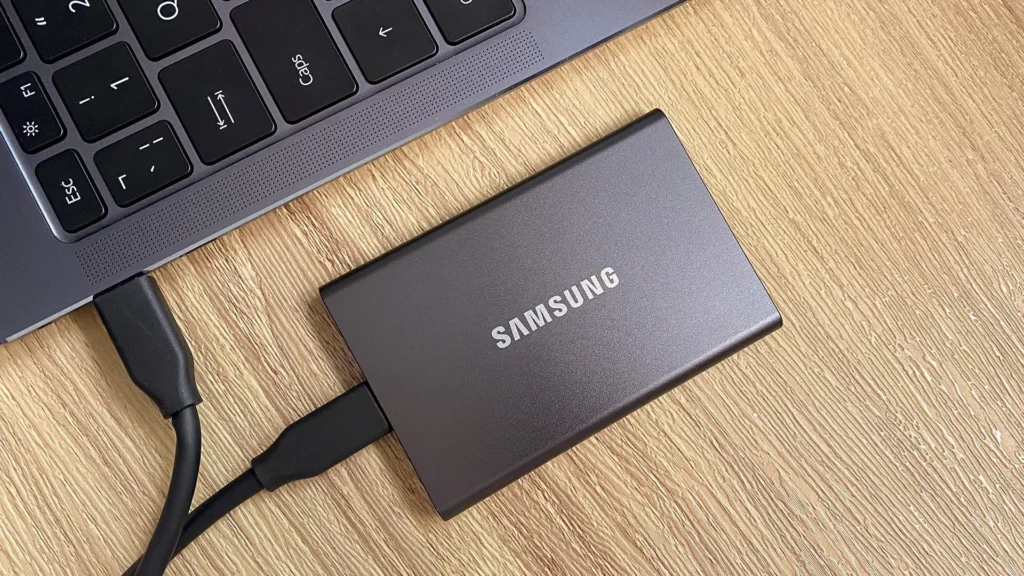
Internal SSDs are the best option whenever performance is the top priority, and the drive will primarily live inside a single system. Operating system and application storage is the clearest case. A PCIe 4.0 or PCIe 5.0 NVMe internal drive will boot your OS systems in seconds and launch applications almost instantly.
Top PCIe 5.0 drives like the Samsung 9100 Pro and WD Black SN8100deliver sequential reads up to 14,800 Mbps, a speed no external drive can match.
Can An External SSD Be Used For Gaming?
Gaming is another strong use case proving speed of internal SSDs. Modern titles regularly exceed 100GB, and open-world games with real-time asset streaming actively benefit from fast storage. Games installed on a quick NVMe internal drive load faster and stutter less during open-world traversal than games stored on slower media.
Content creation workstations demand internal drives for serious work. Scrubbing through 4K or 8K timeline footage, rendering complex 3D scenes, and batch-processing RAW photography all require the sustained throughput that internal NVMe storage provides.
An external drive connected via USB simple cannot deliver the consistent bandwidth needed for uninterrupted professional workflows. External SSDs excel in scenarios where portability, flexibility, and convenience outweigh raw throughput.
Backup and data protection is perhaps the strongest use case. External SSDs are fast enough to back up hundreds of gigabytes in minutes, far more durable than external hard drives, and compact enough to store offsite or in a bag. Following the 3-2-1 backup rule, three copies, two media types, one offsite, makes an external SSD a natural part of any serious data protection strategy.
Multi-device workflows are where external SSDs save significant time. Designers, videographers, and consultants who move between a home studio, client offices, and a laptop can carry an entire active project directory—including large media files—in a drive that weighs 100 grams.
Popular options like Samsung T9, WD My Passport SSD, and Crucial X9 Pro pair 1-4 TB of storage with pocket-friendly form factors.
Laptop storage expansion is another practical scenario. Many ultrabooks ship with 256 or 512 GB of internal storage, with no option to add more internally. A fast external SSD extends your effective storage immediately, with no tools or warranty concerns involved.
Overall, the speed of an external SSD is influenced by the connection interface (USB or Thunderbolt). Faster interfaces like Thunderbolt offer dramatically faster speeds than slower USBs. A Thunderbolt connection can provide performance close to an internal SSD, while USB will still be notably faster than HDDs, though generally slower than internal SSDs.
Portability
Installing an internal SSD can be a complex process, especially for those unfamiliar with computer hardware. It may require a screwdriver and knowledge of how to open and how to connect it in the computer’s motherboard, which can be daunting for many users.
Once installed, internal SSDs are not meant to be moved around. This limitation can be a drawback for users who want to carry their data with them or transfer files between devices.
On the other hand, the most significant advantage of external SSDs is their portability. They can be easily transported between devices, allowing users to access their data wherever they go. This feature makes them ideal for photographers, videographers, and professionals frequently working on different machines.
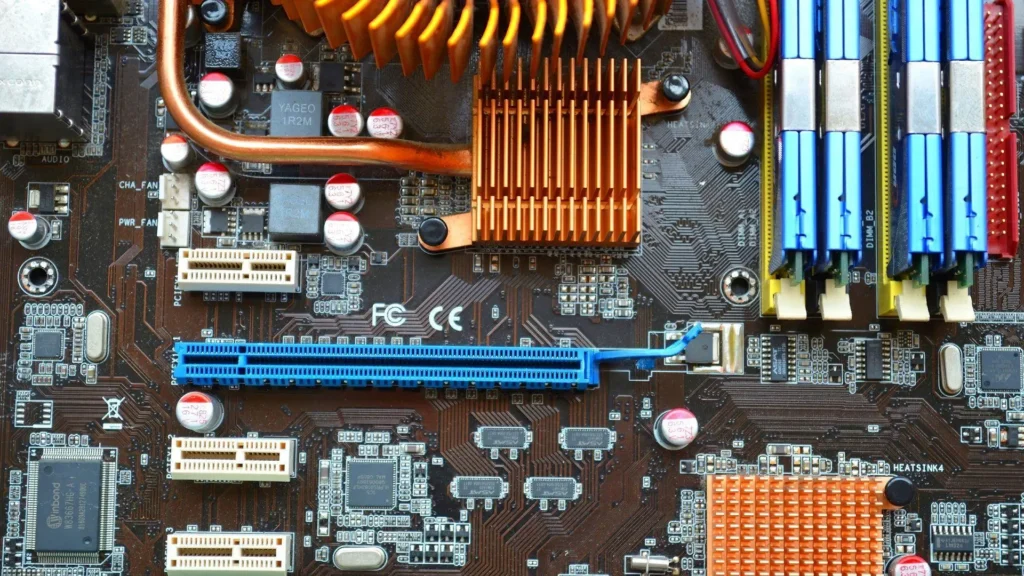
They are generally straightforward. They plug directly into a USB port, making them user-friendly without the need for technical installation. Most external SSDs are also “plug-and-play,” allowing immediate access to files upon connection.
Use Cases
When it comes to any sort of set-it-and-forget solution, internal SSDs are almost always the right choice. Compared to the wires and potential fall risk that you have to deal with when it comes to external SSDs, your SSD being inside the device you’re using is generally safer.
This isn’t to say external SSDs are fragile; it’s just that by their very nature, they’re more prone to accidental bumps and falls. And when it comes to your valuable data, it’s better to be safe than sorry.
Is It Safe To Store Important Files On External Drives?
External SSDs shine in situations that demand portability. Photographers, video editors, and business travelers can effortlessly transport large files across different devices. They are also prime choice for those who require temporary storage or backup solutions, such as archiving large data sets without sacrificing internal storage capacity.
Internal SSDs are the optimal choice for gamers, creative professionals, and anyone else who prioritizes performance. Their high speeds and seamless integration into a system make them ideal for such as booting an operating system, running demanding software, or reducing load times in graphics-heavy games. Internal SSDs are also crucial in servers and enterprise environments, where speed and reliability are paramount.
Price Comparison
Internal SSDs are available in a wide range of capabilities, from a few hundred gigabytes to several terabytes. You can choose an SSD capacity that suits your needs and budget. Consider your file storage requirements and future needs when selecting a capacity.
Generally, the cost per gigabyte is higher for internal SSDs than for external SSDs of comparable capacity. While the initial investment may be higher, the performance gains often justify the increased cost for many users.
External SSDs usually offer a lower cost per gigabyte compared to internal SSDs, making them an attractive option for large storage needs. This price advantage is especially beneficial when purchasing larger capacities. You can often get more storage for your money with external SSDs.
They are available in a wide range of capacities, offering flexibility to match your requirements. From small portable drives for storing a few photos to large drives suitable for storing extensive media libraries, you’ll find a capacity to meet virtually any need.
Both types of SSDs have minimal maintenance costs, thanks to the absence of moving parts. However, an external SSD may incur additional expenses if damaged while in transit or subjected to heavy physical use. Internal SSDs, protected within a system, often have a longer lifespan without the risk of physical mishandling.
Which Option Fits Different Users?
If you need a permanent storage solution with faster data speeds and you don’t shy away from opening up your device and you don’t require frequent mobility, the I’d suggest getting an NVMe internal SSD if your device supports it, or a SATA internal SSD if it doesn’t.
Generally speaking, an internal SSD always has the potential to be much faster than any external SSD. However, that does not mean that all internal SSDs are faster than external ones. For example, a “2.5” internal SATA SSD would have a maximum read/write speed of 550 Mbps. This is because that’s maximum speed that the SATA 3 interface standard supports.
However, if you were to compare any external SSD to higher-end NVMe internal SSDs, the internal SSDs will almost always come out on top. But that’s assuming that you even have a motherboard that supports your internal (M.2) NVMe SSD.
In case you desire portable storage solution, then an external SSD is best choice. And as long as you make sure that the interface standards between your SSD and device are the same, you’ll get plenty of speed, too—potentially even more so than what you would’ve gotten if you had gone with a SATA internal SSD.
When Should You Upgrade Your Internal SSD Instead?
Upgrade your internal SSD when your system feels slow, runs out of space, or struggles with demanding tasks like gaming or editing.
More Guides
What to Look for When Buying a Gaming Laptop in 2026?
Wi-Fi Extender vs Mesh Wi-Fi – Which Improves Internet More?
OLED vs LED vs QLED – Which Display Type Is Actually Better?
