


Antivirus protection is a necessity, not a luxury. They protect your PC’s personal information, data, bank accounts, and other sensitive information. You can use your PC for anything, but you won’t accomplish much if malicious software gets in the way.
Free antivirus programs are a tempting option here, and the latest Which? data proves that you don’t need to pay to get top-tier security.
Whether it’s a month of Netflix to go with your new mobile contract, or a year free insurance when you buy a new car, we are used to companies bundling extras so that they can charge higher and increase their profit margins.
However, antivirus companies do this to the extreme. Have you ever noticed that most antivirus software is now called a “security suite” or “total protection?” As the market of antiviruses become so reliable and saturated, adding extra features has become a game of cat-and-mouse, with extras disappearing and reappearing year in, year out.

The big question is, are any antivirus programs actually worth paying extra for? Or should you just opt for the free packages that simply offer capable core protection and little or nothing else? In this guide we compare both the options available, whether there are any fundamental differences between free and paid-for versions.
Free Features
The built in Microsoft Defender isn’t bad, but it’s not enough to fully protect your PC. You don’t have to pay extra, though, you can choose one of the top free antivirus apps.
The one core feature which antiviruses are built for is malware protection. Antiviruses nowadays provide real-time malware protection through continuously scanning files and processes as you use your PC. They detect viruses, trojans, worms, spyware, and many other forms of malware.
When you install a new app or a software, they look for malicious content in them, warn you and notify you of risks, and even block or restrict some features to protect your system.
Free antiviruses let you start scans manually. You can check common malware hiding spots through Quick Scan or start a Full Scan which scans entire drive. There is also an option for custom scan where you can scan files folders and software of your choosing.
Not only free antiviruses perform scanning tasks, but they also notify you when an update for the antivirus is out. This lets you upgrade your free antivirus to an advanced level of protection, improving capabilities and protection.
Another feature provided by free antiviruses is the basic web and download protection which prevents downloading and installation of malware before they execute. Inform you about unprotected links, pages, and suspicious content.
Real Free Vs Paid Differences
Since free and paid antiviruses provide exactly same basic protection, However, extra features included in premium paid antiviruses could increase your security from other threats and improve your online privacy. Some offer extra peace of mind, while others don’t really have that much of a benefit at all.

If you want to be extra secure and protect all your devices under a single account, you can use additional licenses offered in paid versions to cover more devices. We’ve seen rare examples of free antivirus offering more licenses in the past (such as Bitdefender) but this is no longer currently the case unlike paid antivirus.
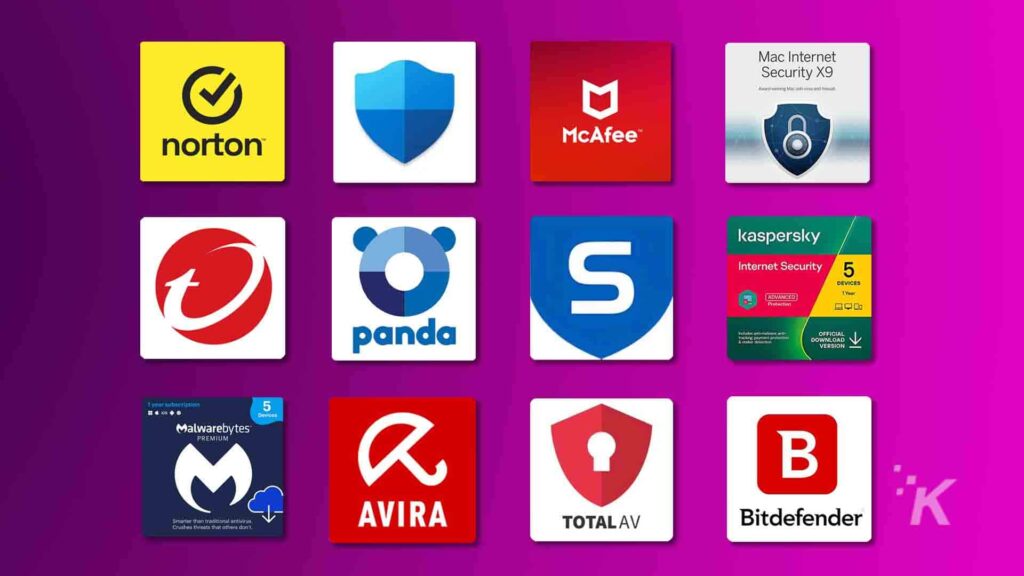
Depending on the brand, paid antivirus can get you anywhere between three and 10 licenses to cover multiple devices. Additionally, if you have a mixture of Windows and Mac devices, some paid antivirus, such as Norton with its Deluxe and advanced packages, allow for cross-platform protection, which means its software works on both Windows and Mac computers.
Lots of paid antivirus come with VPNs which help you to control your privacy online. The main issue with VPN software bundled with your antivirus is that it typically offers a miserly amount of data. For instance, Avira Software Security comes with just 1GB a month, not making any sense in utilization of VPN.
Bitdefender just offers 200MB a day, which is only enough for a bit of online browsing on a given day.
The main differences between free and paid antivirus version lies in their level of security, customer support, and flexibility. With paid options you can get more comprehensive security.
However, choosing between free and paid software depends on your specific needs, risk tolerance, and budget. Always ensure that whichever you choose is from a reputable vendor and keep your software updated for optimal protection.
Windows Defender Impacts
One of the key reasons making Windows Defender a suitable choice is its cost effectiveness. Since it comes built into Windows, making it a suitable option for individual users and businesses alike who might not have the budget for third-party solutions.
Its user-friendly interface lets easy navigation, which makes it accessible even for non-technical users. Moreover, you don’t need to install and hassle with updates due to its integration into the Windows operating system.

User experience shows that Windows Defender impacts very lightly on system’s performance compared to several third-party applications. This minimal footprint allows users to work or game without noticeable slowdowns.
However, with its pros must come cons. While Windows Defender is effective against common threats, it may lag behind in detecting complex cyber-attacks, particularly those that utilize zero-day vulnerabilities or advanced evasion techniques.
Additionally, businesses with sensitive data or regulatory obligations might need more robust solutions. While Defender may have enterprise features, they are not enough to offer same depth of protection that dedicated security solutions can provide.
Who Needs Premium?
Users who have heavily invested in the Microsoft ecosystem may find Defender more suited to their needs. Conversely, those using a mixture of platforms may require a non-native solution that offers cross-compatibility.
For enterprises dealing with sensitive data or individual who require enhanced security metrics, investing in a dedicated antivirus solution or security suite may be more prudent. Combining Windows Defender with supplemental tools like password manager, VPN, and training for employees or cybersecurity best practices, can create a more robust security posture.
Common Myths
Strong and reliable digital Security is a prerequisite to ensuring that our interactions-whether they involve ecommerce or business online with other companies-are sufficiently protected, and we as digital users, remain safe.
This is because much of what we do in modern society is done within an interconnected space, where digital interactions are just as common, necessary, and authentic as face-to-face ones.
However, being able to separate facts from fiction is very important considering the kinds of threats you’re up against as a consumer and a professional. One very prevalent misconception is that free antivirus software is substantially less effective than its paid counterparts.
While paid antivirus programs do come with extra features, such as enhanced firewall and parental controls, the core virus detection and protection capabilities in free versions are generally quite potent as well. If you are deciding based on this myth, you need to change your perspective.
“Antivirus Software slows down computers.” This misconception stems from earlier times, when antivirus programs required substantial system resources to be able to operate. However, you will find that modern upgraded solutions are designed with efficiency in mind.
The optimizations of these programs guarantee that they provide strong protection without compromising the performance of your computer. But let me uncover another myth which is associated with Mac and Linux. Few think that they are inherently secure and don’t require antivirus protection.
This myth is rooted in the behavior of cybercriminals from past decades, who targeted these OS systems less due to their smaller user bases compared to windows. But this has changed, knowing that how popular both Mac and Linux have grown, they haven’t escaped the eye of today’s bad actors.

Another common myth is that once you install antivirus software, it doesn’t require regular updates. Sadly, this misconception often undermines the software’s effectiveness and leaves the user more vulnerable than they think.
Cybercriminals continuously develop new malware and train themselves in novel techniques. If any antivirus program isn’t updated frequently enough, it could become too outdated to counter these evolving methods.
Lastly, some believe that practicing safe browsing habits alone will be enough to protect against malware and viruses. Cyber threats can manifest in seemingly safe environments, for example through sophisticated phishing scams or through the exploitation of vulnerabilities in legitimate websites.
Practical Advice
Free antivirus programs are ideal for low-risk users and secondary devices. Basic protection against common threats, with some offering real-time scanning and web browser security. On the other hand, paid premium antivirus software are recommended for users with higher risk, such as those storing sensitive information and running small businesses.
Due to their advanced features, they are customizable for user needs and offer dedicated customer support. In contrast free antivirus is best for students or casual home users with minimal sensitive data. Combining a basic antivirus with cautious browsing habits and built-in system protections (such as Windows Defender) could lead to benefits while depending on free antivirus programs.
In paid antivirus programs, since you are paying for them, look for multi-layer malware detection in them which also provide comprehensive online protection against threat. Not only that, but regular and reliable updates and threat intelligence also plays a significant role in your cyber security. A good customer service with rapid response times can help you and guide you towards potential safety.
To conclude, it is important to assess your digital habits, the type of data you store, and the level of cyber threats you face. Without self-knowledge it is impossible to protect your data and systems even if you update them regularly – no tool can replace cautious online behavior.
More Guides
Laptop Vs Desktop – Which Is Smarter To Buy In 2026?
