


Buying a new gaming laptop in 2026 could be confusing and intimidating simultaneously. With increasing competition in the market, prices are getting higher and specs are getting more complex day by day. And every brand claims to have the “best gaming laptop.”
Gaming laptops used to be straightforward. They were powerful but thick and unwieldy. These days, some gaming laptops that prioritize performance at all costs, while others focus on thinness, cost, or design. CPU and graphics performance are the core specs which are looked for in gaming laptops.
In this guide, we will explore different factors that come into consideration while buying a gaming laptop. From understanding why the GPU is the most critical component for gaming, to choosing the right CPU for smooth gameplay and multitasking, each section will explain what matters and why.

GPU Performance
A gaming laptop needs a discrete GPU to be ready for 3D gaming, and typically, that means choosing from something in Nvidia’s RTX lineup. RTX50-series, launched throughout 2025, include the RTX 5090, 5080, 5070, 5070 Ti, 5060, and 5050. Nvidia will have you believe that multi-frame generation is the reason to buy a new laptop with one of these GPUs.
The RTX 5090 (24GB), 5080 (16GB), and 5070 Ti (12GB) all received additional VRAM over their predecessors in the RTX 40-series, whereas the RTX 5070, 5060, and 5050 are all stuck with just 8 GB. That means for certain games, the upgrade from the RTX 5070 to the 5070 Ti is bigger than the jump from the 5060 to the 5070.
Another important factor involved in the performance of GPU is its power consumption. The RTX 5060 can run at 115 watts for the maximum amount of performance, which is what you’ll see in a laptop like the Lenovo Legion 7i Gen 10 or Lenovo LOQ 15.
However, cheaper laptops like Gigabyte Aero X16 run with the same RTX 5060 at a max of 85 watts. This severely limits the capabilities of the 5060 RTX. So whenever you buy a new laptop, make sure to check these specifications with manufacturers before making your decision.
Each brand approaches gaming laptops differently. Here’s how they realistically compare. ASUS has a wide range, from high-end models to budget-friendly options. ASUS ROG Strix G16 / G18 offers strong gaming performance with high refresh screens and decent cooling.
While AUSU’s basic variant TUF Gaming F15 / A15 is more budget-focused, usually good durability for the price. Dell splits gaming into two lanes: premium and mainstream. Alienware m16 / m18 are premium builds, powerful configs, and strong cooling.
On the other hand, Dell 15 Gaming laptop is more mid-range, built for everyday gamers. However, HP devices Omen 16 falling in premium range offers strong performance, good thermals, good all-rounder. If you want to go with basic variant in budget-friendly options for casual to mid-level gamers.
Lastly, Acer usually plays the value game and offers good specs for the money. Especially in mid-range, Acer Predator Helios 16 / 18 gives high performance.
For the vast majority of gaming laptops, you’ll be looking at GPUs from Nvidia’s GeForce RTX lineup. Here’s a simple breakdown of the commonly available RTX gaming GPUs.
RTX 4050 / RTX 4060 is a sweet spot for 1080p gaming. These cards are fantastic value and will run virtually any modern game at high settings on a standard Full HD (1920×1080) screen. While RTX 4070, the king of 1440p gaming, 4080 / 4090s are the enthusiast tier. These GPUs deliver the absolute best performance possible.
However, if you want to play on a sharper, more detailed Quad HD (2560×1440) display with high frame rates, the RTX 4070 is the perfect choice. It offers a significant performance jump over the 4060.
RTX 4080 / RTX 4090 are for the gamers who want to play in 4K, max out every setting, and have a “future proof” machine. They are incredibly powerful and expensive.
CPU Choices
For gaming, the processor plays a supporting role to the GPU. A modern Intel Core i5 or AMD Ryzen 5 is sufficient for the vast majority of games. Stepping up to an i7 or Ryzen 7 helps in CPU intensive games like strategy titles and open world games with lots of NPCs, but the difference is often smaller than you’d expect.
Where the CPU matters more is multitasking. If you plan to stream your gameplay, run Discord, and have a browser open while gaming, a stronger CPU will keep everything running smoothly. For pure gaming with nothing else open, the GPU is doing most of the heavy lifting.
Intel and AMD both have a strong position in gaming laptops, and you’ll find options for them spread out across different lineups. The latest generation of chips you’ll see in 2026 gaming laptops are the Intel Core Ultra Series 2 H or HX chips, and AMD has its third-gen Ryzen AI chips, such as the Ryzen AI 9 365 or the Ryzen AI 9 HX 375.
HX chips across both AMD and Intel refer to higher-wattage CPU, up to 55 watts. Although it’s a bit rare, some gaming laptops also adopt the Ryzen 9 9955HX3D, which is the absolute king of gaming performance right now.
Meanwhile, Intel’s latest chips are a bit more commonly used and get you better battery life. Intel and AMD are starting to roll out new chips soon, as highlighted at the CES 2026.
Processors from Intel and AMD are divided into different tiers, such as Intel Core i series and AMD Ryzen processors. Intel Core i5 / AMD Ryzen 5 are great for entry level CPUs for gaming. Whereas Core i7/ Ryzen 7 is a perfect choice for most gamers, offering fantastic performance without extreme cost of the top-tier chips.
However, the best ones come in Core i9 / Ryzen 9 for enthusiasts, content creators who stream or edit video, and those who want the absolute best performance.

To conclude, Core i7, Ryzen mid-range CPUs are more than enough for high-end gaming experience as most of the processing workload is handled by the GPU.
Display Specs
Do not underestimate the importance of your gaming laptop’s display. Unless you plan on exclusively using it while plugged into an external monitor (in which case you should probably build or buy a desktop PC), the display of your gaming laptop is the window through which you experience the world of your games.
Other than size considerations, here are three primary factors to consider with a laptop’s screen: resolution, refresh rate, and panel type. Gaming laptops these days come in either 1920×1080, 2560×1600, or 3840×2400. Occasionally, you may run across a 16:9 aspect-ratio screen with an old-school 1920×1080 resolution too.
More pixels mean a sharper screen, which makes a big difference in games. But more pixels also mean more performance is required to get high frame rates at that resolution. You can always drop the resolution in a game to get higher frame rates, but that also means you are paying for extra pixels that you are not using.
Refresh rate is equally important. All gaming laptops have a refresh rate of over 60 Hz, which is the standard for non-gaming laptops. From there, you will see 120 Hz and 144 Hz as the new baseline, with options up to 240 Hz, 360 Hz, or even 500 Hz.
Laptop manufacturers usually offer display resolutions and refresh rates that match the expected performance of the laptops.
The last but not least important factor that comes into consideration with a gaming laptop’s display is the panel type, which is increasingly a very exciting aspect of these devices. While IPS is still the standard, higher-end gaming laptops have begun to adopt mini-LED or OLED.
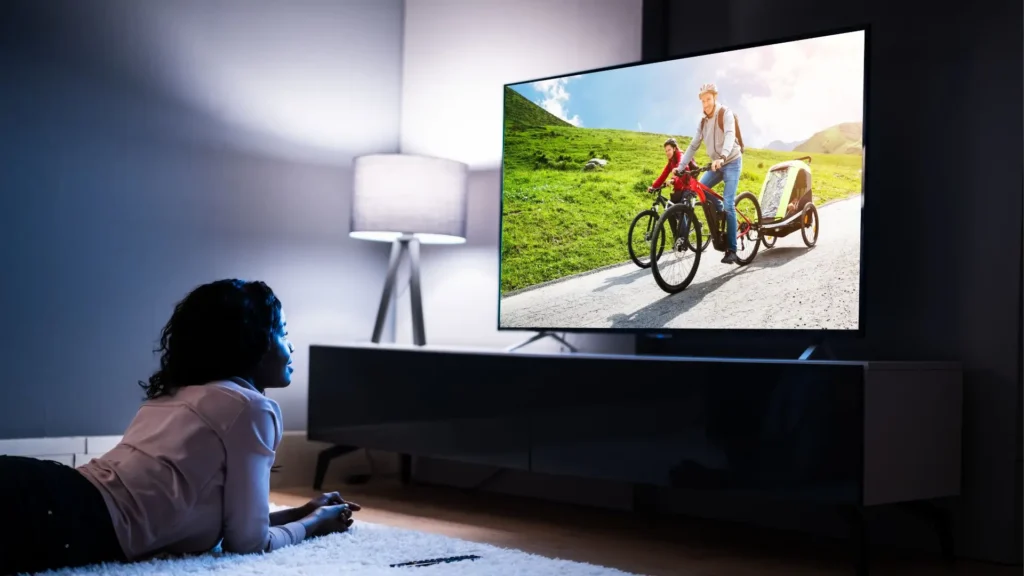
Not only are these panels more color-accurate and vivid, but they also allow for vastly better HDR performance. Many of these panels, including the OLED ones, can hit over 1000 nits of peak HDR brightness, really bringing the lighting in games to life.
If you want to know more about the display specifications and which one to choose for yourself, you can go through our detailed display guide on our website.
Cooling Systems
A laptop’s performance is meaningless if it overheats and throttles. Look at reviews that specifically mention thermal performance. Laptops with thicker chassis and more robust cooling systems will generally perform better over long gaming sessions.
Build quality often comes down to a choice between plastic and metal (aluminum or magnesium alloy). Metal chassis feel more premium and durable; however, they cost more and also absorb and dissipate more heat.
Thinner gaming laptops look sleek but often run hotter and louder. Larger gaming laptops with thicker chassis tend to have better cooling systems and sustain peak performance longer. If you game in a quiet room or during voice calls, fan noise becomes important. Some laptops sound like a hair dryer under load, while others manage to stay relatively quiet.

Advanced cooling techniques like vapor chambers and liquid metal are becoming more common in gaming laptops. These technologies help maintain stable temperatures and reduce throttling during intense gaming sessions.
By focusing on these aspects, you can ensure that your gaming laptop provides optimal performance and longevity.
Long-Term Performance Considerations
How Long Do Gaming Laptops Last?
When buying a new gaming laptop in 2026, it is important to think beyond current performance and consider how well the system will handle games over the next few years. Modern AAA titles are becoming increasingly demanding, with many recommending higher specifications.
Are Gaming Laptops Good For Everyday Work?
Let us be realistic: gaming on battery drains any laptop quickly. Expect 1-2 hours of gaming away from an outlet. However, if you also use the laptop for class, work, or browsing, battery life for non-gaming task matters. Some gaming laptops with efficient hybrid graphics last 6-8 hours for regular tasks, while others die in about 3 hours even with email and web browsing.
Therefore, the more the battery is used in high-performance scenarios, the more charge cycles it uses, leading to battery lifespan decrease.
For high-end gaming, it is a must to have a 32 GB or higher RAM with extra space available to upgrade in future so that you can have compatibility with upcoming games and demands. Storage is another factor, since most of the games today and in future are getting more and more larger in storage size, which requires to have a fast SSD with a suitable memory range to meet the requirements of modern games.
Upgradeability plays a vital role in long-term value; laptops that allow RAM or SSD upgrades can extend their usable lifespan as game requirements increase.
Additionally, strong cooling systems and higher power limits (TGP) help maintain stable performance over time by preventing thermal throttling during long gaming sessions. Choosing newer-generation CPUs and GPUs with features such as AI upscaling technologies like DLSS and FSR can further improve longevity, allowing laptops to run future games smoothly even as graphical demands continue to rise.
Is RAM Or GPU More Important For Gaming?
GPU is more important because it renders the graphics and determines game performance, while RAM mainly supports smooth system operation.
More Guides
Wi-Fi Extender vs Mesh Wi-Fi – Which Improves Internet More?
OLED vs LED vs QLED – Which Display Type Is Actually Better?
