


Astro Bot now has an unofficial native Windows port through AstroHybrid, an experimental project that converts the PlayStation 5 game into a PC executable using AnyPS5. GitHub developer imnotsharingmyname has publicly released the AstroHybrid Windows Game Builder, featuring NVIDIA DLSS Super Resolution, Frame Generation, Multi Frame Generation and Reflex support.
Unlike traditional PS5 emulation, AstroHybrid converts the game’s existing x86-64 code into a Windows executable while replacing PlayStation system libraries with native Windows implementations. The developer has also published performance measurements showing approximately 32–34 FPS in demanding scenes on an RTX 5060 system, with displayed frame rates reaching 124–128 FPS through DLSS Multi Frame Generation.
The project remains unofficial and experimental. It is not a Sony Interactive Entertainment or Team ASOBI PC release, and users must supply their own decrypted Astro Bot game files.
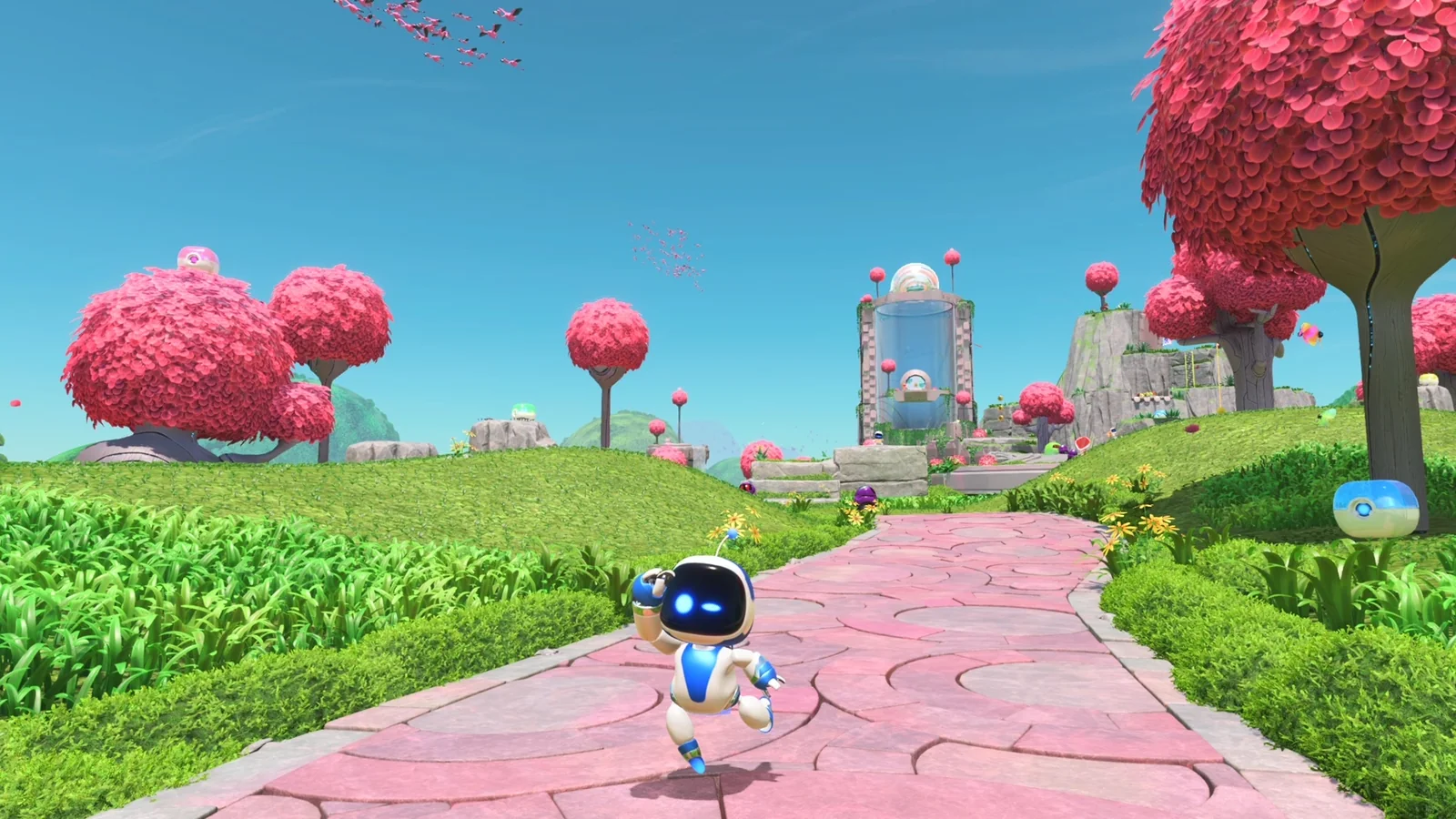
The technical approach resembles the broader effort to bring console exclusives to PC without conventional emulation, including the unofficial native PC port of Super Mario Odyssey.
AstroHybrid Uses AnyPS5 and Vulkan Instead of Traditional Emulation
According to the project’s GitHub documentation, AnyPS5 relinks Astro Bot’s original PS5 x86-64 code into a Windows executable named AstroBot.exe. Console system libraries responsible for functions such as input, audio, memory management and save data are replaced with Windows-compatible implementations.
Graphics processing is handled separately through a GPU translation layer derived from KytyPS5. Packaged as kyty_gpu.dll, this component translates PlayStation 5 graphics commands and shaders into Vulkan operations that Windows graphics drivers can execute.
Although the graphics layer uses technology derived from an emulator, the developer describes the overall system as a native port because the game’s CPU code is converted into a Windows executable rather than executed through a conventional PS5 emulator.
The project also integrates NVIDIA’s Streamline SDK 2.14.16 to provide modern RTX rendering features.
AstroHybrid identifies Astro Bot’s existing temporal upscaling pass during execution and supplies its color, depth, motion-vector and camera information to DLSS. This allows NVIDIA’s upscaling and frame-generation technologies to operate within the converted game.
The same integration supports NVIDIA Reflex through the Vulkan VK_NV_low_latency2 extension.
Astro Bot PC Performance Reaches 128 Displayed FPS With Frame Generation
The developer published benchmarks from a system equipped with an AMD Ryzen 5 5500 processor, NVIDIA GeForce RTX 5060 8GB graphics card and 32GB of RAM, connected to a 2560 × 1440, 165Hz display.
In Sky Garden, identified as the most demanding area tested, Astro Bot achieved approximately 32–34 native FPS without a frame-rate cap.
Performance varied across other locations. Hoover Beach reached approximately 51–53 FPS, a snowy canyon area delivered 43–44 FPS, and Cymbal Party Land recorded 37–39 FPS.
Enabling 2x DLSS Frame Generation increased the displayed frame rate to approximately 63 FPS in the developer’s testing. With 4x Multi Frame Generation, the reported output rose to approximately 124–128 FPS.
These higher figures represent displayed frames, not an equivalent increase in the game’s underlying rendering or simulation performance.
Frame Generation inserts additional generated frames between conventionally rendered frames, improving displayed motion smoothness without making the game engine calculate every displayed frame independently.
That distinction matters particularly when the underlying game is running at approximately 30 FPS. A 128 FPS displayed output does not provide the same responsiveness as a game rendering 128 native frames every second.
The developer has not yet measured input latency with Frame Generation enabled, meaning the responsiveness trade-offs remain unverified.
Similar distinctions between generated and native frames are relevant to other recent implementations of the technology, including Anno 117's DLSS and Multi Frame Generation support.
CPU Bottlenecks Limit Astro Bot’s Native Frame Rate
One of the project’s most significant technical findings concerns CPU performance.
The developer reports that approximately 22 milliseconds of a typical 30-millisecond frame are consumed by draw-command submission on a single CPU thread, involving roughly 4,900 draw calls per frame.
This creates a substantial CPU bottleneck on the tested Ryzen 5 5500 system, leaving available GPU performance unused.
As a result, lowering the rendering resolution does not significantly improve frame rates in the CPU-limited scenes.
The developer has implemented a faster buffer-binding path that reportedly reduces command-processing overhead by approximately one millisecond per frame. However, the underlying CPU limitation remains.
Additional work has addressed game-speed synchronization. The developer states that an earlier configuration ran at approximately half speed when capped at 30 FPS, while the updated implementation now operates at roughly 98% of real-time speed.
These measurements come from the project’s own testing rather than independent third-party benchmarks. Performance on other CPUs and GPUs has not been comprehensively established, and the developer notes that background applications can noticeably affect results.
Astro Bot PC Port Supports RTX 40 and RTX 50 Frame Generation
AstroHybrid’s NVIDIA features have different GPU requirements.
DLSS Super Resolution and NVIDIA Reflex are supported on RTX graphics cards across the RTX 20, 30, 40 and 50 series.
Standard DLSS Frame Generation requires an RTX 40-series or newer GPU, while 3x and 4x Multi Frame Generation modes require an RTX 50-series card.
The project also includes an adaptive Frame Generation mode that adjusts its multiplier according to the game’s frame rate and a selected displayed-FPS target.
For example, the developer documents the system switching to 3x generation when the game produces 24 FPS, resulting in 72 displayed FPS, and using 2x generation at 30 FPS to achieve 60 displayed FPS.
A built-in performance overlay distinguishes the underlying game frame rate from the displayed output, helping users assess Frame Generation results more accurately.
AstroHybrid additionally supports DualSense, DualShock 4, Xbox, Switch Pro and compatible generic controllers. DualSense functionality includes vibration, adaptive triggers, motion controls and light-bar support.
Windows Game Builder Released, but Users Need Their Own Game Files
The publicly available AstroHybrid Windows Game Builder provides a graphical setup application that converts a decrypted Astro Bot installation into a Windows-compatible executable.
The developer identifies PS5 game version 01.019.000 as the tested build. Other versions can be selected, but certain version-specific modifications are automatically disabled when the expected code differs.
Windows 10 or Windows 11 x64 and a Vulkan-capable graphics card are required, with additional RTX hardware requirements for NVIDIA-specific features.
The repository and downloadable builder do not contain Astro Bot’s copyrighted game executable, assets, shaders, encryption keys or other game content. Users must provide their own decrypted game dump, and the project is explicitly intended for personal research and use.
The developer also states that AstroHybrid is not affiliated with or endorsed by Sony Interactive Entertainment, Team ASOBI or NVIDIA.
The release demonstrates a working approach to converting a PS5 title into a Windows executable while adding PC-specific rendering technologies. However, the current performance limitations, unmeasured Frame Generation latency and restricted game-version testing mean AstroHybrid remains an experimental project rather than a finished PC release.
