


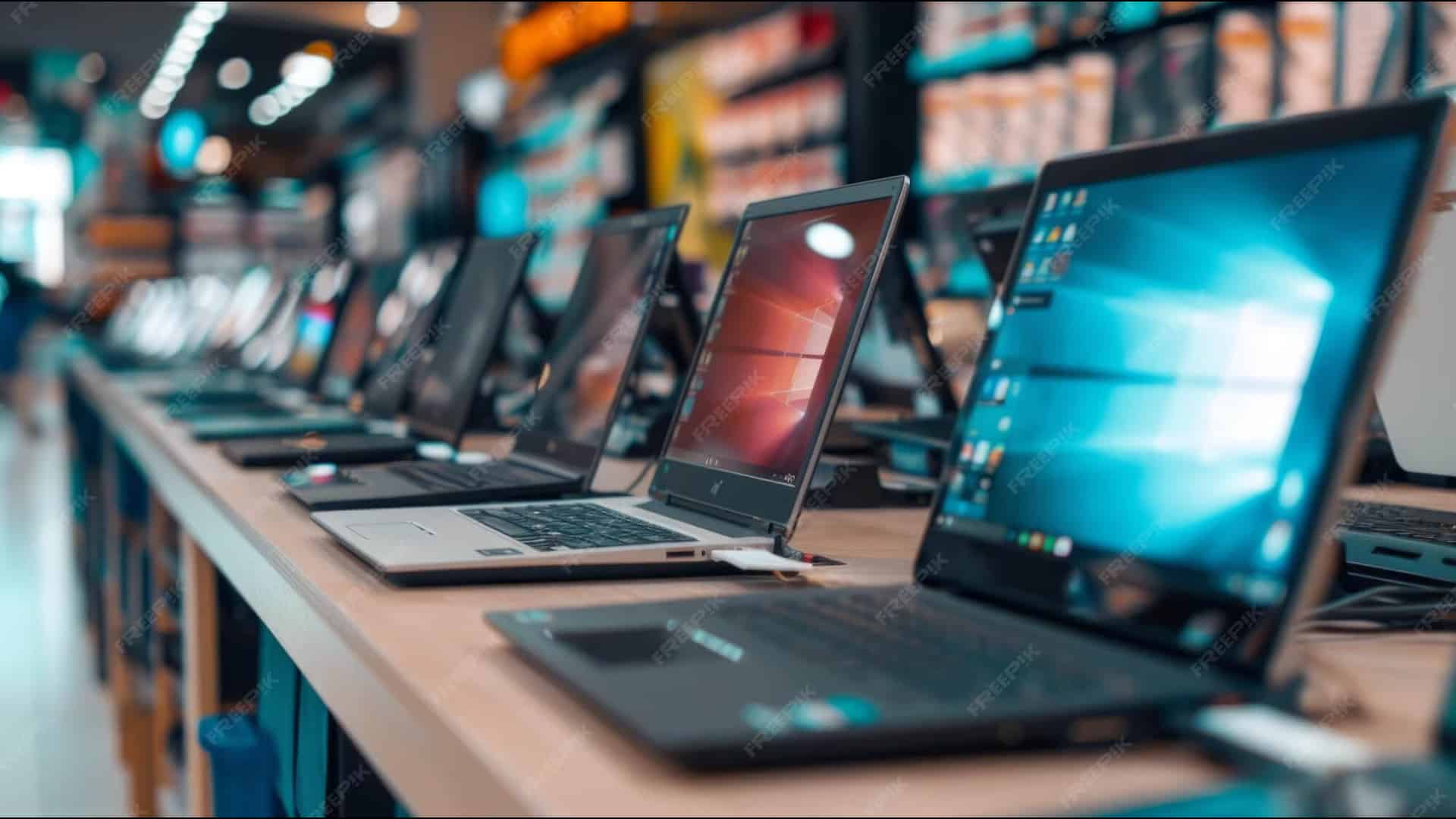
Purchasing a used laptop on your own? Buying a laptop is an exercise in confusion. Even if you are aware of your purchasing aim, finding one and leaving others can be difficult. Navigating through the manufacturer’s website to locate the model you want is frustrating.
We hope this guide will help you change your way of thinking about buying new laptops.
First and foremost, it is very important to have a clear purpose and direction in mind. What will you do with a new laptop? Is this a business machine meant primarily for office work and other simple tasks that can be done in a browser?
Perhaps you have an interest in gaming, video editing, coding or design. Maybe one of those hobbies is more of a job for you, meaning you’ll want something that is designed from the ground up to accelerate work in those applications.
On the other hand, maybe you plan to primarily use your laptop on the go, whether that’s on a plane or in coffee shops. In that case, portability and battery life may be the most important factors to consider.
The answer to those questions will help point you in the right direction and ensure that you don’t overspend on features or performance you don’t need. For example, buying a MacBook Pro instead of MacBook Air just because you have extra money to spend isn’t a good idea.
That brings us to budget: $1000 is an important price. There are many good options below this price, but it’s the level at which you can expect laptops to feel premium and lack any significant compromises.
Speaking of Windows laptops, you will have to be patient to find something under $600 that’s still worth buying. If your budget is $500 or less, you are better off buying a Chromebook. They’ll feel faster and lighter and usually get longer battery life too.
Specs To Inspect
Operating System
Both macOS and Windows have their strengths and weaknesses. The truth is that these operating systems are more similar today than have ever been, not unlike Android and iOS. So, if you are on the fence, I recommend opting for laptop that runs whichever is most familiar.
Windows is the stalwart default OS. It is the broadest and most widely used operating system, supporting largest number of applications and hardware. Every new Windows laptop release in past few years comes with the latest Windows 11.
Due to its comparatively open nature, new laptops arrive throughout the year, ranging from cheap to blinged-out gaming laptops. However, Apple’s macOS is a bit more beginner-friendly than Windows, especially if you own an iPhone. But it’s tightly coupled with the company’s hardware, meaning your buying options are limited to MacBooks.
If you are already bought into Apple ecosystem with iPhones or iPads, MacBooks have several software features (such as AirDrop and Universal Control) that are legitimately convenient, and Apple makes some of the best laptop hardware in the game.
If you can do most of your laptop tasks in a web browser and are trying to save some cash, ChromeOS is a good choice. Chrome laptops are also among the cheapest (and lest powerful) you’ll find, so the OS is also worth considering if you are on a tight budget.
The “Chromebook Plus” designation rolled out in late 2023, a way of emphasizing higher-end Chromebook that use faster processors, more memory, more storage, and better video cameras, such as on the Samsung Galaxy Chromebook Plus.
The same limitations are still there, though. You can’t run Adobe’s Creative Suite or Microsoft Office. Some apps, notably Office, do have an Android phone/ tablet version you might be able to install on your Chromebook (or a web version), but I have found that Android Apps often don’t work well.
Google has recently been talking about the future of Chromebooks and Google tablets, confirming that a merging of the two is coming in 2026, reportedly known as Aluminum OS.
Lastly, there has been a growing interest in Linux over the past few years. The surge in popularity of the Steam Deck plays a big role in this, but people have also begun turning to Linux in response to the required upgrade to Windows 11.
If you don’t need Office and don’t mind a learning curve, you can install Linux on just about any piece of laptop hardware ever created. However, there are free open-source alternatives like LibreOffice, DarkTable (Adobe Lightroom replacement), and GIMP (Adobe Photoshop replacement).
Detailed Overview OF Operating Systems
Depending on your needs this could be an easy choice, but if you don’t have any existing loyalties to a platform or specific software that you need this can be a challenging question to answer. If you are in that latter camp here’s quick overview of each platform’s strengths and weaknesses to help you decide.
Most laptops come with three operating systems, Windows, Chrome OS or macOS. The most flexible operating system, Windows 11, runs on more laptop models than Chrome OS and macOS. Windows notebooks range in price from under $150 to several thousand dollars and offer a wide array of features from touch screens to fingerprint readers to dual graphics chips.
Windows 11, the latest version of Microsoft’s flagship operating system, provides several improvements over Windows 10, including the revised interface, the new Microsoft Store, hand features like Snap View.
Since its launch in October 2021, Windows 11 has also added many improvements, including Focus Sessions and Do Not Disturb mode. The 22H2 update also came with notable performance and battery optimization enhancements.
Windows 11 laptops are great for students, researchers, and business users, and they’re still the only gaming laptops anyone should consider. The vast majority of laptops shipping with Windows feature Windows 11, but if you by a Windows 10 laptop, just be aware that Windows 10 support has ended by October 2025.
All MacBooks come with Apple’s latest desktop operating system, macOS Sequoia. Overall, the operating system offers similar functionality to Windows 11, but with a different take on the interface that substitutes an apps dock at the bottom of the screen of Microsoft’s Start menu and taskbar.
They can perform transactions with Apple Pay, take calls or texts from their phones, and unlock their laptops with an Apple Watch. AI is a developing feature on all platforms currently, on macOS that’s Apple Intelligence.
However, macOS isn’t made for touch, because no MacBook comes with a touch screen. While Apple did bring iPad apps to its laptops starting with macOS Big Sur (iPad, iPadOS apps can run natively on Macs with Apple M series chips), you have to rely on touchpad or mouse to navigate them.
macOS Ventura brought Apple’s Stage Manager for handling multitasking, which is an upgrade, but much more difficult to master than Windows solution.
Google’s ChromeOS is simple and secure but more limited than Windows or macOS. The user interface looks a lot like Windows, with an application menu, a desktop, and the ability to drag Windows around, but the primary focus is still the Chrome browser.
Modern Chromebooks like the Lenovo Chromebook Duet 11 Gen 9 can run Android apps, but they aren’t always optimized for use in a laptop form factor.
Chromebooks are also extremely popular with schools, parents, and increasingly, businesses because they are hard to infect with malware. For educational use, they offer something closer to a full laptop experience and are more functional than most tablets.
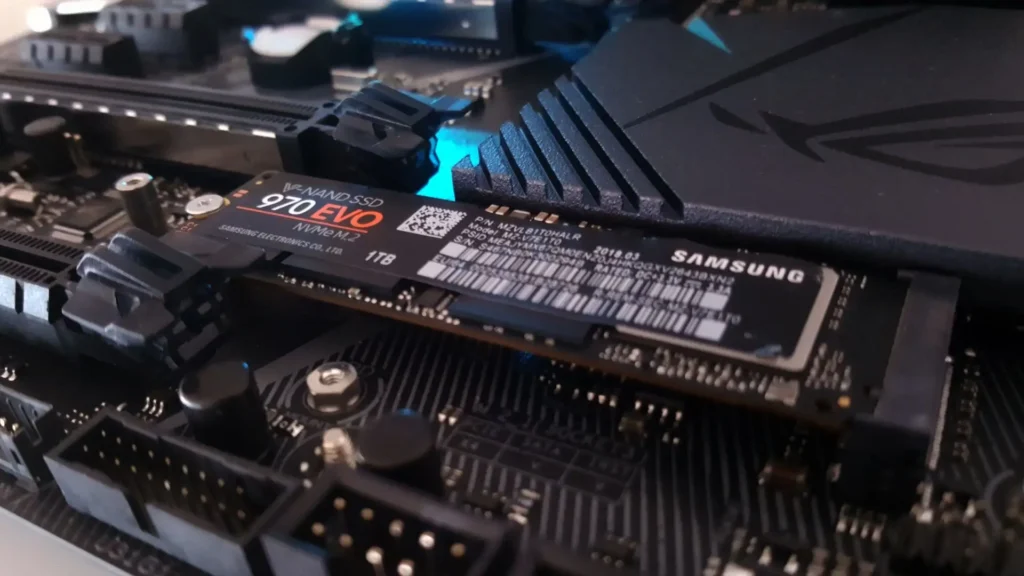
If you need a Chromebook, look for one with at least 4GB of RAM and 64GB of storage if this is a secondary laptop; if it is a primary laptop, we’d recommend 8GB of RAM and a 128GB or larger SSD rather than eMMC flash memory. A screen with at least 1920×1080 resolution is preferred, and you can now find 4K and OLED models if you plan to watch a lot of content on the Chromebook.
The 2 In 1 Laptops
Many PC laptops fall into a category of 2 in 1 laptop, hybrid devices that can switch between traditional clamshell mode, tablet mode, and other positions in between, such as tent or stand modes. 2-in-1s generally come in two different styles: detachable with screens that come off the keyboard entirely and convertible laptops with hinges that bend back 360 degrees to change modes.
Most of these touchscreen laptops are much better at serving one purpose than the other, with convertibles being laptops first and detachable offering a superior tablet experience. However, if you don’t see the need to use your notebook as a slate, you’ll usually get more performance for your money with a traditional clamshell laptop.
Choosing The Right Size
Different sizes offer different features. 11-12 inches offer maximum portability, but outside of cheap and detachable laptops we rarely get to see this size as new materials and slimmer bezels made the next size class easily portable as well.
13-14 inches is the sweet spot for many laptop users as it gives you enough screen real estate while typically weighing 3 pounds or less and easily fitting in any laptop bag. If you are looking for the best of both worlds in terms of screen size and portability, opt for one of the best 14-inch laptops.
However, 16-inch laptops like the MacBook Pro 16 are rising in popularity. Consider these sizes if you want a larger screen and do not plan to carry your notebook around too often. If your laptop is basically a desktop that you only occasionally pickup and go, a 17-inch laptop or 18-inch could provide you with the power you need to play high-end games or do workstation-level tasks.
Hardware Specs
Notebook components such as processor, RAM, hard drive, and graphics chip can confuse even notebook aficionados, so don’t feel bad if specs sheet look like alphabet soup to you. The brain of your computer, the processor has a huge influence on performance, but depending on what you want to do, even the least-expensive model may be good enough.
Apple’s custom silicon, the ARM-based M series chips set a new standard for a balance of raw performance and endurance that is only now being challenged. Opt for the Pro or Max variants if you need even more power for task like content creation or programming.
On the other side, Qualcomm’s new ARM-based chip is grabbing a lot of attention as the only currently shipping chip in Copilot+PCs. While it isn’t ideal for gaming, it offers excellent productivity performance and strong battery life for Windows laptops.
Intel Core Ultra Series 2nd generation are upping the ante with more powerful multithread performance for a wide variety of tasks, while still delivering excellent AI performance and battery life. Intel’s 14th gen Meteor Lake processors are its latest.
The AI tech built into the new Intel Core Ultra CPUs combined with the immersive performance and battery life we’ve seen on many is hard to beat.
With AMD’s Ryzen AI 300 series chips, AMD takes another performance leap for general computing task and AI. AMD’s answer to Intel’s Core Ultra chipset, Ryzen 8000 series feature a similar focus on AI enhancements.
Some sub-$250 laptops come with only 4GB of RAM, but you want at least 8GB on even a budget system and ideally 16GB for a primary laptop in 2025. Even for most power users, 32 GB is more than enough, while 64GB and above is reserved for professional power users or high-end gamers. Laptops are going to 128GB of RAM and beyond in 2026.
As important as the speed of your CPU is the performance of your storage drive. Cheap laptops often use eMMC memory, which is technically solid-state but not faster than a mechanical hard drive, so if you have the choice of bumping up to an SSD from eMMC on even a budget laptop, it will have a considerable impact.
The more pixels you have, the more content you can fit on-screen, and the sharper it will look. Sadly, some budget laptops still have 1366×768 displays, but if can afford it, we recommend paying extra for a panel that runs at 1920×1080, also known as Full HD or 1080p. Higher-end laptops have screens that are 2560×1600, 3200×1800, or even 3840×2160 (4K), which all look sharp but consume more power, lowering your battery life.
If you are not playing PC games, creating 3D objects or doing high-resolution video editing, an integrated graphics chip (one that shares system memory) will be fine, especially Intel’s Iris Xe graphics. And if you have any if the above needs in your routine use, a discrete graphics processor from Nvidia or AMD is essential.
As with CPUs there are both high and low-end graphics chips. Low-end gaming or workstation systems today usually have Nvidia RTX A1000 or RTX 4050 GPUs, while mid-range models have RTX 4060, and high-end models have RTX 4070 or above chips.
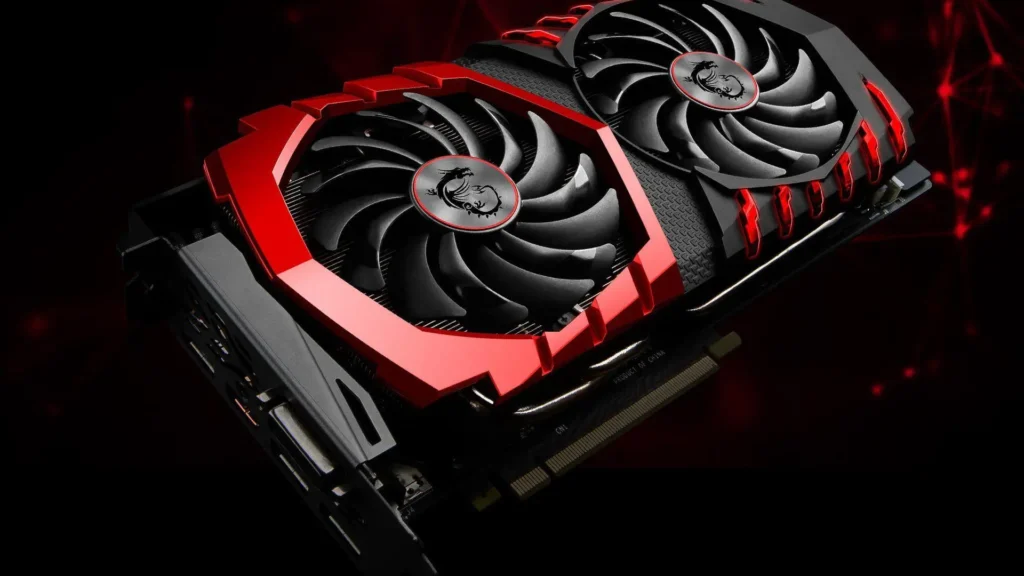
Nvidia’s GeForce RTX 50 series GPUs were announced at CES 2025 and are just starting to roll out, so if you want the latest bleeding-edge GPU tech, that’s your target. On the flip side, the best gaming laptop deals now include great discounts on laptops with a very capable RTX 40 series GPUs.
While the absence of ports is usually not a deal breaker when choosing a laptop, it’s helpful to get the connections you need right on the system rather that carrying a slew of dongles. However, many mainstream laptops now only offer USB Type-C, Thunderbolt 4, or USB4 ports that are USB Type-C compatible. If you want to learn more about Thunderbolt vs USB difference you can visit this guide.
USB Type-C is a definitive plus because you can use it to connect to USB Type-C hubs or docking stations that can give you any combination of ports you might need. To future-proof your laptop, Thunderbolt 5 containing laptops are on the way.
Connectivity also matters when your usage is more portable. Consider buying a 4G LTE laptop or 5G laptop. You will have to pay for data subscription plan, but this will allow you to access the internet away from a router. If you want a laptop with latest and greatest connectivity options, Wi-Fi 7 is it.
Battery Health
Battery life is probably a major factor in the buying decision for most people, and more is always better. For productivity, you’d want a laptop that can last at least through a typical work or school day with a little bit of charge to spare, so around nine hours or more.
Naturally, demanding workloads like video editing, simulations, or gaming will drain the battery much faster. Besides the CPU and GPU, the other significant power-hungry component is the display, as the resolution, brightness, and refresh rate will have a huge impact on battery.
Common Scam
Buying a new laptop can be an exciting experience. With so many options to choose from, it’s easy to get caught up in finding the perfect model. However, enthusiasts should be wary of scams that can quickly turn an eagerly anticipated purchase into a frustrating loss of hard-earned money.
The bait and switch is one of the most common ploys unscrupulous laptop sellers use. A retailer advertises an unbelievably good deal on a popular laptop model to entice customers. However, when you attempt to purchase the device, sales representative claim it is mysteriously out of stock. Then they switch their sales pitch to a more expensive machine with inferior specs.
Another scheme to watch out for is online vendors passing of fake laptops as brand name models. These black-market devices often physically resemble the real thing. However, they are built from inferior components that fail quickly.
Gray market laptops occupy a legally murky area between formal retail and outright counterfeits. They frequently originate overseas, then get imported and resold domestically through unofficial channels. This allows sellers to offer discounted prices. However, it also means gray market devices lack manufacturer warranties and technical support.
Aggressive salesperson often pressure customers into expensive add-ons that provide little extra value. For laptop purchases, unnecessary extended warranties and overpriced antivirus are prime targets.
Safe Buying Tips
For web-based stores, carefully scrutinize seller information before providing any personal or payment data. Some signs actually make easy for you to guess authenticity of store, like no physical business or location details, generic sounding business names, stock product images instead of original photos, no customer service support, limited payment options and excessive discounted prices.
In-person schemes involve fraudulent retailers setting up temporarily physical locations to leverage public trust in bricks-and-mortar stores. They often choose short-term retail spaces or booths within malls and flea markets.
Salesperson at these pop-ups use high-pressure tactics to finalize purchases quickly before disappearing. Protect yourself by researching any unfamiliar stores at a location before engaging.
High-pressure sales tactics are a red flag regardless of retail channel. Reputable businesses give you adequate time to elevate your options without an arbitrary deadline. If a sales rep attempts to rush your decision making by citing an expiring promotion, inventory constraints, or other fake urgency, walk away.
Follow secure payment practices. While checking out, watch that encryption icon appears on websites to confirm safe transmission of your financial data. Never pay direct bank transfers in advance for online orders, as you lose fraud protection.
What You Should Know About Warranty
Most laptops come with a basic manufacturer’s warranty that covers hardware defects for about a year. Sales staff often push extended warranties that promise more protection for a longer time. Before opening your wallet for this extra cost, check what your credit card might already offer. Many credit cards include extended warranty benefits when you make purchases with them.
Manufacturer’s warranty usually lasts for a year, covering manufacturing defects, hardware failures, ports and labor. What it doesn’t cover is accidental damage, theft or loss, battery wear and tear and software issues.
However, extended warranties or protection plans are also offered by retailers for an extra fee. They can last up to 3 to 5 years and may include: Extended hardware coverage, accidental damage, priority tech support, and on-site service. Some plans even offer theft protection or replacement coverage; but these are often separate from accidental damage plans.
If you are a careful user and your laptop sits on a desk most of the time, and you are not traveling with it, you may not need a warranty that covers accidents. And if you are using the laptop for mission-critical work and downtime is your serious concern which disrupts your work or studies, it might be worth having a plan that guarantee quick repair and replacement.
At the end of the day, buying a laptop shouldn’t feel overwhelming. Once you are clear about what you actually need — whether that’s a lightweight machine for travel, a dependable work laptop, or a powerful system for gaming or creative work — the choices become much easier to narrow down.
Pay attention to the specs we discussed in this guide, each and every minor point defines what you will experience after buying a new laptop, stay alert for common scams and follow the steps to ensure that you are not tricked into some marketing tactic and rush your decision.
A little patience and research now can save you money and frustration later — and help you walk away with a laptop that genuinely fits your life, not just your budget.
More Guides
Smart TV Vs Android TV Vs Google TV – What’s The Difference?
Is VPN Actually Necessary IN 2026? – A No-Hype Guide
Mac Vs Windows For Students – Which Makes More Sense In 2026?
