


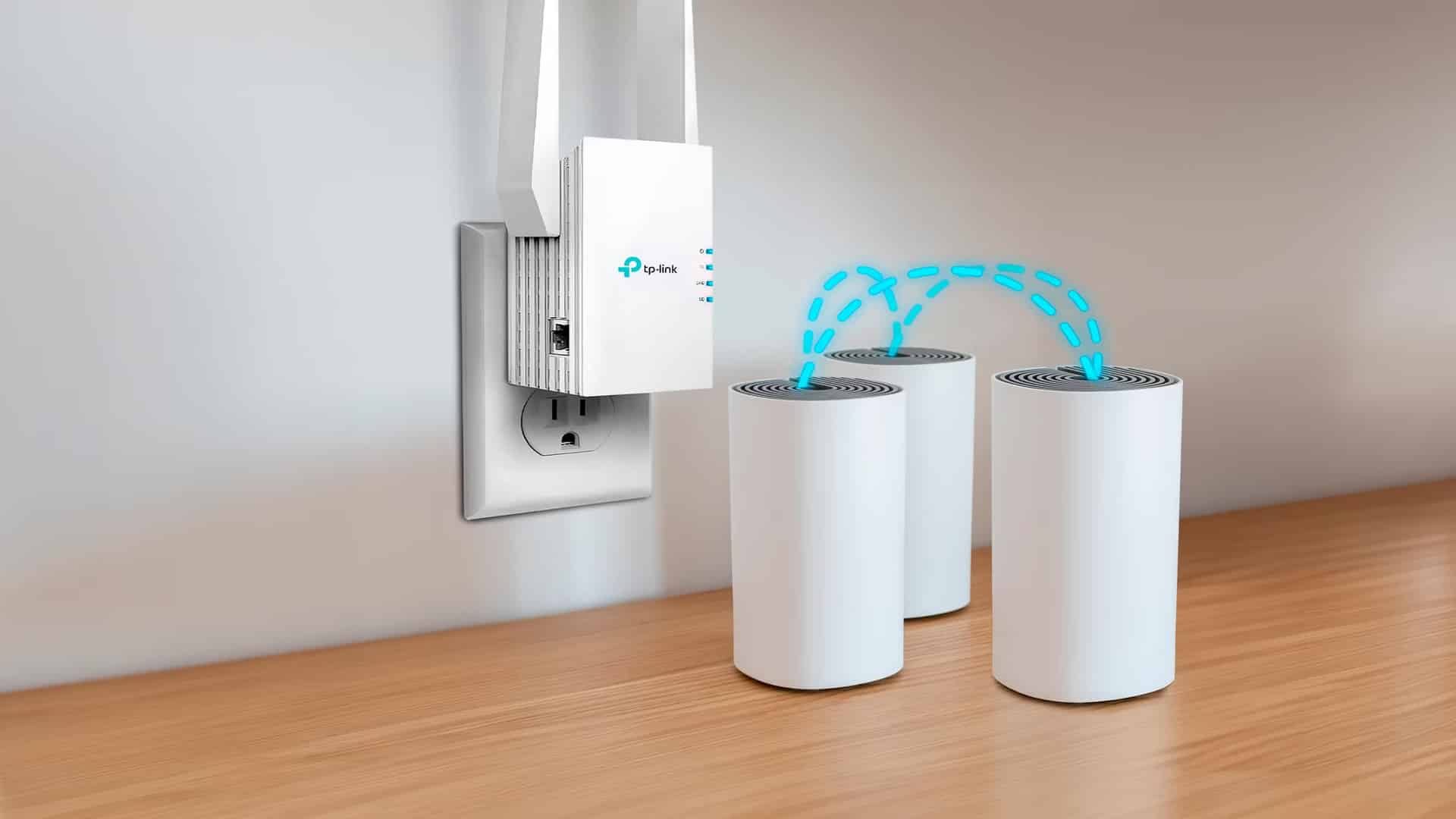
When you buy a router, it’s supposed to give you perfect coverage over your entire house. As you have probably already experienced at some point, that’s not always the case. Certain building materials, large spaces, and heavy tech equipment can disrupt Wi-Fi signals and interrupt your connection.
However, there is a solution to the coverage puzzle. The most talked-about dilemma for users who want a perfect Wi-Fi signal throughout the entire space is Wi-Fi extender vs mesh. Both devices can potentially solve weak signals or no coverage in parts of your home.
However, they are entirely different devices in terms of purpose, price range, and setup. Wi-Fi extenders can address a blind spot in your home, while mesh systems can extend the range and coverage on a broader scale.
This guide will focus on the difference between the two and help you understand the nuances of the standard Wi-Fi mesh vs extender debate.
Mesh System
As the name suggests, a mesh system replaces your existing router and creates a unified network with much broader range. Relatively new mesh solutions are growing quickly, with projected market growth of 15% in 2026.
The system consists of several interconnected nodes that work together to distribute signals across the physical network, resulting in consistent coverage throughout a large area. Unlike Wi-Fi extenders, which only rebroadcast the router’s signal, nodes in a mesh system communicate. Thus, you can freely walk around your big home without changing networks or experiencing drops in signal strength.
Mesh system is ideal for large homes, multi-story buildings, or businesses with multiple devices that need strong and stable connections. While the performance and coverage advantages of the mesh vs extender comparison are apparent, you must simultaneously account for a significantly larger budget.
They are also more complicated to set up. If you have advanced internet plans like a fiber optic connection, a mesh system will be better equipped to serve up your provider’s advertised speeds.
Mesh Wi-Fi improves on traditional routers with extended coverage. Such systems have several essential benefits and glaring drawbacks, mainly in budget considerations. Unlike Wi-Fi extenders, which extend the existing network and have a limited range, mesh system creates a unified network with strategically placed nodes that cover much larger areas without dead zones.
Also, due to the unified network with one SSID in mesh system, you won’t have to switch networks in remote areas of your home. Because there is no single central point and all nodes are equally important, the mesh network maintains consistent speed throughout the coverage area.
However, they are more expensive than extenders. Mesh systems are not cheap. Even the most affordable are several times more expensive than Wi-Fi extenders. And because the mesh system replaces your router, it’s not enough to plug in and connect. You will have to go through more advanced setup and configuration.
A mesh system’s main benefit is improved coverage and consistent speed and signal. In smaller places, a more expensive mesh can be overkill, and you will be better off with a quality router with or without an extender. You can add more nodes to a mesh system, if necessary, without downgrading speed or network quality.
They come with three access points that all need consistent power to create a unified range network. They also offer advanced options for a better user experience, like smart roaming, device prioritization, and guest network, and have advanced security options like AES encryption together with WPA2.
What Is A Wi-Fi Extender?
They receive a signal from your router and rebroadcast it to improve the network’s reach. The idea behind Wi-Fi or range extenders is to extend the signal and cover blind spots. But do Wi-Fi extenders really work?
Since they connect to an existing network, this means the Wi-Fi speed will not be as good as near the original router, and if you walk across your home between networks, your smartphone or other device will have to switch to a new network, leading to reconnection timeout.
Wi-Fi extenders are the best solution for minor fixes. For instance, if one room in your house is not getting enough signal, or you want to extend the signal to your backyard. While they have some signal quality and feature limitations, they are an affordable way to fix issues with network coverage in your space.
Similarly to router positioning, you should carefully consider Wi-Fi extender placement. A direct line without thick walls between the router and the extender will improve the effectiveness of your new setup.
Range extenders are convenient and inexpensive way to extend your network’s reach. Even the top models are so affordable that they are almost cheap. They are easy to set up. Most extenders work on plug-and-play mode with little to no hassle.
Although it extends your network’s reach, Wi-Fi extenders can reduce overall network speed, because they communicate on the same channel as your client device, creating an inefficient and slower flow of information, effectively reducing the speed.
The seamless compatibility between the router and extenders is a positive. However, a Wi-Fi extender will create a new network when it rebroadcasts your original router’s signal. That means you need to switch each time you seek a remote connection with a new network and password.
Extenders are generally small devices that won’t take up too much space. However, you must carefully consider the extender’s position to get the most benefit, as extenders can suffice for smaller spaces and homes with limited obstacles. The farther you go, the more signal weakens.
Performance
Does A Wi-Fi Extender Reduce Speed?
This is where fundamental architectural differences become apparent. Wi-Fi extenders can reduce your network speed by 50% or more because they use the same radio to receive and transmit data. If your router provides 300 Mbps, an extender might deliver only 150 Mbps to connected devices, and this degradation compounds with each additional hop.
Is Mesh Wi-Fi Better Than Extenders?
Mesh systems, on the other hand, maintain much better speeds throughout the network. With dedicated backhaul channels, mesh nodes can deliver 70-80% of your router’s original speed even at the furthest points of coverage.
A mesh system mostly outperforms extenders in both throughput and latency measurements, especially when multiple devices are connected simultaneously.
Coverage
Provided coverage is among the main differences between the two categories. A Wi-Fi extender can boost signals to a specific area, like a blind spot or room in your home. It does improve coverage, but it can struggle to cover larger areas. A Wi-Fi mesh system replaces your router, creating seamless, whole-home coverage with access points placed strategically throughout your space.
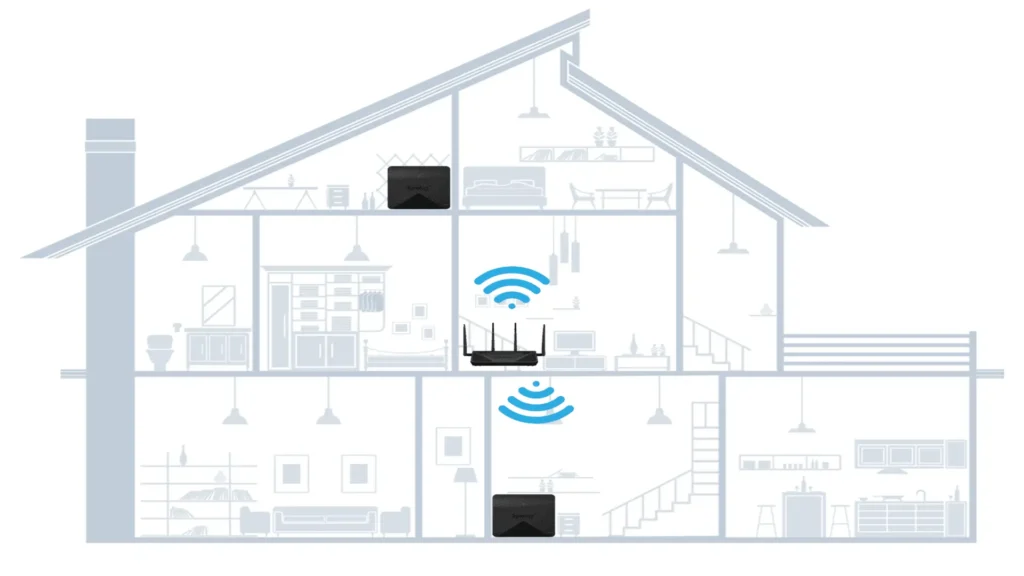
Wi-Fi extenders typically range from 1,000 – 2,500 square feet per unit, depending on the model and environmental factors. However, adding multiple extenders to cover a large home creates overlapping networks that don’t communicate with each other, leading to connection issues and dead zones between coverage areas.
In contrast, mesh systems are designed for scalability from the ground up. A basic two-node mesh system can cover 3000 – 5000 square feet, and you can easily add more nodes to expand coverage. The nodes work together to create uniform coverage, eliminating the gaps that often occur between multiple extenders.
Setup Difficulty
Installing an extender seems simple and easier to do, you just need to plug it in, press the WPS button, and everything should work automatically. In reality, this is not the case, optimizing the extender locations and managing multiple network names and passwords, troubleshooting connection issues with each extender could become hectic at times.
Which Is Easier To Set Up?
Mesh system offers a guided setup which can take 15-20 minutes to configure through a guided app setup. The app walks you through optimal node placement, auto network configuration settings, and testing the connection between the nodes for better quality.
Once setup, all management in a mesh system happens through a single interface, making maintenance much easier with one-point alterations and reviewing.
Cost
The price difference between both types of Wi-Fi systems is absolutely substantial. A Wi-Fi extender typically costs between $30-$150, making it an attractive option for budget-conscious consumers. However, high-end modern extenders with extra features and capabilities could cost around $200, but these are exceptions rather than the rule.
Mesh systems could start around the maximum price tag of Wi-Fi extenders, requiring a more significant initial investment. Entry-level dual-node systems start around $200, while premium tri-band systems from a well-reputed brand can cost three times the initial price. Each additional node typically costs $100-$200, depending on the system.
If we look at the broader picture, this initial investment compared with long-term cost of ownership over years. A lot of other aspects come into consideration while buying. Mesh systems give superior performance, meaning you are getting more usable bandwidth for your internet service fee.
They receive regular updates and offer speed that your plan supports, however, extenders offer lower than half your original internet plan speed. The time consumed in configuring both the types is different and troubleshooting is also easy and less time taking, especially for those who work from home and rely heavily on their network.
A 3,000 square feet home requiring whole-home coverage, the five-year total cost of ownership will actually favor the use of a mesh system over Wi-Fi extenders. Because their performance, reliability and time saving effort enables you to choose mesh systems.
Real-World Performance In Homes With Multiple Devices
For 4K streaming videos, which require a constant 25 Mbps connection, mesh system provides strong signal performance even when connected through multiple nodes. They typically deliver 50-100 Mbps which are enough to offer plenty of extra bandwidth to be used for multiple streaming.
However, due to reduced bandwidth, extenders may struggle with such streaming. They work adequately for 1080p streaming but fall short of 4K content in extended areas.
Same is the case with video conferencing which demands consistent bandwidth, typically 3-4Mbps for HD video and low latency. While extenders provide this coverage very easily, they add latency issues to connections, typically 10-30ms extra, causing audio sync issues and degraded call quality.
Moreover, as you move around your home and extenders in your space, there is a lack of seamless roaming due to changing network each time you connect with another extender. Mesh systems excel here because of their intelligent routing and consistent performance.
Which Is Better For Gaming And Streaming?
Let’s talk about their performance in online gaming. Online gaming requires high bandwidth with low latency for smooth gameplay. Mesh systems with ethernet backhaul or dedicated wireless maintain latency levels close to direct router connection, typically adding only around 2-5ms.
On the other hand, Wi-Fi extenders can add significantly more latency, which can be detrimental while gaming. The additional hop and processing time creates enough delay to affect reaction-based games noticeably. Serious gamers should avoid gaming through extenders whenever possible.
These Wi-Fi systems also provide support to smart home appliances or devices. Although they don’t require much bandwidth, they do need strong connectivity for efficient handling of tasks. Mesh system again wins over extender system, with some supporting 100 plus connected devices simultaneously.
With extenders and their different networks within each extender limits smart home devices from communicating with each other. Some also struggle with network switching. Whereas the unified mesh system mean smart devices can communicate freely regardless of multiple networks with similar names.
Best Choice For Dead Zones And Different Size Spaces
Which Is Best For Large Homes?
Wi-Fi extenders are ideal for small spaces with specific dead zones. If you don’t have connectivity in the bathroom, balcony, or one of the rooms, a range extender can help you cover your blind spots. Extending coverage to a single room, small outdoor spaces, or small offices is ideal for this budget-friendly option for users with basic internet needs.
Can Extenders Fully Fix Dead Zones?
Wi-Fi extenders are not only compatible with most routers, but they also offer flexibility in placement. You can place them to maximize coverage in your dead zones and quickly relocate them if you need to change coverage elsewhere.
In contrast, mesh systems are ideal for large houses, multi-story offices, or buildings requiring high bandwidth and multiple device support. They can cover a much broader area as they can connect much more devices than extenders.
Aside from the coverage, as told earlier, they offer the same speed and connectivity across the unified network. For large spaces, you can easily upgrade mesh system with another node addition, and that too without squeezing the bandwidth.
Whether Mesh Is Worth The Higher Price
As both systems offer the same thing, coverage and extending the range of your network. However, they have different use cases, options and operating methods.
Budget plays an essential role in your purchase decision. As you know by now that mesh systems are much more expensive as compared to Wi-Fi extenders, a Wi-Fi extender is an affordable way to boost your network coverage despite being far from perfect. Mesh systems can be costly, but they do make sense if you need to cover large areas with high bandwidth and many client devices.
More Guides
OLED vs LED vs QLED – Which Display Type Is Actually Better?
