
Close Menu
    Facebook X (Twitter) Instagram
    Facebook X (Twitter) Instagram
    TechtroduceTechtroduce
    Subscribe
    • NEWS
    • GUIDES
    • COMPARISONS
    • REVIEWS
    TechtroduceTechtroduce
    Home » Windows Terminal 1.25 Stable Fixes Xbox Controller Crashes
    NEWS Updated:October 3, 2026

    Windows Terminal 1.25 Stable Fixes Xbox Controller Crashes

    Abyan KhanBy Abyan KhanOctober 3, 2026Updated:October 3, 2026No Comments4 Mins Read
    Facebook Twitter Pinterest LinkedIn Tumblr Email
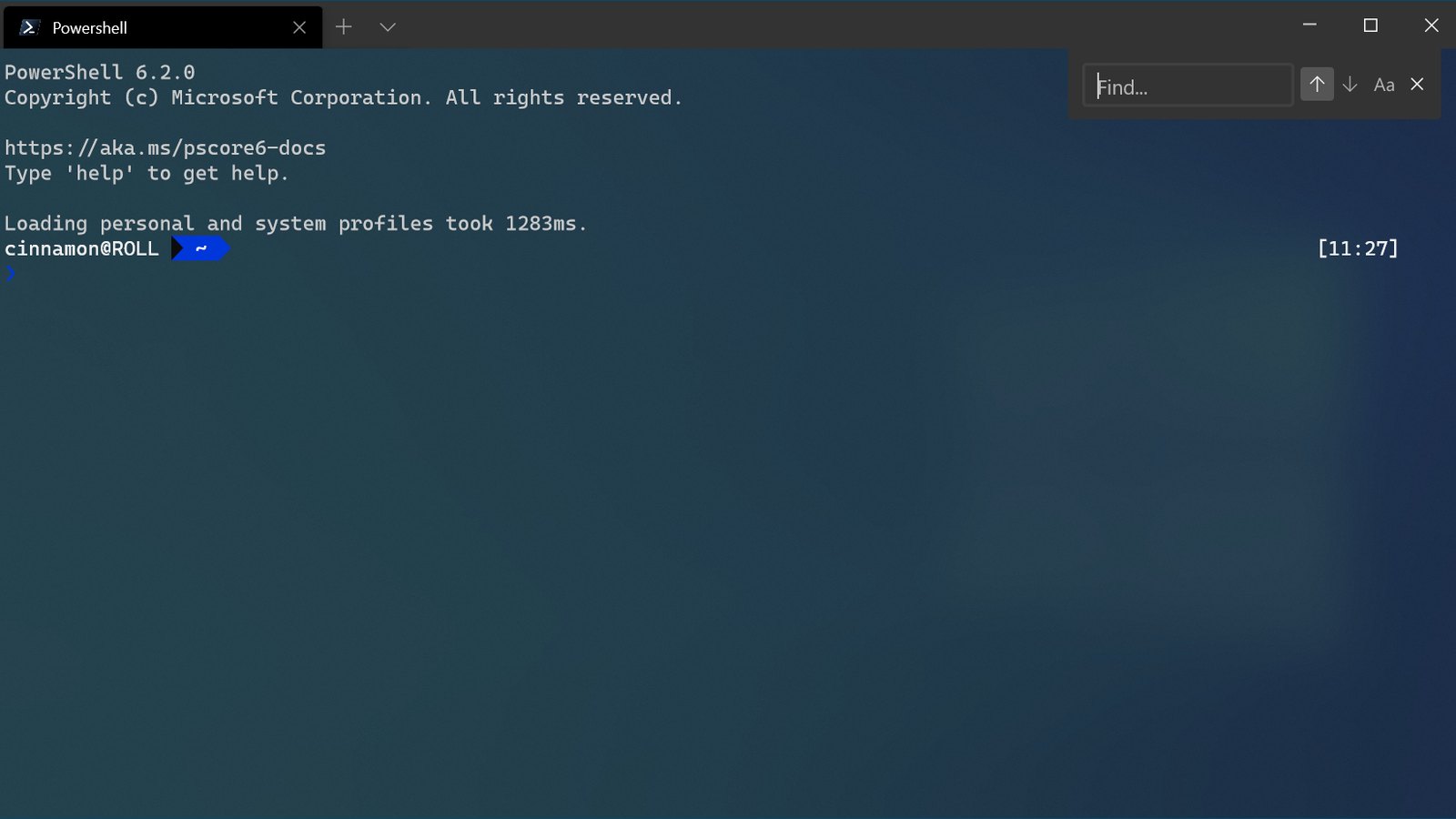
    Official Windows Terminal screenshot showing PowerShell with the built-in search interface open
    Share
    Facebook Twitter LinkedIn Pinterest Email

    Microsoft has released Windows Terminal 1.25.2733.0 to the stable channel, bringing a large collection of features and reliability fixes that had previously appeared across Terminal 1.25 preview builds. The update adds settings search, a redesigned actions editor, Kitty keyboard protocol support and window persistence while also addressing several crashes and input problems. Among the more unusual fixes, Microsoft says Xbox controllers should no longer be able to crash Terminal.

    The stable release was published through Microsoft’s official Windows Terminal GitHub repository on October 2. Microsoft describes version 1.25 as “finally stable” after an extended preview and servicing cycle, with many fixes from the newer 1.26 development branch also backported into this release. The company says the update initially began rolling out through the Dev, Canary and Beta Windows Insider channels, with wider distribution dependent on reliability data.

    One of the headline additions is a search function inside Terminal’s Settings interface, intended to make its increasingly large collection of configuration options easier to navigate. The Actions page has also been expanded into a richer editor, allowing users to customize actions, key bindings and command palette entries without relying solely on manual settings-file changes. Terminal 1.25 additionally supports persisting windows, with an option to retain their scrollback history when sessions are restored.

    Official Windows Terminal screenshot showing PowerShell with the built-in search interface open

    Keyboard handling receives a particularly substantial set of changes through support for the Kitty keyboard protocol. Microsoft says the stable build fixes problems involving auto-repeat events, dead keys, numpad Enter, non-ASCII characters, modifier repeats and AltGr combinations. Those changes are intended to provide applications running inside Terminal with more precise information about which keys were pressed and how they were modified.

    Reliability improvements include a fix for a crash caused by Xbox controllers, an issue Microsoft humorously described in its release notes as controllers causing Terminal to “shuffle off this mortal coil.” The company has also reduced crashes associated with Terminal pane shortcuts used from Settings, Markdown or Snippets interfaces. An experimental feature that lets users reposition the mouse cursor by clicking has likewise received stability improvements.

    Earlier 1.25 preview updates incorporated several other important stability fixes that now form part of the stable 1.25 line. Microsoft fixed memory corruption involving downloadable soft fonts, a potential deadlock connected to NVIDIA graphics drivers and a crash that could occur when dragging a small tab into a larger Terminal window. Previous servicing work also removed a significant source of memory leaks when screen readers or other assistive technologies were enabled.

    Terminal’s virtual-terminal handling has been updated as well. An application performing an OSC 52 clipboard write while changing its title should no longer encounter a five-second hang, while DECSTR soft resets no longer clear uploaded soft fonts. ConPTY also stops repeatedly requesting cursor positions when the host application does not respond and no longer waits for a DA1 response before completing initialization.

    There are several smaller usability changes alongside the larger fixes. Windows Terminal now uses faster APIs on newer Windows versions when querying the app catalog for fragment extensions, while the font selector has been fixed so it neither crashes Terminal nor immediately forgets a newly selected value. Visual artifacts affecting the QQ Wubi input method have been addressed, and the Azure Cloud Shell integration now uses a newer API version to maintain access to Cloud Shell environments.

    Microsoft has also changed the development requirements for building Terminal itself. The project now requires Visual Studio 2026 and Windows SDK 10.0.26100, reflecting the continued modernization of its development toolchain. Binary files included in the unpackaged distribution carry the internal version number 1.25.260930003.

    Windows Terminal remains available through the Microsoft Store, where updates can be delivered automatically, as well as through Microsoft’s GitHub releases and package managers including WinGet. The 1.25.2733.0 release is therefore less about one major feature than consolidating months of preview work into the stable channel, combining customization improvements with fixes for crashes, memory problems and keyboard-input edge cases.

    Share. Facebook Twitter Pinterest LinkedIn Tumblr Email
    Abyan Khan
    • Instagram
    • LinkedIn

    Abyan Khan is a dedicated writer and tech enthusiast currently pursuing a Bachelor’s degree in Information Technology. With over 3 years of professional writing experience, he specializes in crafting clear, engaging, and informative content across a range of topics, particularly in the tech and gaming industries. Abyan combines his academic knowledge with real-world insights to deliver articles that are both well-researched and reader-friendly.

    Related Posts

    COSMIC Bans AI-Generated Pull Requests Over Maintainer Workload

    October 3, 2026

    Micron Says Memory Shortage Could Remain Tight Through 2028

    October 3, 2026

    Capcom Plans to Evolve RE Engine for AI-Assisted Game Development

    October 3, 2026
    Leave A Reply Cancel Reply

    Google Techtroduce

    See more Techtroduce stories on Google.

    Add us on Google

    • Windows Terminal 1.25 Stable Fixes Xbox Controller CrashesOctober 3, 2026
      Windows Terminal 1.25.2733.0 is now stable with settings search, Kitty keyboard support and fixes for Xbox controller crashes and input bugs.
    • COSMIC Bans AI-Generated Pull Requests Over Maintainer WorkloadOctober 3, 2026
      System76’s COSMIC desktop project now bans LLM-generated code, comments and descriptions from pull requests to reduce maintainer review workload.
    • Micron Says Memory Shortage Could Remain Tight Through 2028October 3, 2026
      Micron expects memory supply to remain constrained through 2028 as AI and server demand absorb DRAM and HBM production capacity.
    TRENDING NOW

    Marvel’s Wolverine Players Rate It Far Above Critics

    ARC Raiders Devs Prioritize Player Exploration Over Just Shooting

    Concord Reportedly Cost A Whopping $400M To Develop

    The Idolmaster SideM Game Announced for Switch 2 and Switch

    Facebook Instagram YouTube
    © 2026 Techtroduce. All Rights Reserved | Cookies Policy | Privacy Policy | Contact Us | About Us | Corrections Policy

    Type above and press Enter to search. Press Esc to cancel.

    Manage Consent
    To provide the best experiences, we use technologies like cookies to store and/or access device information. Consenting to these technologies will allow us to process data such as browsing behavior or unique IDs on this site. Not consenting or withdrawing consent, may adversely affect certain features and functions.
    Functional Always active
    The technical storage or access is strictly necessary for the legitimate purpose of enabling the use of a specific service explicitly requested by the subscriber or user, or for the sole purpose of carrying out the transmission of a communication over an electronic communications network.
    Preferences
    The technical storage or access is necessary for the legitimate purpose of storing preferences that are not requested by the subscriber or user.
    Statistics
    The technical storage or access that is used exclusively for statistical purposes. The technical storage or access that is used exclusively for anonymous statistical purposes. Without a subpoena, voluntary compliance on the part of your Internet Service Provider, or additional records from a third party, information stored or retrieved for this purpose alone cannot usually be used to identify you.
    Marketing
    The technical storage or access is required to create user profiles to send advertising, or to track the user on a website or across several websites for similar marketing purposes.
    • Manage options
    • Manage services
    • Manage {vendor_count} vendors
    • Read more about these purposes
    View preferences
    • {title}
    • {title}
    • {title}