
Close Menu
    Facebook X (Twitter) Instagram
    Facebook X (Twitter) Instagram
    TechtroduceTechtroduce
    Subscribe
    • NEWS
    • GUIDES
    • COMPARISONS
    • REVIEWS
    TechtroduceTechtroduce
    Home » Epic Games Launcher Is Behind Mysterious PC Notification Sounds
    NEWS Updated:September 20, 2026

    Epic Games Launcher Is Behind Mysterious PC Notification Sounds

    Abyan KhanBy Abyan KhanSeptember 20, 2026Updated:September 20, 2026No Comments3 Mins Read
    Facebook Twitter Pinterest LinkedIn Tumblr Email
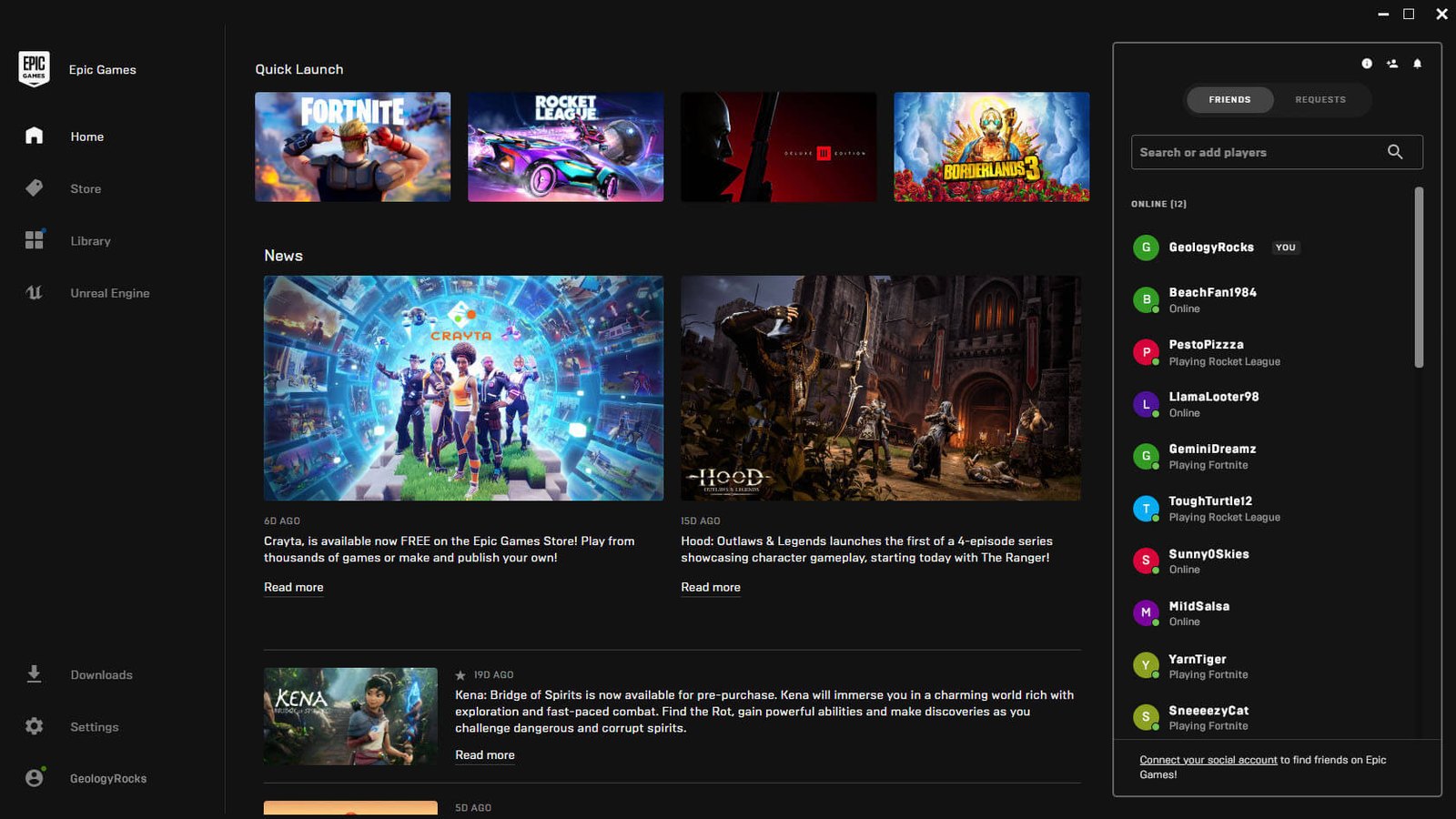
    Epic Games Launcher home screen with the social friends panel open on the right
    Share
    Facebook Twitter LinkedIn Pinterest Email

    PC users hearing unexplained notification sounds may have the Epic Games Launcher to blame. Fortnite dataminer FireMonkey has identified a set of social notification audio files used by the launcher, including sounds for party members joining or leaving, push-to-talk activation and deactivation, party joinability changes and incoming party messages. The finding helps explain a series of short sounds that some users have recently reported hearing without an obvious on-screen notification.

    The files are stored locally inside the Epic Games Launcher installation under the Portal\Extras\SocialChimes directory. FireMonkey highlighted six specific audio cues corresponding to Party User Left, Push to Talk Activated, Push to Talk Deactivated, Party Joinability Changed, Party Message Received and Party User Joined. Their presence aligns with Epic’s recent expansion of the launcher’s social functionality, which now includes persistent Epic Parties, cross-platform voice chat and synced messaging.

    Epic introduced its expanded Epic Parties system earlier in September, allowing users to start or join parties directly from the Epic Games Launcher and continue voice conversations across Fortnite, PC, mobile devices and other supported parts of the company’s ecosystem. The launcher can remain involved in those communications even while users are playing other games, which means social events can trigger while the launcher is minimized. That makes the new notification sounds less obvious to identify than alerts tied directly to an open application window.

    Epic Games Store launcher screen with the social panel and party indicator over Fortnite

    Reports from users suggest the issue has already caused some confusion. PC players have described hearing brief tones after closing Fortnite or while the Epic Games Launcher was running in the background, with some initially suspecting Windows, another application or even a hardware problem. Users investigating the sound independently have also traced it to the launcher’s PartyUserLeft audio file in the same SocialChimes folder, providing additional corroboration for FireMonkey’s finding.

    The behavior does not necessarily indicate a bug in the audio files themselves. Epic’s launcher now supports party chat, party joinability controls, text messages and other social events, all of which can reasonably require notification cues. The confusing part appears to be that the sound may play without users immediately understanding which application generated it, particularly if the launcher is minimized or running in the system tray.

    Epic does provide notification controls inside the launcher. Its support documentation says users can open the launcher settings and manage Desktop Notifications, including party and chat notifications, although Epic does not separately document each SocialChimes audio file or state that every sound can be disabled individually. Muting the Epic Games Launcher through Windows’ Volume Mixer would also silence launcher audio, though that would affect other sounds produced by the application as well.

    The discovery is separate from the kinds of Fortnite file investigations that typically expose unreleased content. Dataminers have recently used Fortnite’s live files to uncover everything from decrypted Cyberpunk: Edgerunners assets to unreleased vehicle cosmetics, but in this case the relevant files belong to Epic’s launcher rather than an upcoming in-game update.

    Epic Games has not publicly identified the recent mystery sounds as an error or announced a launcher fix specifically addressing them. For users who have been hearing unexplained short notification tones, however, the SocialChimes folder provides a concrete explanation for at least some of the noises coming from PCs with the Epic Games Launcher running.

    Share. Facebook Twitter Pinterest LinkedIn Tumblr Email
    Abyan Khan
    • Instagram
    • LinkedIn

    Abyan Khan is a dedicated writer and tech enthusiast currently pursuing a Bachelor’s degree in Information Technology. With over 3 years of professional writing experience, he specializes in crafting clear, engaging, and informative content across a range of topics, particularly in the tech and gaming industries. Abyan combines his academic knowledge with real-world insights to deliver articles that are both well-researched and reader-friendly.

    Related Posts

    Marvel’s Wolverine Hotfix Tones Down Scent Trails

    September 20, 2026

    Wuthering Waves Version 3.7 Launches September 30

    September 20, 2026

    Fortnite Leak Reveals Lucy’s Cyberpunk: Edgerunners Emote

    September 20, 2026
    Leave A Reply Cancel Reply

    Google Techtroduce

    See more Techtroduce stories on Google.

    Add us on Google

    • Epic Games Launcher Is Behind Mysterious PC Notification SoundsSeptember 20, 2026
      Epic Games Launcher social features appear to be behind unexplained PC notification sounds, with the corresponding audio files stored locally.
    • Marvel’s Wolverine Hotfix Tones Down Scent TrailsSeptember 20, 2026
      Marvel’s Wolverine update 1.001.005 reduces Scent Trail and Audio Sense opacity while Insomniac explores toggleable Senses options.
    • Wuthering Waves Version 3.7 Launches September 30September 20, 2026
      Wuthering Waves Version 3.7 launches September 30 with Hsin and Suoming, new story content, quest replay, camera upgrades and more.
    TRENDING NOW

    CONTROL Resonant PS5 Download Size and Preload Dates Leak

    Wuchang: Fallen Feathers Smooths Out Its Rough Edges

    Professor Layton and the New World of Steam Launches December 10

    Battlefield 6 Adds Pre-Order Microtransactions Ahead of Season 3

    Facebook Instagram YouTube
    © 2026 Techtroduce. All Rights Reserved | Cookies Policy | Privacy Policy | Contact Us | About Us | Corrections Policy

    Type above and press Enter to search. Press Esc to cancel.

    Manage Consent
    To provide the best experiences, we use technologies like cookies to store and/or access device information. Consenting to these technologies will allow us to process data such as browsing behavior or unique IDs on this site. Not consenting or withdrawing consent, may adversely affect certain features and functions.
    Functional Always active
    The technical storage or access is strictly necessary for the legitimate purpose of enabling the use of a specific service explicitly requested by the subscriber or user, or for the sole purpose of carrying out the transmission of a communication over an electronic communications network.
    Preferences
    The technical storage or access is necessary for the legitimate purpose of storing preferences that are not requested by the subscriber or user.
    Statistics
    The technical storage or access that is used exclusively for statistical purposes. The technical storage or access that is used exclusively for anonymous statistical purposes. Without a subpoena, voluntary compliance on the part of your Internet Service Provider, or additional records from a third party, information stored or retrieved for this purpose alone cannot usually be used to identify you.
    Marketing
    The technical storage or access is required to create user profiles to send advertising, or to track the user on a website or across several websites for similar marketing purposes.
    • Manage options
    • Manage services
    • Manage {vendor_count} vendors
    • Read more about these purposes
    View preferences
    • {title}
    • {title}
    • {title}