
Close Menu
    Facebook X (Twitter) Instagram
    Facebook X (Twitter) Instagram
    TechtroduceTechtroduce
    Subscribe
    • NEWS
    • GUIDES
    • COMPARISONS
    • REVIEWS
    TechtroduceTechtroduce
    Home » HWiNFO 8.61 Adds Remote PC Hardware Monitoring via Browser
    NEWS Updated:November 23, 2026

    HWiNFO 8.61 Adds Remote PC Hardware Monitoring via Browser

    Abyan KhanBy Abyan KhanNovember 23, 2026Updated:November 23, 2026No Comments3 Mins Read
    Facebook Twitter Pinterest LinkedIn Tumblr Email
    Share
    Facebook Twitter LinkedIn Pinterest Email

    HWiNFO 8.61 Beta introduces a built-in REST API server that lets users monitor their PC’s hardware sensors through a web browser on another device. The feature, included in Build 6125 released on November 18, 2026, makes live temperature readings, clock speeds, voltages and fan speeds accessible from smartphones, tablets and secondary computers connected to the local network.

    The HWiNFO development team confirmed the addition in its official beta release announcement and published instructions for configuring the new server. Previously, creating comparable browser-based monitoring dashboards generally required additional software or third-party integrations.

    For PC gamers, the update provides a way to monitor CPU and GPU temperatures, operating frequencies and cooling performance without keeping HWiNFO’s sensor window visible on the gaming display. An older tablet or spare laptop can serve as a dedicated hardware monitoring screen while the main computer runs a game.
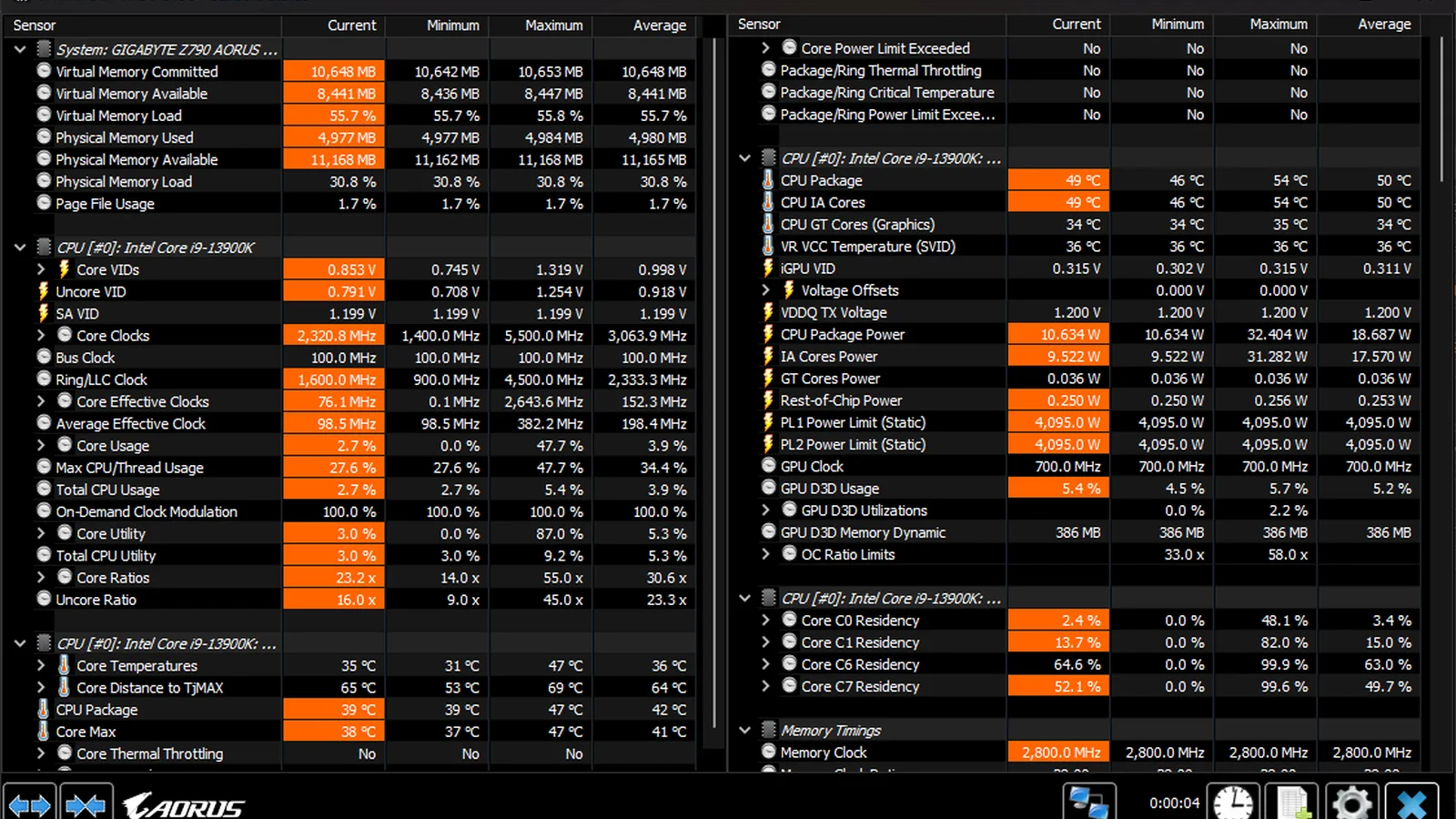
    HWiNFO64 hardware sensor monitoring interface in dark AORUS theme, displaying CPU temperatures, voltages, clock speeds

    The server supports HTTP and HTTPS connections and exposes sensor readings as structured JSON data. Alongside live measurements, the API provides information about sensor hierarchy, measurement units, descriptions and reading types.

    HWiNFO also includes a ready-made browser dashboard resembling its existing Sensors window. Users who want a different layout can create custom dashboards using HTML and JavaScript, selecting which readings to display.

    A configurable sensor filter determines which measurements are displayed, monitored and logged. This allows users to concentrate on specific hardware information rather than viewing every available sensor.

    To activate the feature, users open HWiNFO’s Sensors window and select the new Remote Center button. The API panel provides settings for the server’s IP address, network port, HTTPS connection, display updates and monitoring behavior.

    After configuring these options, clicking Start launches the server and displays its access URL. Opening that address in a browser on another device connected to the network brings up the monitoring interface. No separate monitoring application is required on the receiving device.

    Changing the server configuration requires stopping the service, adjusting the settings and starting it again. HWiNFO has also published REST API documentation and example dashboards for users interested in building their own interfaces.

    There are two limitations in the initial beta implementation.

    First, the REST API server is restricted to 12 hours of operation without an HWiNFO license. The restriction applies specifically to the new server functionality rather than the software’s regular hardware monitoring features.

    Second, the server does not automatically start when HWiNFO launches. Users currently need to open Remote Center and start it manually, even if HWiNFO itself is configured to launch with Windows.

    HWiNFO developer Martin Malik has confirmed that the next beta build will introduce a command-line switch for starting the server. The development team has also stated that a forthcoming beta will remember the server’s running state and restore it when the application launches again.

    Beyond remote monitoring, Build 6125 introduces an option to keep HWiNFO’s on-screen display permanently in the foreground, improves Intel GPU support and adds preliminary support for Intel Coral Rapids. The update also addresses an issue that could modify audio settings on Focusrite devices.

    The integrated web server is currently available in HWiNFO 8.61 Beta Build 6125, rather than the stable 8.60 release. Its addition gives PC enthusiasts a built-in method for viewing detailed system telemetry on another screen, with custom dashboard support and fewer external dependencies.

    Share. Facebook Twitter Pinterest LinkedIn Tumblr Email
    Abyan Khan
    • Instagram
    • LinkedIn

    Abyan Khan is a dedicated writer and tech enthusiast currently pursuing a Bachelor’s degree in Information Technology. With over 3 years of professional writing experience, he specializes in crafting clear, engaging, and informative content across a range of topics, particularly in the tech and gaming industries. Abyan combines his academic knowledge with real-world insights to deliver articles that are both well-researched and reader-friendly.

    Related Posts

    GTA 6 Vintage Vice City Pack Now Sold Separately for $4.99

    November 23, 2026

    Neuralink Participant Plays GTA 6 on PS5 Using Brain Implant

    November 23, 2026

    GTA 6 PC Recompilation Project Leonida Makes Early Progress

    November 23, 2026
    Leave A Reply Cancel Reply

    Google Techtroduce

    See more Techtroduce stories on Google.

    Add us on Google

    • GTA 6 Vintage Vice City Pack Now Sold Separately for $4.99November 23, 2026
      GTA 6's Vintage Vice City Pack is now available separately for $4.99 on PS5 and Xbox Series X|S after its promotional offer ended.
    • HWiNFO 8.61 Adds Remote PC Hardware Monitoring via BrowserNovember 23, 2026
      HWiNFO 8.61 Beta adds a REST API server for monitoring PC temperatures, clocks and fan speeds on phones, tablets and other computers.
    • Neuralink Participant Plays GTA 6 on PS5 Using Brain ImplantNovember 23, 2026
      Neuralink demonstrates GTA 6 gameplay on PS5 using imagined finger and hand movements converted into controller inputs by a brain implant.
    TRENDING NOW

    Do You Really Need 32GB RAM in 2026?

    Highly Anticipated Xbox Exclusive Likely Shelved After 4 Years Of Development

    GTA 6 Players Report PS5 Crashes With Error CE-108255-1

    DLSS 5 Mod Brings Nvidia Graphics Features to AMD Radeon GPUs

    Facebook Instagram YouTube
    © 2026 Techtroduce. All Rights Reserved | Cookies Policy | Privacy Policy | Contact Us | About Us | Corrections Policy

    Type above and press Enter to search. Press Esc to cancel.

    Manage Consent
    To provide the best experiences, we use technologies like cookies to store and/or access device information. Consenting to these technologies will allow us to process data such as browsing behavior or unique IDs on this site. Not consenting or withdrawing consent, may adversely affect certain features and functions.
    Functional Always active
    The technical storage or access is strictly necessary for the legitimate purpose of enabling the use of a specific service explicitly requested by the subscriber or user, or for the sole purpose of carrying out the transmission of a communication over an electronic communications network.
    Preferences
    The technical storage or access is necessary for the legitimate purpose of storing preferences that are not requested by the subscriber or user.
    Statistics
    The technical storage or access that is used exclusively for statistical purposes. The technical storage or access that is used exclusively for anonymous statistical purposes. Without a subpoena, voluntary compliance on the part of your Internet Service Provider, or additional records from a third party, information stored or retrieved for this purpose alone cannot usually be used to identify you.
    Marketing
    The technical storage or access is required to create user profiles to send advertising, or to track the user on a website or across several websites for similar marketing purposes.
    • Manage options
    • Manage services
    • Manage {vendor_count} vendors
    • Read more about these purposes
    View preferences
    • {title}
    • {title}
    • {title}