


Wooting has released Wootility 5.5 beta, introducing a redesigned keyboard remapping interface, expanded key bindings, global keymaps, and improved game profile detection on Linux. The update, initially released on November 19, 2026, also adds integrations with Discord and OBS, allowing compatible Wooting keyboard owners to control supported application functions directly from their keys.
The main addition is Remap v2, a rebuilt configuration interface that replaces the previous remapping workflow with a searchable binding picker. Users can now assign custom keyboard shortcuts, operating system-specific presets, mouse movement, scrolling, symbols, emojis, and application actions to individual keys. Mouse controls include adjustable movement and scrolling speeds, while custom shortcuts can be recorded directly within the software.
Wooting has also reworked how Global Remap operates across keyboard profiles. Previously, the global keymap was tied to the first profile. In Wootility 5.5, Global Remap is stored independently, allowing multiple profiles to share the same bindings without depending on a particular profile’s configuration.
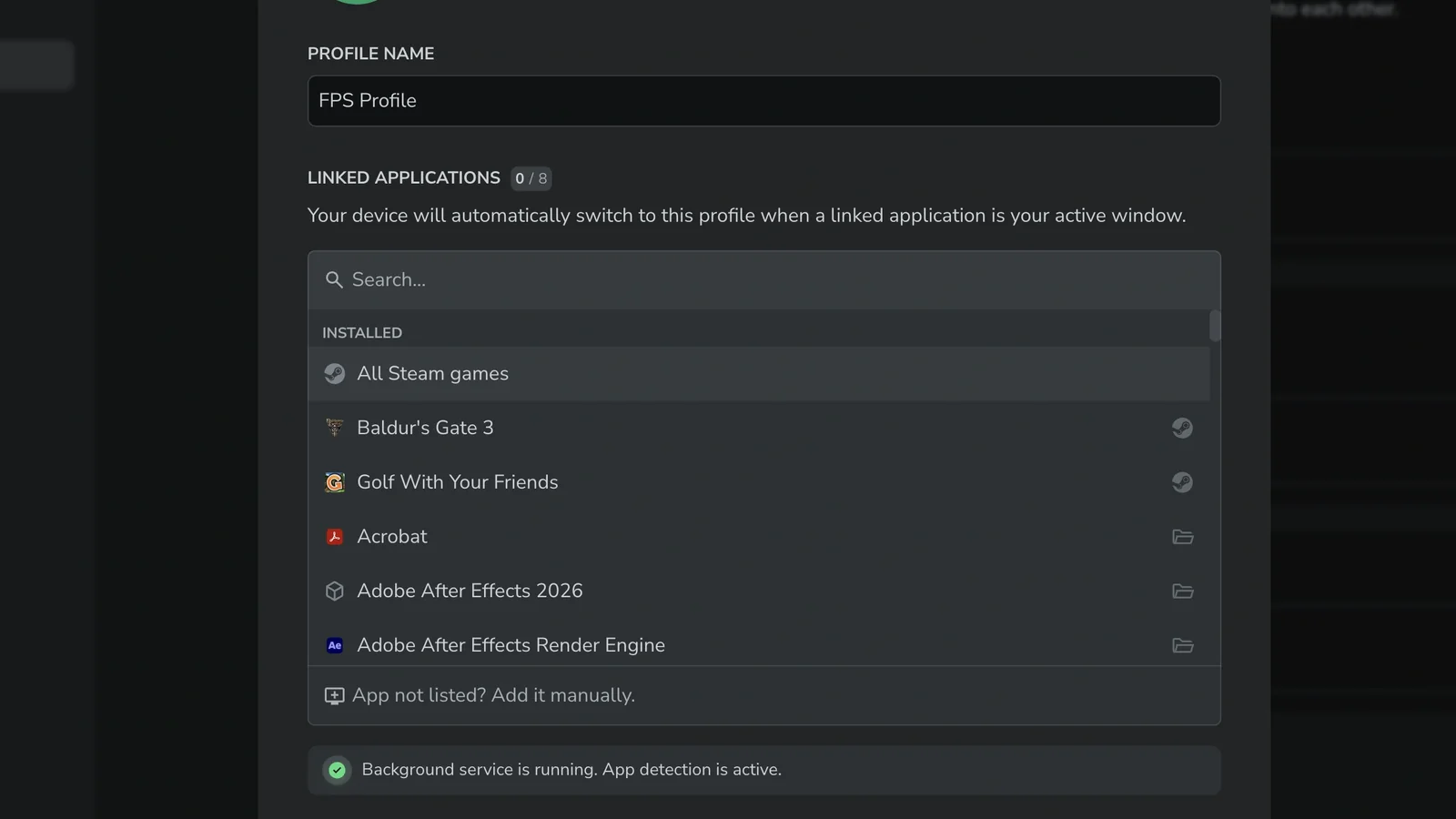
Users can link profiles to the shared remap or unlink them to create separate key layouts for specific games and applications. Changes made to a linked remap are shared across profiles using it. The redesigned interface also supports live previews, letting users test new bindings on their keyboards before saving them. Unwanted changes can be discarded without overwriting the existing configuration.
Another significant addition is direct application integration. Wootility can assign functions such as muting a microphone in Discord or switching scenes in OBS to keyboard keys. These actions are configured through a new Integrations page in the Background Service settings, where users can enable supported applications and access their available commands.
Wooting notes that integrations, symbols, and emoji bindings require the Wooting Background Service to remain running. However, the main Wootility interface does not need to stay open after configuration.
The update also improves automatic profile switching through App Linking. Users can now associate a keyboard profile with all their Steam games simultaneously instead of linking each title individually.
Linux users receive several changes aimed at improving application detection. Wooting says App Linking now works on most Wayland desktop environments, including KDE Plasma, GNOME, COSMIC, Hyprland, Sway, niri, and other wlroots-based compositors.
The software also improves detection of Flatpak and Snap applications, alongside Windows games running through Steam’s Proton compatibility layer. These changes address limitations affecting automatic keyboard profile selection on Linux, complementing broader Linux Wayland and Steam Deck compatibility improvements across gaming software.
Beyond remapping and application detection, Wootility 5.5 introduces an in-app changelog with searchable release notes and filters for stable and beta updates. Additional changes include a new Flames RGB lighting effect for ARM-based devices, clearer modifier-key labels, improved profile management, and a keyboard display that shows multiple simultaneously pressed keys.
Wooting has also corrected several interface and configuration issues, including global device settings failing to save, incorrect default profiles on the Wooting 80HE, and problems with copying text while editing keyboard settings.
The new features remain part of the beta software branch rather than the stable release. Testing Remap v2 requires keyboard firmware version 2.15.0-beta.0 and the latest Wooting Background Service. Wootility 5.5 beta is available for Windows 10 and 11, macOS, and Linux through an AppImage download.
Wooting has already released Wootility 5.5.0-beta.1, a follow-up dated November 19 that fixes two issues discovered in the initial beta. The maintenance update corrects a problem preventing the Background Service from updating properly to its beta version and another issue that caused beta releases to be hidden by default in the changelog.
The stable Wootility release remains version 5.4.2, meaning users who want the redesigned remapping system and expanded Linux support must currently use the beta branch.
