


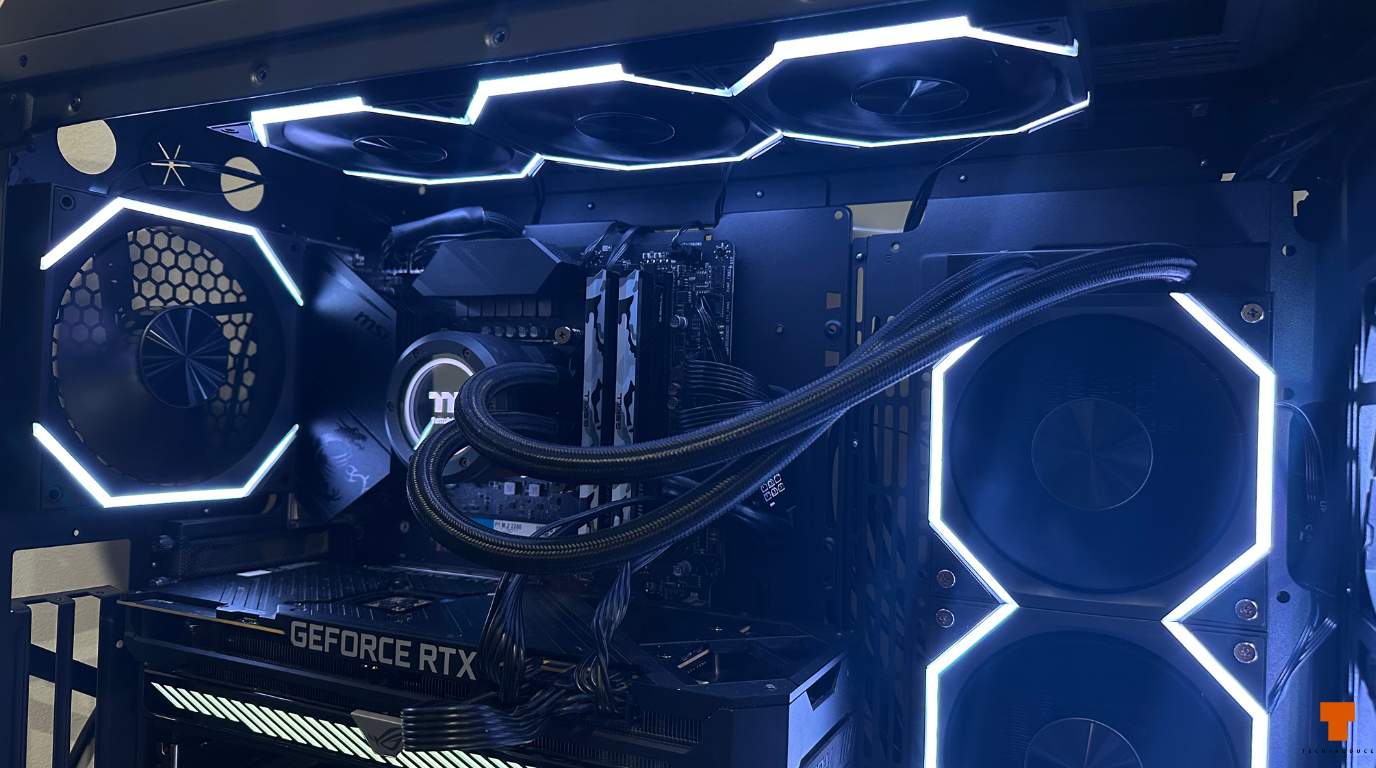
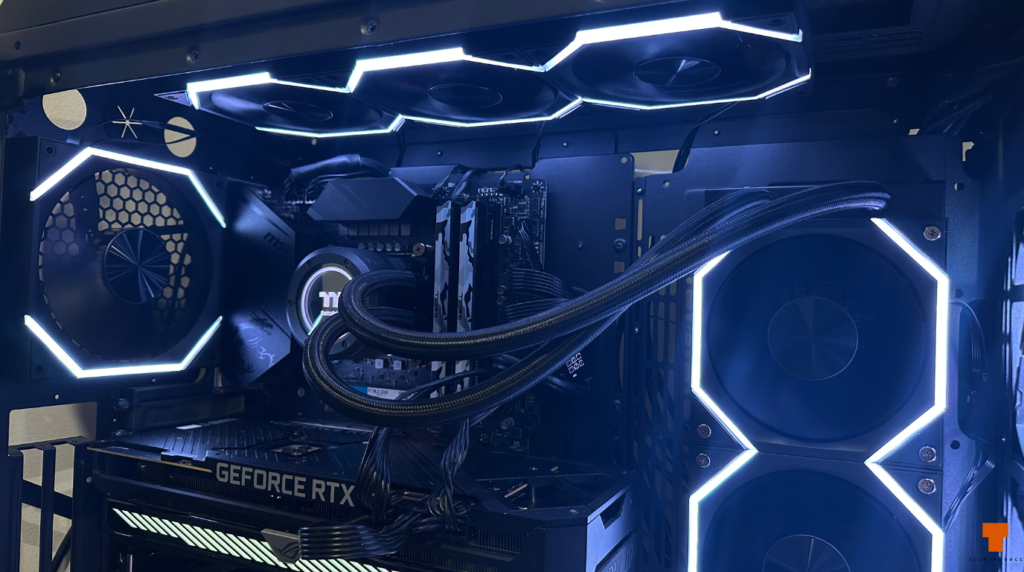
In this AsiaHorse Nyota review, I’m looking at eight fans I have been using for around a month in a Thermaltake View 71 TG build. My setup includes three 120mm reverse-blade fans, one 140mm reverse-blade fan, three standard 120mm fans and one standard 140mm fan.
The main reason I chose the Nyota range was simple: I wanted the visible side of the fans to stay consistent throughout the build while still using the correct airflow direction for each position. AsiaHorse sells both forward- and reverse-blade versions of its standard Nyota 120mm fans, while the Nyota Mega covers the 140mm size in forward and reverse variants.
I paid roughly AUD $140–150 for all eight fans, which made the setup much easier to justify than buying a comparable mix from a premium brand such as Lian Li. After a month of use, airflow has been decent, noise levels have been low enough that I have never really needed to push the fans to maximum speed, and the overall look is much better than I expected for the money.
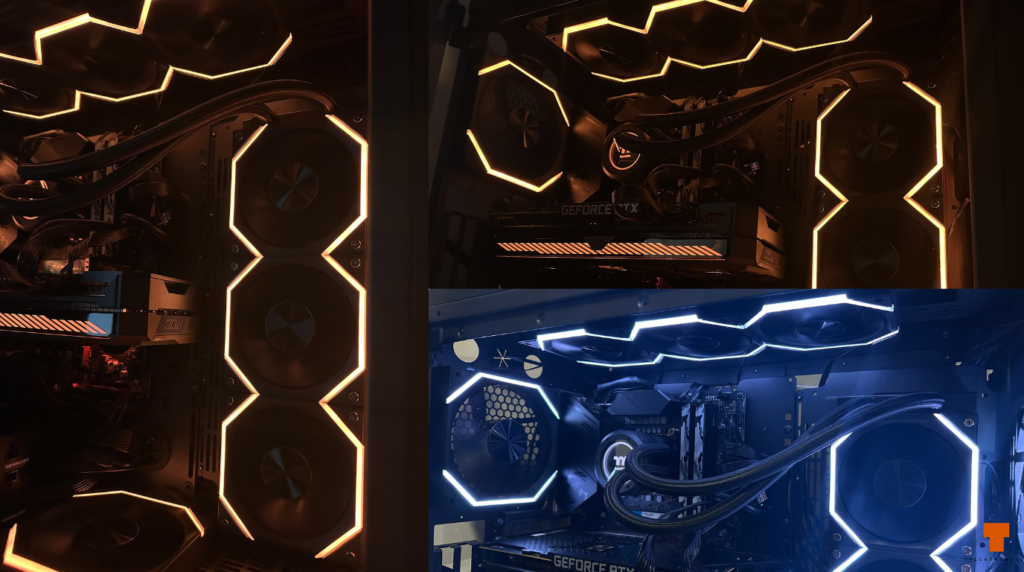
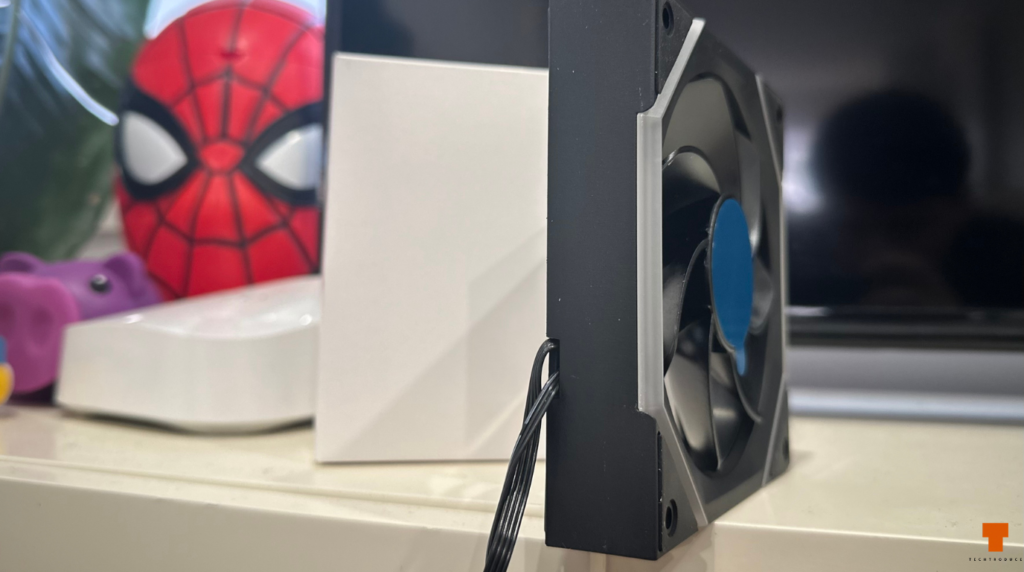
The biggest weakness is cable management. The standard Nyota fans I bought use conventional individual cabling rather than the cleaner modular connection available on newer Nyota Pro models, so an eight-fan setup produces a lot of excess wiring behind the motherboard tray.
AsiaHorse Nyota Review: Design and Build Quality
The Nyota fans have a clean, angular design that works particularly well in showcase cases with large glass panels. The illuminated edge creates a more premium-looking frame around the fan without covering the blades in RGB, and when several are installed together the result is fairly cohesive.
My setup consists of:
- 3 × 120mm reverse-blade Nyota fans
- 1 × 140mm reverse-blade Nyota Mega
- 3 × 120mm standard Nyota fans
- 1 × 140mm standard Nyota Mega
Having both standard and reverse-blade versions was one of the strongest reasons to buy them. With ordinary fans, intake positions can leave the rear support structure facing into the case. Reverse-blade models let you maintain the cleaner visible side while still moving air in the direction you need.
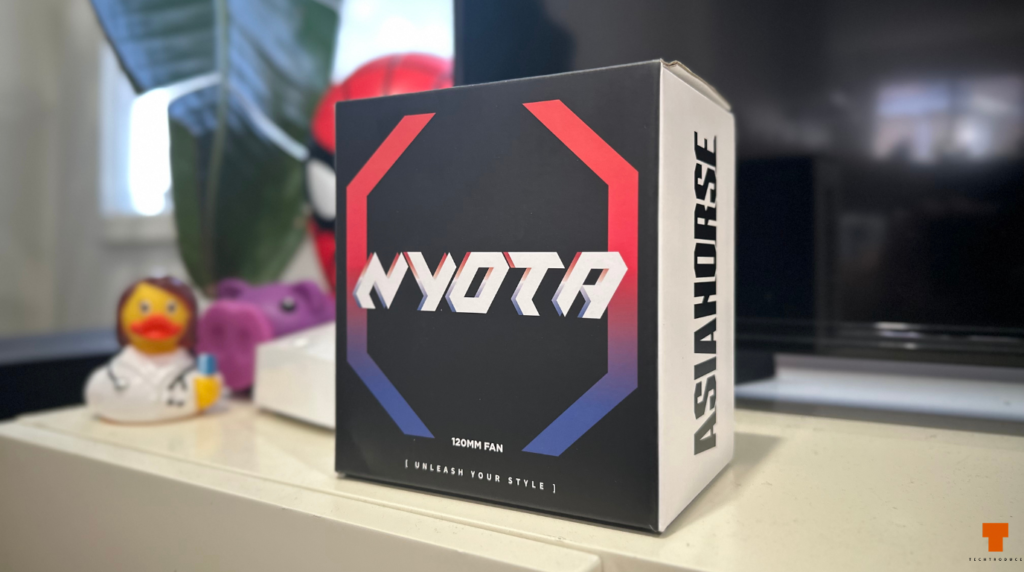
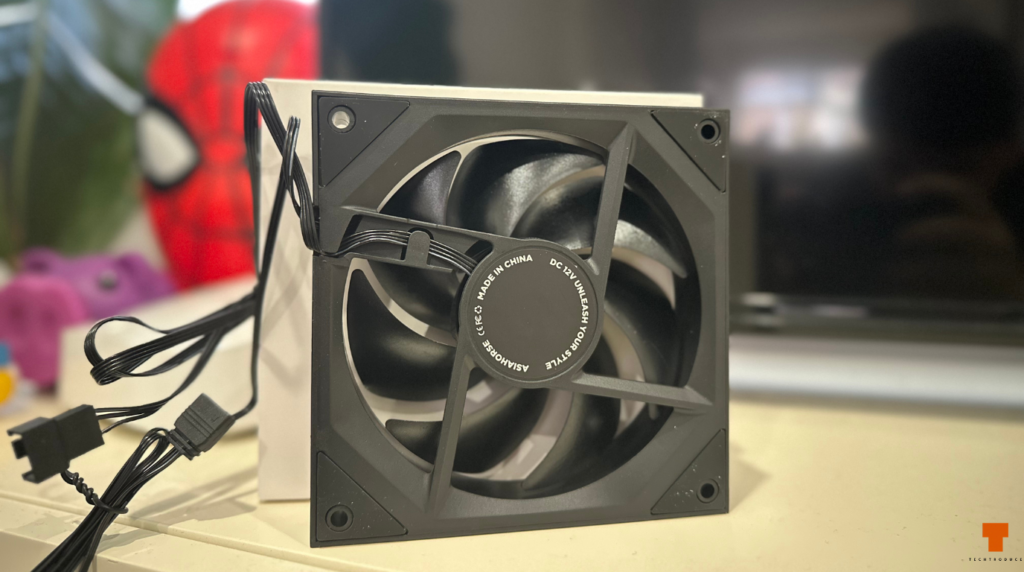
The physical build quality is also decent for the price. They do not feel as premium as some higher-end modular fans, but they do not feel flimsy either. After a month of use, I have not had any rattling, looseness or obvious mechanical issues.
Specifications
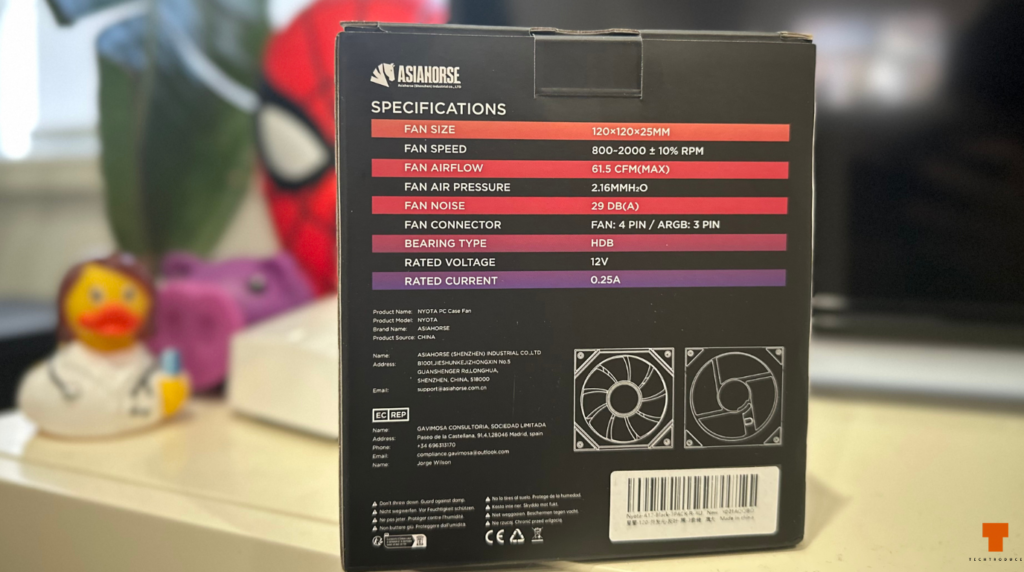
The standard 120mm Nyota is a 120 × 120 × 25mm PWM fan rated for 800–2000 RPM, with up to 61.5 CFM of airflow and 2.16 mmH₂O of static pressure. AsiaHorse lists noise at up to 29 dB(A), and the fan uses a 4-pin PWM connector plus a 3-pin ARGB connection.
The Nyota Mega 140mm uses the same 800–2000 RPM range but increases claimed airflow to 89.77 CFM. AsiaHorse also lists it below 29 dB(A).
On paper, those figures are respectable for visually focused case fans. I did not independently measure CFM, static pressure or acoustic output, so those numbers should be treated as manufacturer specifications rather than Techtroduce test results.
Installation and Cable Management
Installing the fans themselves was straightforward. Both the 120mm and 140mm models use standard mounting points, and I had no issues fitting them into the Thermaltake View 71 TG.
The problem starts once you begin routing the wiring.
The standard Nyota fans have relatively long individual cables, and with eight fans installed there is a lot of excess wiring to hide. In a large case like the View 71, there is enough room behind the motherboard tray to manage it, but it still takes more effort than it should.
This is also where the distinction between the standard Nyota and Nyota Pro matters.
AsiaHorse now sells the Nyota Pro 120mm with a modular daisy-chain connection that allows multiple fans to connect together and share a single cable. AsiaHorse specifically says up to three Nyota Pro fans can be connected with one cable, which significantly reduces clutter compared with the conventional cabling on the standard Nyota fans I tested.
There is also a Nyota Ultra 120mm Daisy Chain PWM model in the current lineup.
So if I were building another system today and cable management was a major priority, I would look closely at the Nyota Pro or Ultra rather than automatically buying the exact standard 120mm models I used here.
The trade-off is that the current modular Nyota options are 120mm products, while the Nyota Mega 140mm remains a separate conventional fan in AsiaHorse’s range.
Airflow and Cooling Performance
In actual use, airflow has been more than sufficient for my system.
I have not needed to run the Nyota fans at maximum speed, even during longer gaming sessions, and my system temperatures have stayed where I expect them to. At moderate speeds they move enough air that I can keep the fan curve fairly relaxed instead of running them aggressively.
It is important to be clear that the Nyota fans are not the only fans contributing to the cooling setup. I am also using Thermaltake TOUGHFAN 12 25 fans at the front of the View 71, so I cannot attribute the entire system’s thermal performance to the Nyotas alone.
Still, the Nyota fans have not shown any obvious airflow weakness in normal gaming use.
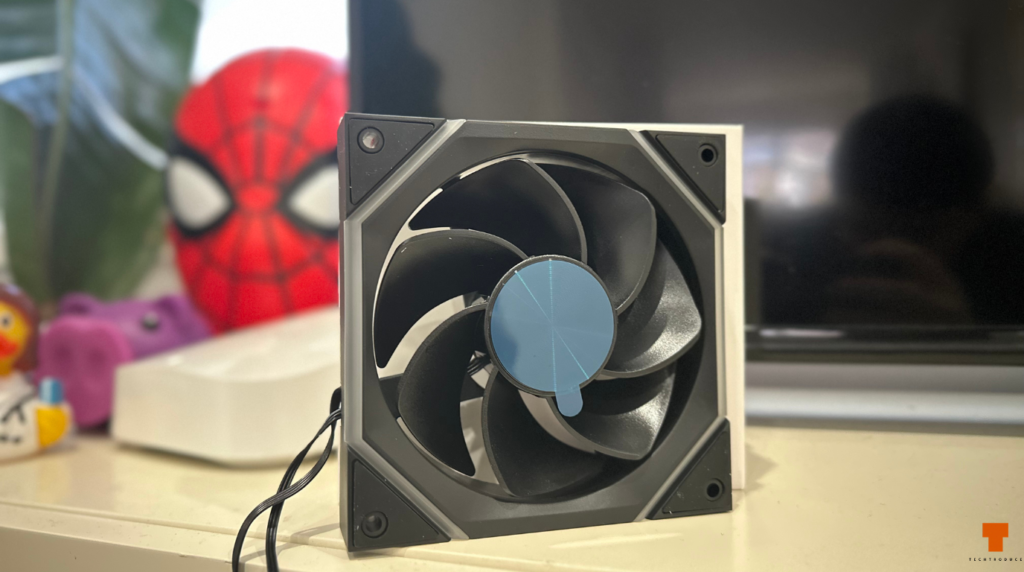
AsiaHorse rates the 120mm version at up to 61.5 CFM and the 140mm Nyota Mega at up to 89.77 CFM. Those are manufacturer claims rather than figures I verified myself, but they line up reasonably well with how the fans have behaved in my build.
If maximum radiator performance or static pressure were my only concern, I would still look at more performance-focused alternatives. For a gaming build where appearance, noise and airflow all matter, however, the Nyotas have been perfectly adequate.
Noise Levels
The Nyota fans have been pleasantly quiet in my setup.
They are audible during gaming, but mainly if I am sitting close to the case and actively listening for them. Under normal use, the sound fades into the background rather than becoming distracting.
That is helped by the fact that I have not needed to run them at maximum speed. With eight fans installed, I expected the overall system noise to be more obvious than it actually is.
AsiaHorse lists the standard Nyota 120mm and Nyota Mega 140mm at under or around 29 dB(A), depending on the product listing. I did not perform controlled acoustic testing, so I cannot confirm that number, but subjectively the fans have been quiet enough for my gaming setup.
RGB Quality
The RGB looks good from a normal viewing distance, but this is one of the areas where the lower price becomes more noticeable.
The illuminated border is bright enough to give the case a clean, coordinated look, especially when all eight fans are set to the same color. From across the room or while sitting at the desk, the effect works well and makes the fans look more expensive than they are.
Up close, the diffusion is not perfect.
There are visible duller points along the lighting, and the illumination is not as smooth or uniform as what I would expect from a more expensive premium fan. It does not ruin the look, but it is noticeable if you inspect the lighting closely.
One thing I did like is how closely the Nyota lighting matches my Thermaltake TOUGHFAN 12 25 fans. Different brands can sometimes produce noticeably different shades of the same RGB color, but in this build the two sets blend together surprisingly well.
RGB Software and Control
AsiaHorse supports motherboard ARGB control on the standard Nyota fans, while its own more advanced control ecosystem depends on compatible hubs. The company currently sells the Umbra ARGB PWM Hub, and its Nyota Pro documentation highlights additional zone-based lighting control when paired with that hub.
I do not use the AsiaHorse hub.
Instead, my Nyota fans are connected through the motherboard’s ARGB header and controlled through SignalRGB.
For basic lighting, that works fine. Static colors and straightforward color changes are easy to manage, and that covers most of what I personally use.
The limitation is with more complex flowing effects. Because I am controlling the lighting through the motherboard header rather than AsiaHorse’s dedicated ecosystem, the individual effects and zones are not exposed in the same way they would be with compatible hardware.
For my build, that is not a major issue because I tend to use static lighting anyway. If advanced RGB effects are a major reason you are buying the fans, the hub and exact Nyota variant become more important considerations.
Standard Nyota vs Nyota Pro
This distinction is important because the names are similar.
The standard Nyota 120mm is the model I tested. It comes in forward- and reverse-blade versions and uses conventional cabling. AsiaHorse currently lists the three-pack at $39.99 USD on its own store.
The Nyota Pro 120mm is the newer modular option. It retains the same listed 800–2000 RPM speed, 61.5 CFM airflow and 2.16 mmH₂O static pressure, but adds a modular daisy-chain system and enhanced RGB control options.
AsiaHorse also sells a Nyota Ultra 120mm Daisy Chain PWM variant.
If clean cable management is more important to you than getting the cheapest Nyota setup possible, the Pro is the more appealing design.
If you specifically need 140mm fans, however, the Nyota Mega remains part of the lineup as a separate 140mm product.
Regular and Reverse-Blade Fans Are Still the Main Selling Point
Even with the cable-management complaint, the biggest strength of the Nyota family for me is the availability of both regular and reverse-blade versions.
My build uses four reverse and four standard fans. That allowed me to maintain the same visible orientation throughout the case while still configuring intake and exhaust correctly.
For showcase-style cases, that is a major advantage.
Without reverse-blade fans, some intake positions would expose the rear supports and motor housing instead of the cleaner front side. The Nyota lineup lets you avoid that without moving into a much more expensive ecosystem.
AsiaHorse Nyota vs Lian Li
Lian Li was the main premium alternative I considered before buying the Nyotas.
The biggest issue was simply cost.
Once you start buying eight fans, including both standard and reverse-blade models, the total price rises quickly. I paid roughly AUD $140–150 for all eight AsiaHorse fans, which made the setup much easier to justify.
The Nyotas are not as refined.
The RGB diffusion is weaker up close, the standard models create more cable clutter, and the overall product does not feel quite as premium.
On the other hand, once installed inside the case they still look very good, and the difference in appearance is much smaller than the difference in price.
If I were comparing against newer modular premium-style fans today, I would also consider the Nyota Pro rather than only the standard Nyota, because the daisy-chain design addresses one of my biggest complaints with this exact setup.
We’ve also reviewed other long-term gaming hardware, including the Logitech G502 HERO, GameSir G7 Pro and Razer BlackShark V3 X HyperSpeed.
What I Like
- Clean design
- Standard and reverse-blade options
- 120mm and 140mm choices across the Nyota family
- Good airflow for normal gaming use
- Quiet enough at the speeds I actually use
- RGB looks good from a normal viewing distance
- Lighting matches my Thermaltake fans surprisingly well
- Much cheaper than many premium alternatives
- Good fit for showcase builds
- Strong value when buying several fans
What I Don’t Like
- The standard Nyota models create a lot of cable clutter
- Cables are longer than I would like
- RGB diffusion is not perfect up close
- Dull lighting points are visible
- Advanced lighting control depends on the control setup you use
- Standard models lack the modular daisy-chain system of Nyota Pro
- Overall finish is not as premium as higher-end alternatives
Verdict
After a month of use, my AsiaHorse Nyota review comes down to a pretty straightforward conclusion: the standard Nyota and Nyota Mega fans offer strong value if you want a mix of regular and reverse-blade fans without paying premium prices.
The cooling has been more than adequate in my gaming build, the fans are quiet enough at the speeds I actually run them, and the ability to mix standard and reverse-blade versions makes them particularly well suited to showcase cases.
The main compromise with the exact models I bought is cabling. Eight conventionally wired fans create a lot of clutter, and AsiaHorse’s newer Nyota Pro shows that there is now a cleaner way to do it with modular daisy chaining.
The RGB is another area where the price shows. It looks good from a normal distance but lacks the completely smooth diffusion you get from more expensive options.
Even so, at roughly AUD $140–150 for my eight-fan setup, I am happy with what I got.
If I were buying again and only needed 120mm fans, I would seriously consider the Nyota Pro for the cleaner cabling. For a mixed 120mm and 140mm setup like mine, though, the standard Nyota and Nyota Mega still make sense.
Rating: 8/10
AsiaHorse Nyota FAQ
Are AsiaHorse Nyota fans loud?
In my experience, no. They are audible during gaming if I am close to the case, but they are not distracting at the speeds I normally use.
What are the AsiaHorse Nyota 120mm specs?
AsiaHorse lists the standard 120mm Nyota at 800–2000 RPM, up to 61.5 CFM of airflow, 2.16 mmH₂O static pressure and around 29 dB(A) maximum noise.
Is there a 140mm AsiaHorse Nyota?
Yes. The Nyota Mega 140mm is available in forward- and reverse-blade versions. AsiaHorse lists airflow up to 89.77 CFM and an 800–2000 RPM speed range.
Do AsiaHorse Nyota fans come in reverse-blade versions?
Yes. Both the standard 120mm Nyota and Nyota Mega 140mm are offered with reverse-blade options.
Do AsiaHorse Nyota fans daisy-chain?
The standard Nyota fans reviewed here do not use the modular daisy-chain design. The newer Nyota Pro 120mm does, and AsiaHorse says up to three fans can connect using a single cable.
What is the difference between Nyota and Nyota Pro?
The standard Nyota 120mm uses conventional cabling. Nyota Pro adds modular daisy chaining and more advanced RGB-control options while retaining similar headline cooling specifications.
Can AsiaHorse Nyota fans work with SignalRGB?
In my setup, yes. I control the lighting through my motherboard ARGB header using SignalRGB. My experience is limited to that configuration rather than AsiaHorse’s dedicated hub.
Are AsiaHorse Nyota fans worth it?
For a build that needs multiple standard and reverse-blade fans at a lower cost than premium alternatives, I think they offer very good value.
How many AsiaHorse Nyota fans did I test?
Eight in total: three 120mm reverse, one 140mm reverse, three standard 120mm and one standard 140mm.
Would I buy them again?
Yes, but if I only needed 120mm fans I would also look closely at the Nyota Pro because the modular daisy-chain design would solve the biggest issue I had with the standard models: cable clutter.
