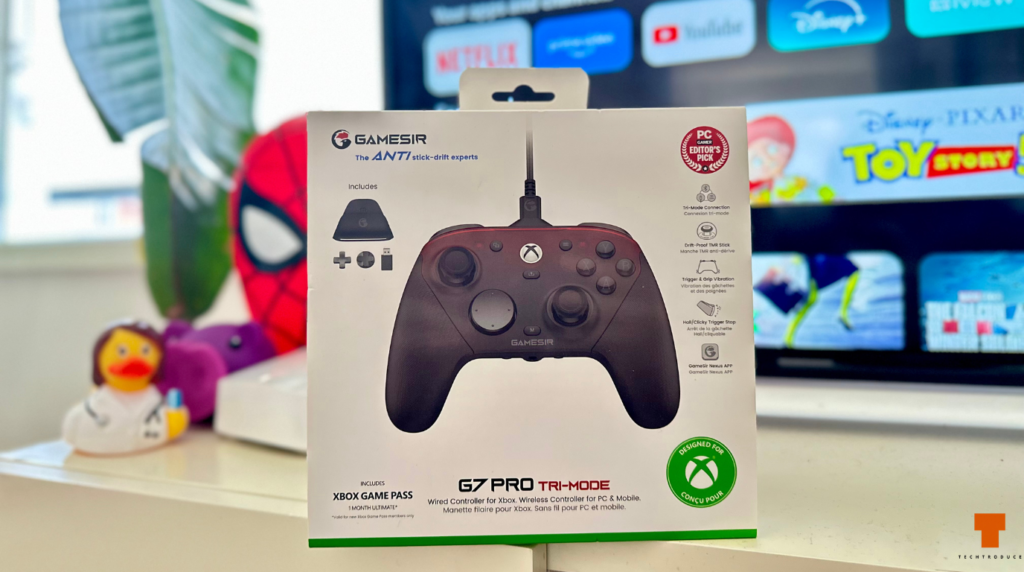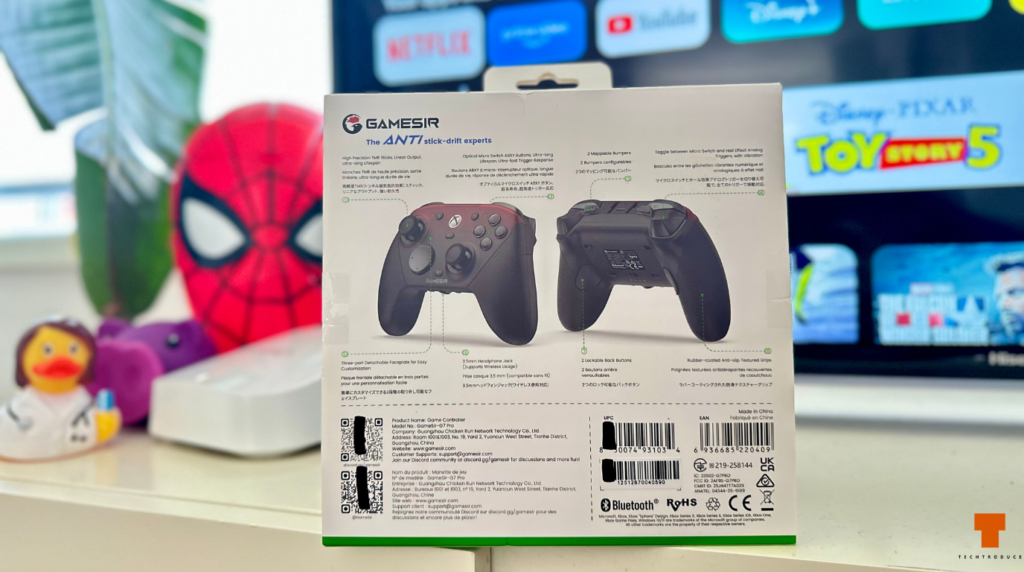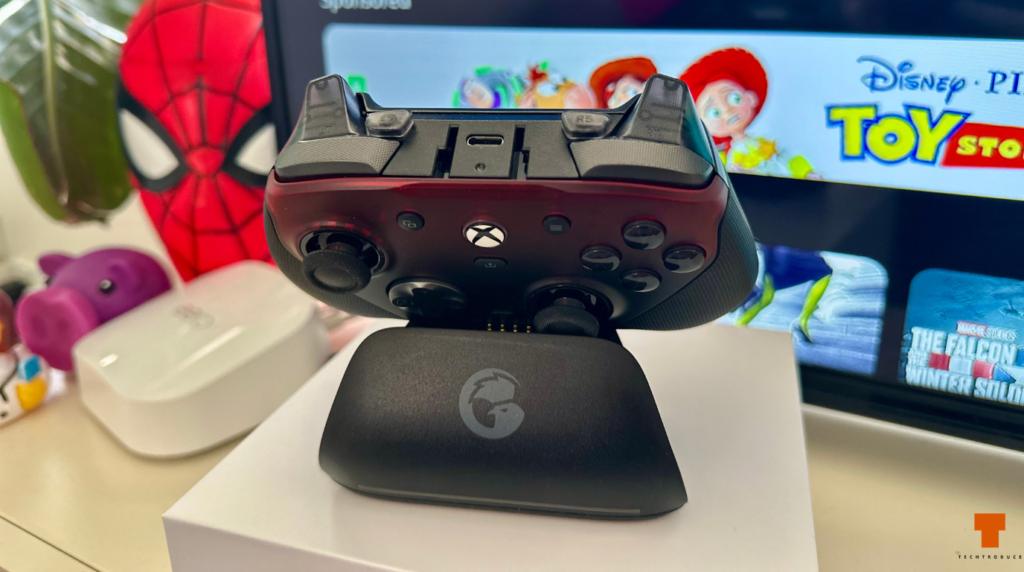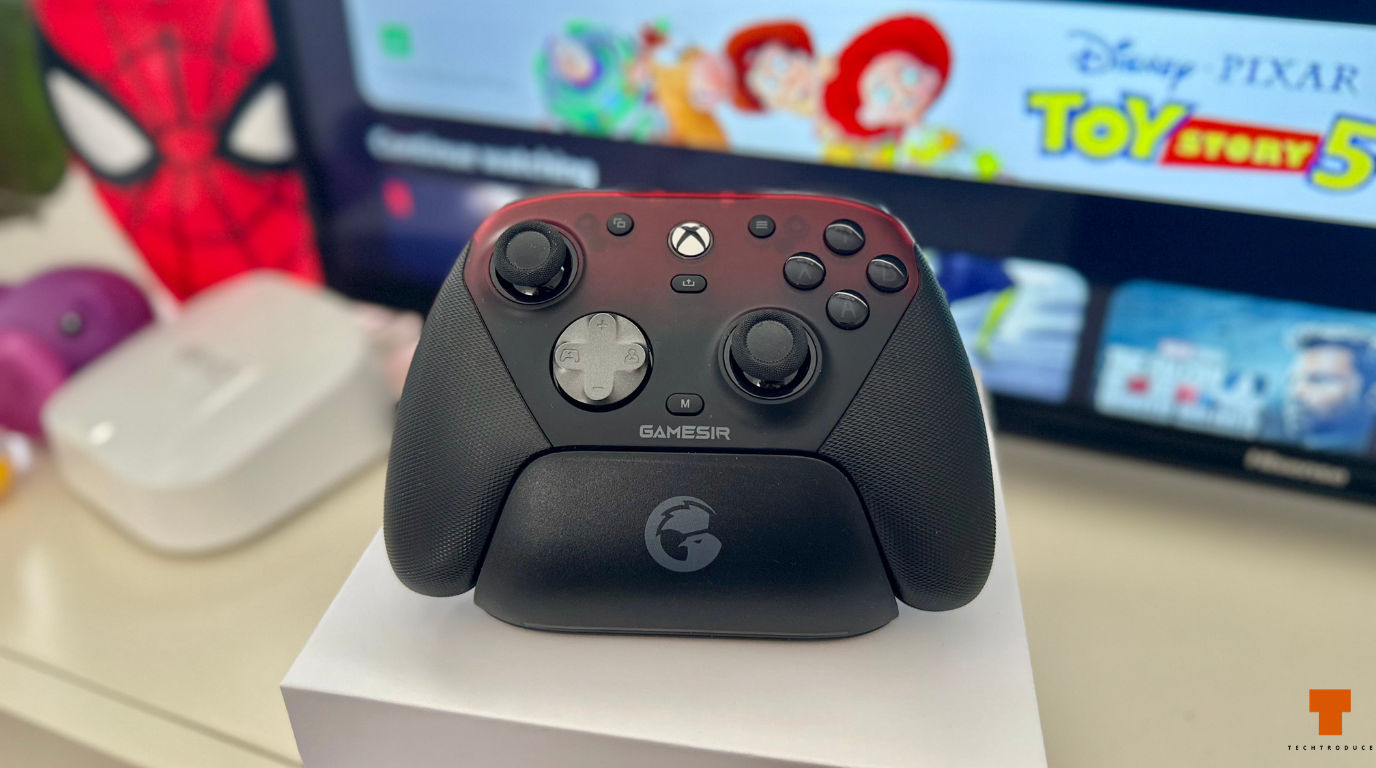
The GameSir G7 Pro is clearly packed with features aimed at more serious players, but after using it for games like Red Dead Redemption 2, Forza and Black Myth: Wukong, I think its biggest strength is much simpler: it is an extremely easy controller to live with on PC.
I bought the Shadow Ember version from JB Hi-Fi Australia for around $120 AUD, although it now sits closer to $160 AUD. At the price I paid, it feels like excellent value considering the TMR sticks, trigger stops, extra buttons, charging dock, wireless receiver and other features included in the box.
I mainly wanted something for laid-back PC gaming. I still prefer a mouse and keyboard for shooters, so I was not looking for a controller that would suddenly make me more competitive. I wanted something I could pick up for racing games, action RPGs and games where sitting back with a controller simply feels better. So far, the G7 Pro has done that almost perfectly.
Techtroduce Score: 9/10
Design and Build Quality
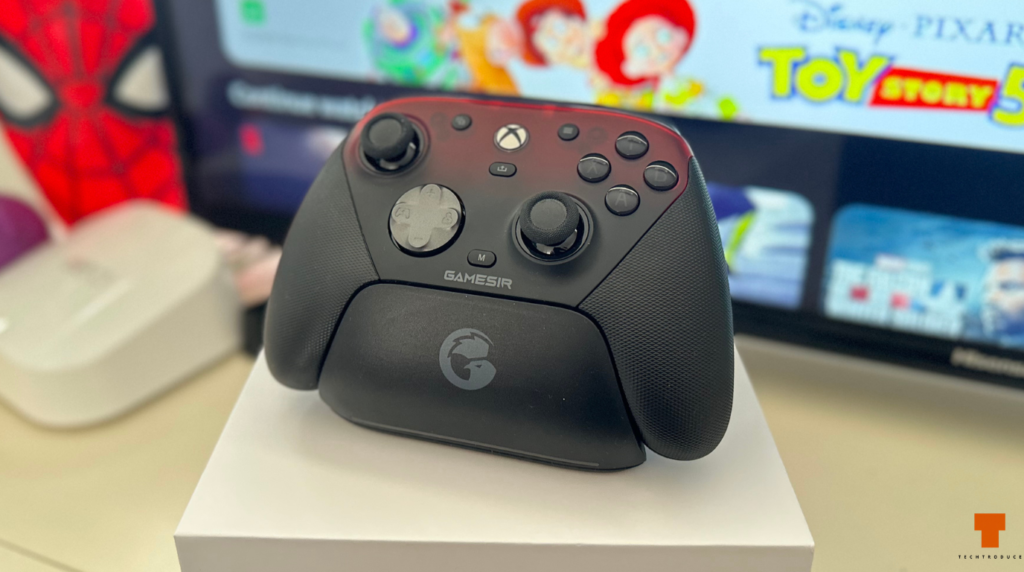
The first thing I noticed about the GameSir G7 Pro was the weight. It is nowhere near as heavy as something like an Xbox Elite controller, which is a positive for the way I use it. I would actually say it feels slightly lighter than a DualShock 5.
The overall build sits somewhere between standard and premium. It does not immediately feel like an ultra-expensive controller when you pick it up, but it certainly does not feel cheap either. The plastics feel solid, there are no concerning creaks or loose parts on my unit, and the buttons feel like they should hold up well over time.
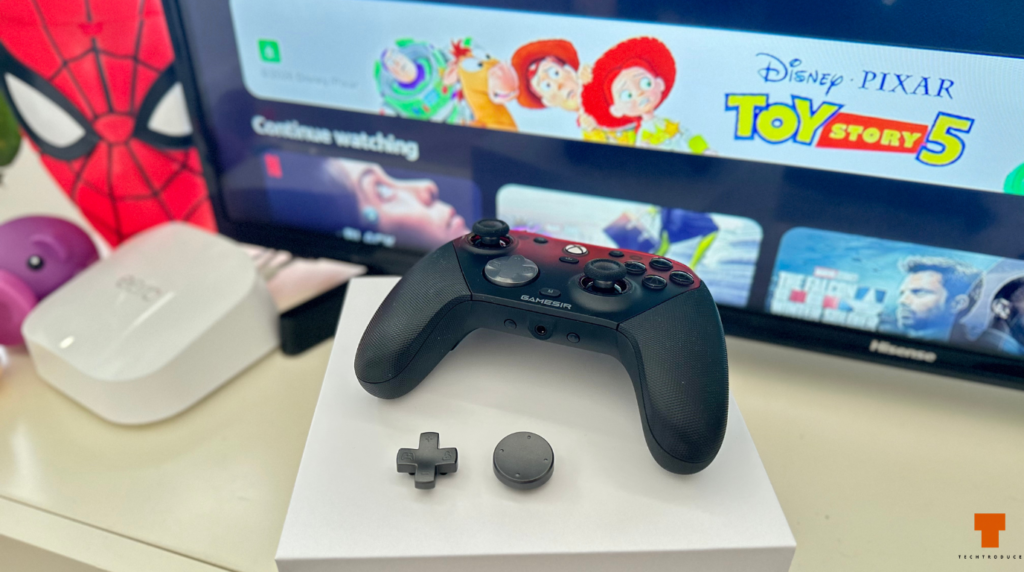
The textured grips are particularly good. They provide plenty of grip without feeling rough or uncomfortable, and even during longer sessions my hands have remained comfortable. The magnetic faceplate can also be removed and swapped, which is a nice extra if you want to change the look of the controller later.
My main complaint about the design is the size. I have fairly normal-sized hands, but the G7 Pro can sometimes feel a little compact. It has never made my hands hurt, although I regularly find myself wishing the body and grips were just slightly larger.
The Xbox-Style Layout Works Perfectly on PC
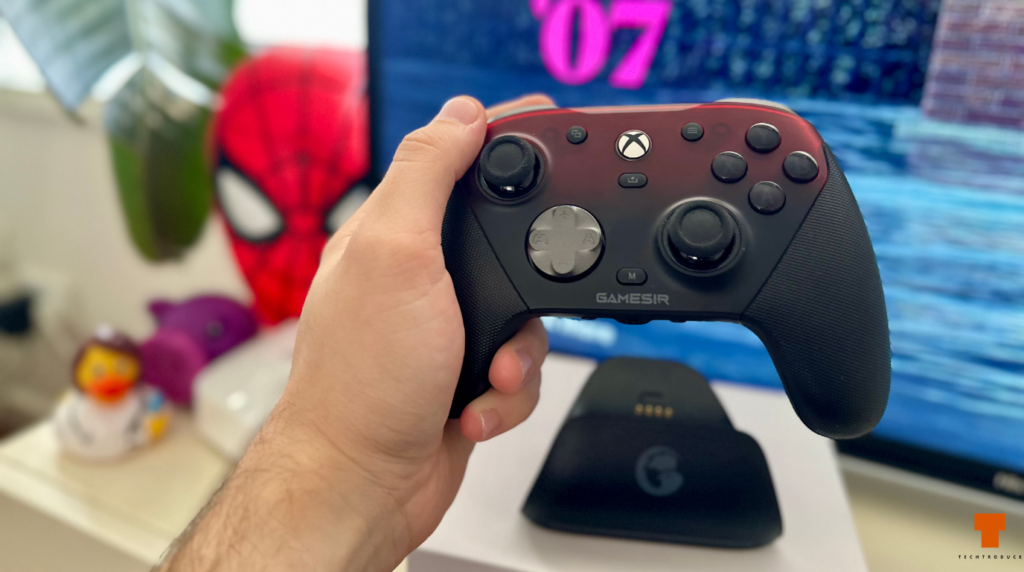
The overall shape and control layout will immediately feel familiar if you have used an Xbox controller. You get the asymmetric analogue sticks, standard ABXY layout and the general shape you would expect from an Xbox-style controller.
That familiarity was one of the main reasons I went this route instead of simply buying a DualSense. I considered the DualSense, but controller support on Windows can still vary from game to game. With the G7 Pro, the experience has been much more straightforward.
Every game I have tried so far has recognised it immediately. I pick up the controller, it connects, and I start playing. There has been no messing around with strange button prompts or trying to make a game recognise the controller properly.
That may not sound particularly exciting, but for me it is probably one of the most important things about the G7 Pro.
TMR Sticks Feel Tighter and More Controlled
One of the headline features of the GameSir G7 Pro is its TMR analogue sticks. The technology is designed to provide accurate magnetic sensing while also avoiding the physical wear associated with traditional potentiometer sticks, which should help reduce the risk of stick drift over time.
In actual use, the biggest difference I noticed was how the sticks feel. They are noticeably tighter than the relatively loose sticks on the DualSense, although I would not say the difference completely changes the gaming experience.
They simply feel controlled.
Smaller movements feel precise, and I especially like the slightly tighter resistance when playing racing games. It suits steering particularly well because you can make small adjustments without the stick feeling overly loose.
The long-term resistance to stick drift is also reassuring. I obviously have not owned the controller long enough to make any claims about how it will perform several years from now, but it is certainly a feature I would rather have than not have.
The Face Buttons Feel Great, But They Are Quite Clicky
The face buttons have a very tactile feel. Each press gives you a clear click rather than the softer, more dampened feeling you get on some other controllers.
From a responsiveness perspective, I like them. They feel crisp and deliberate, and the overall quality gives me confidence that they should last.
The sound is another matter.
Personally, I would have preferred the buttons to be slightly quieter. The obvious clicking sound is not terrible, but a more dampened press would have made the controller feel a little more refined for the type of gaming I do.
Competitive players may actually prefer this. If you like mouse-style tactile switches, the more pronounced feedback will probably be a positive rather than a negative.
The D-pad also feels solid, and GameSir includes interchangeable options in the package if you prefer a different shape.
Trigger Stops Are Useful, Even Though I Rarely Use Them
The G7 Pro has physical trigger stops that can dramatically shorten the amount of travel required before registering a trigger press. For shooters and other competitive games, that could be genuinely useful because you no longer have to pull the trigger through its entire analogue range.
They work well and the implementation looks promising, but I barely use them.
That is simply because of the games I bought the controller for. If I am playing an FPS on PC, I would rather use a mouse and keyboard. For Red Dead Redemption 2, Forza, Black Myth: Wukong and similar games, I prefer having the full analogue trigger travel.
It is still a great feature to have. I would much rather have the option available than be stuck without it if I eventually find a game where it becomes useful.
Extra Rear Buttons Give You Plenty of Options
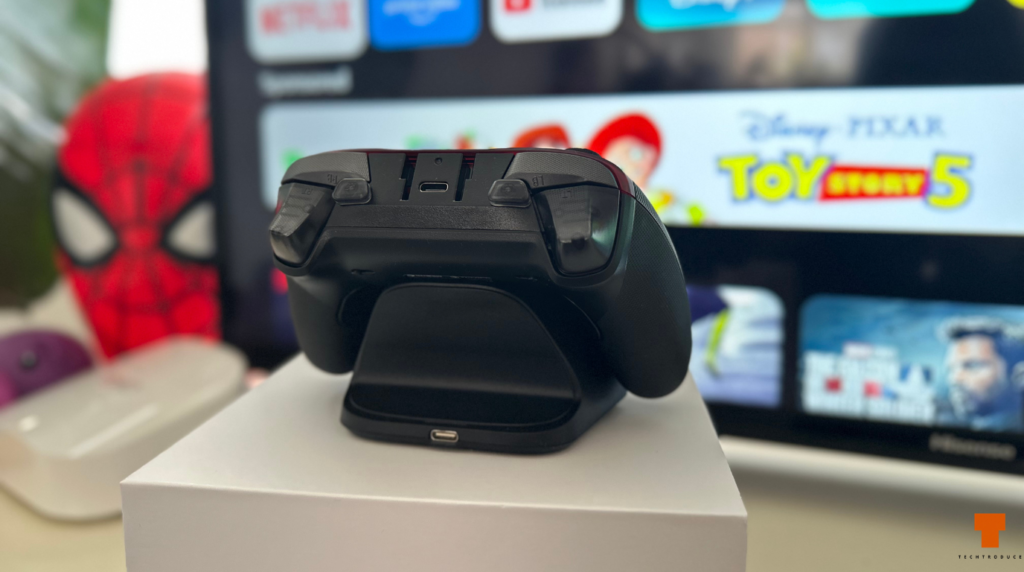
There are additional programmable controls around the back of the controller as well as extra buttons around the shoulder area.
I have barely used them because the standard controls already give me more than enough inputs for the games I play. I have not found myself thinking that I need another button while riding around in Red Dead or playing Black Myth: Wukong.
The important thing is that they do not get in the way.
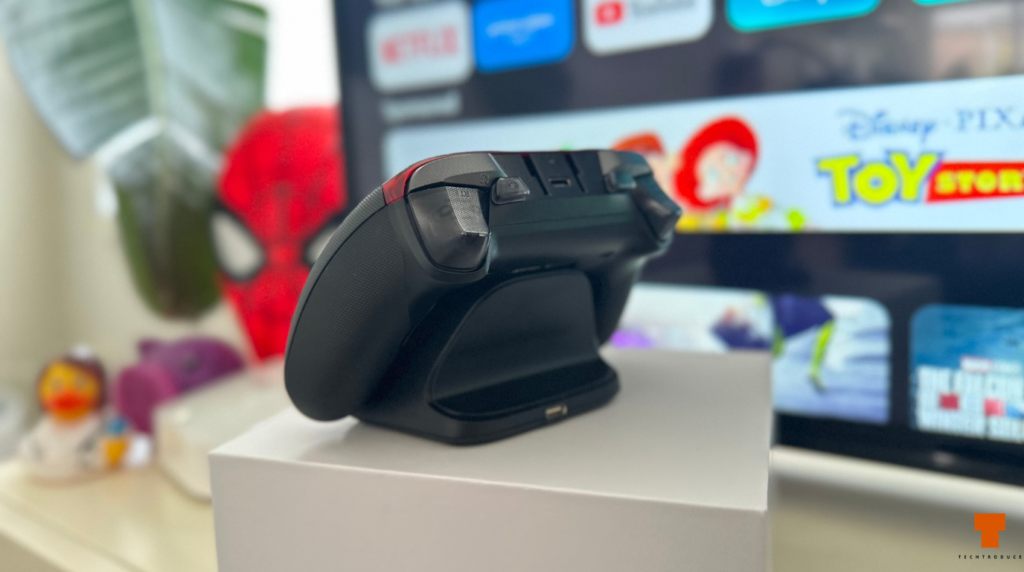
The rear controls sit comfortably underneath the controller, and I have not had a problem with accidentally pressing them during normal gameplay. Players who like remapping controls or who are coming from something like an Xbox Elite will probably get far more value out of them than I do.
The Charging Dock Is Probably My Favourite Feature
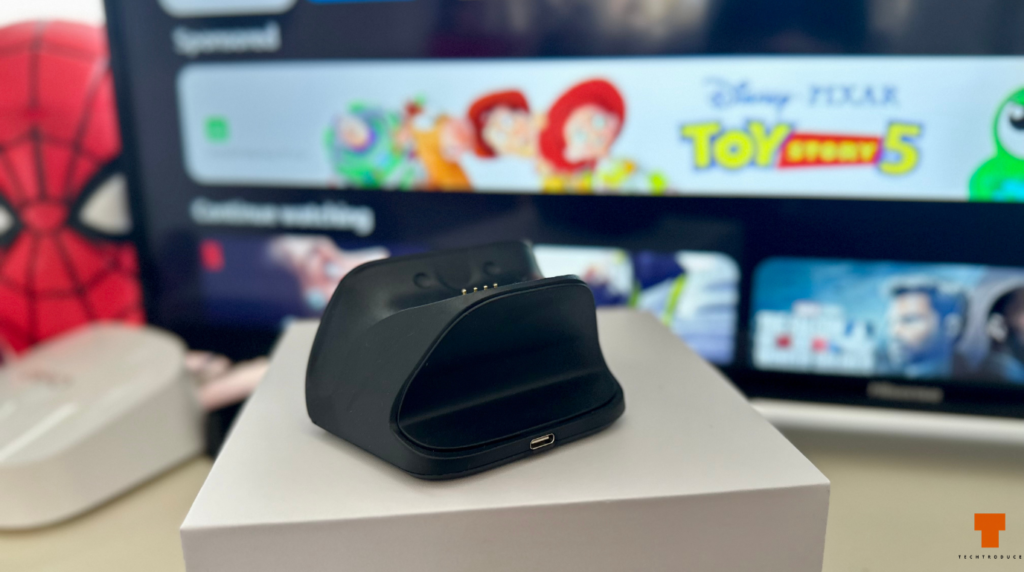
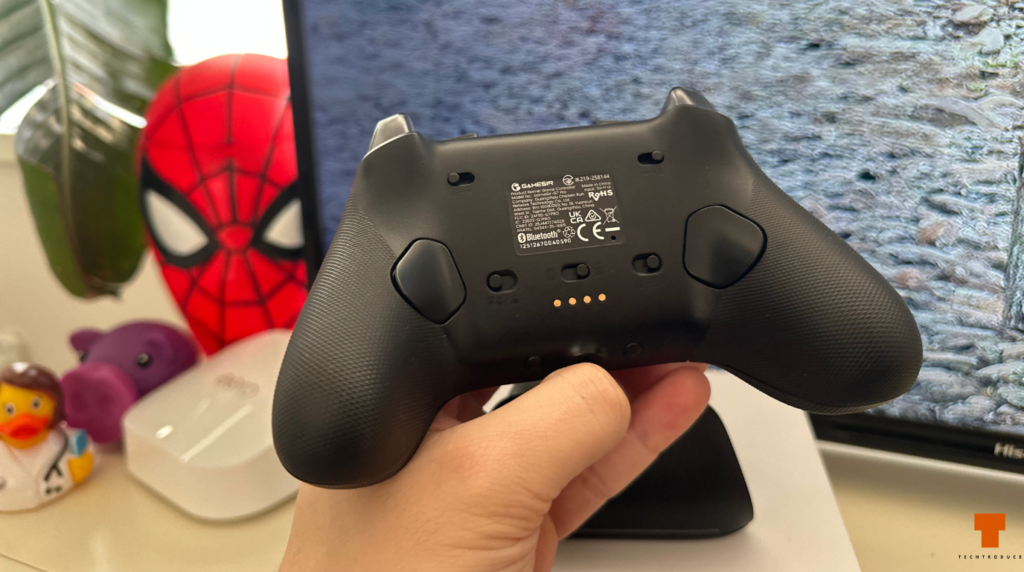
The charging dock is one of the best things about the entire package because it essentially removes battery management from the experience.
Whenever I finish playing, I simply put the G7 Pro back onto the dock. It charges while sitting there, and the next time I want to play it is ready to go.
Because of that, I have barely thought about battery life since buying it. I have not done a full battery rundown test because I have not really had a reason to. I am not playing eight-hour sessions, and whenever I am finished the controller goes straight back onto its charging station.
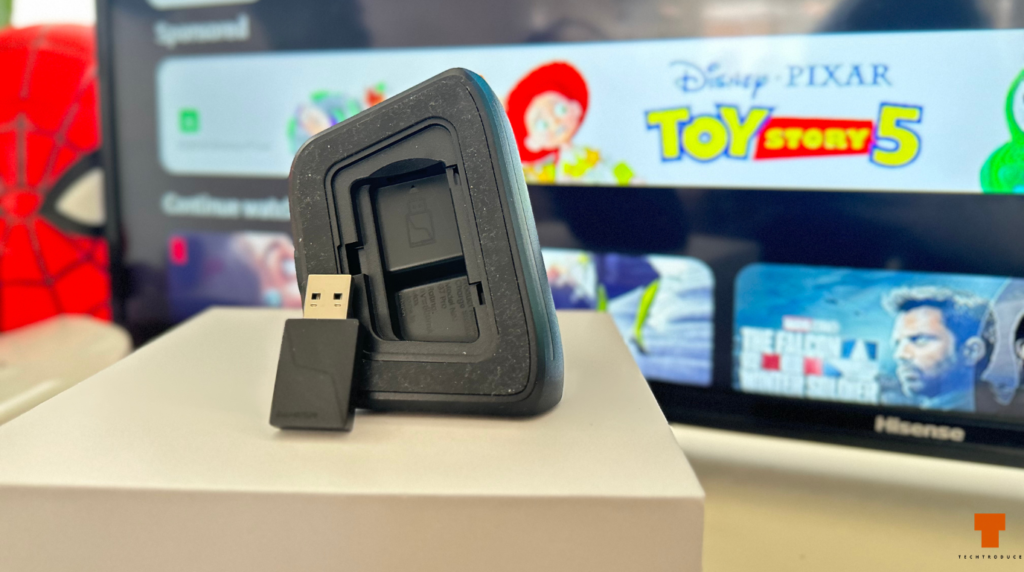
The dock also doubles as part of the wireless setup. The included 2.4GHz receiver slots into the dock, while the included USB-A to USB-C cable connects the dock to your PC. This lets the dongle stay neatly housed inside the charging station rather than sticking directly out of the computer.
It is a small design decision, but it makes the whole setup feel much cleaner.
Wireless Connectivity Has Been Flawless
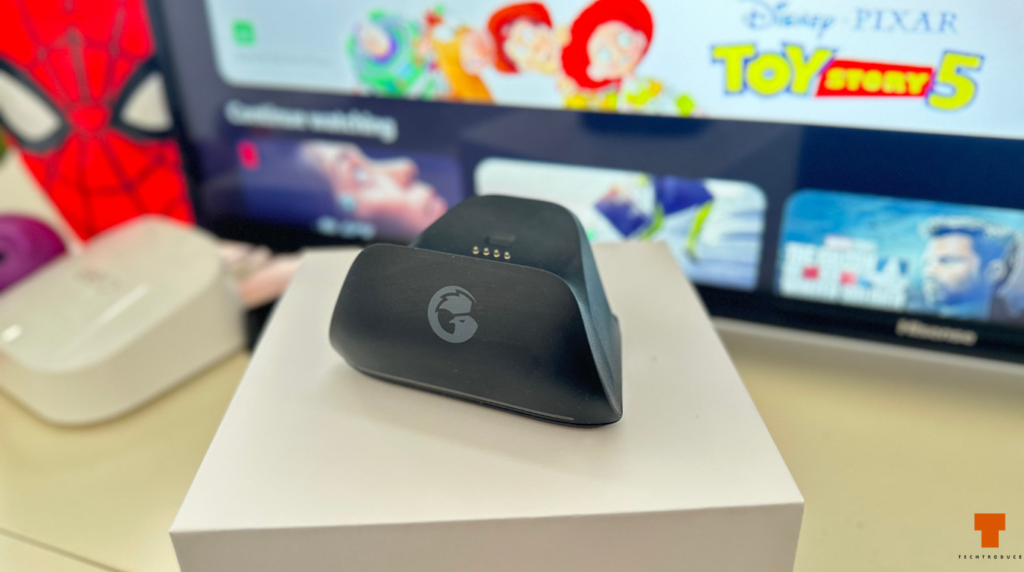
I have mainly used the G7 Pro through the included 2.4GHz receiver, and so far the connection has been completely reliable.
There have been no random disconnects, no noticeable input lag and no annoying pairing problems. When I pick the controller up, it connects almost immediately and is ready to use.
That reliability is arguably the biggest reason it has become my main controller.
I bought this specifically because I wanted something convenient for PC gaming. I did not want to start troubleshooting Bluetooth or searching online for fixes every time a game decided it did not like my controller.
The G7 Pro has been the exact opposite of that. It just works.
One important thing to remember is that while PC supports its wireless connection, Xbox use is wired. If you are buying one specifically to sit across the room from an Xbox console, keep that limitation in mind.
You Can Also Connect It Directly Over USB-C
You are not limited to using the wireless receiver.
The controller can be connected directly to your PC through USB-C, and GameSir includes the necessary cable in the package. There is also a detachable cable retainer that fits around the connection point on the controller.
It is a clever little accessory because it helps keep the cable securely attached when playing wired. If you are someone who plays competitively and wants a completely wired connection, it makes the setup feel more deliberate than simply having a loose USB cable hanging from the controller.
For my own use, though, I prefer leaving the dongle connected through the charging dock and using the controller wirelessly.
There Is a Built-In Gyroscope on PC
Another feature that is easy to overlook is the G7 Pro’s built-in gyroscope.
Gyro functionality is available on PC and can be configured through GameSir Nexus. Depending on how you set it up, motion can be used for things such as aiming or mapped to other controller inputs.
I have not spent much time using the gyro yet, so I am not going to pretend I can judge how useful it is after weeks of testing. For the games I currently play with a controller, I simply have not needed it.
Still, having gyro available gives the G7 Pro another advantage over a traditional Xbox controller, particularly for players who enjoy motion aiming.
Headset Jack and On-Controller Controls
The G7 Pro also includes a 3.5mm headphone jack along the bottom of the controller, so you can plug a compatible wired headset directly into it.
There are also dedicated function controls around the centre of the controller, including controls for features such as microphone muting and wireless/controller functions.
Again, these are not features I have personally spent a huge amount of time using, but they add to the impression that GameSir tried to put almost everything you might want directly onto the controller rather than forcing you back into software every few minutes.
GameSir Nexus Is There if You Want to Tinker
I downloaded the GameSir Nexus software after setting the controller up, but so far I have barely needed to use it.
That is actually something I like.
The controller works extremely well with its default settings, so I have not felt forced into spending an hour changing sensitivity curves, remapping controls or adjusting every possible setting before playing.
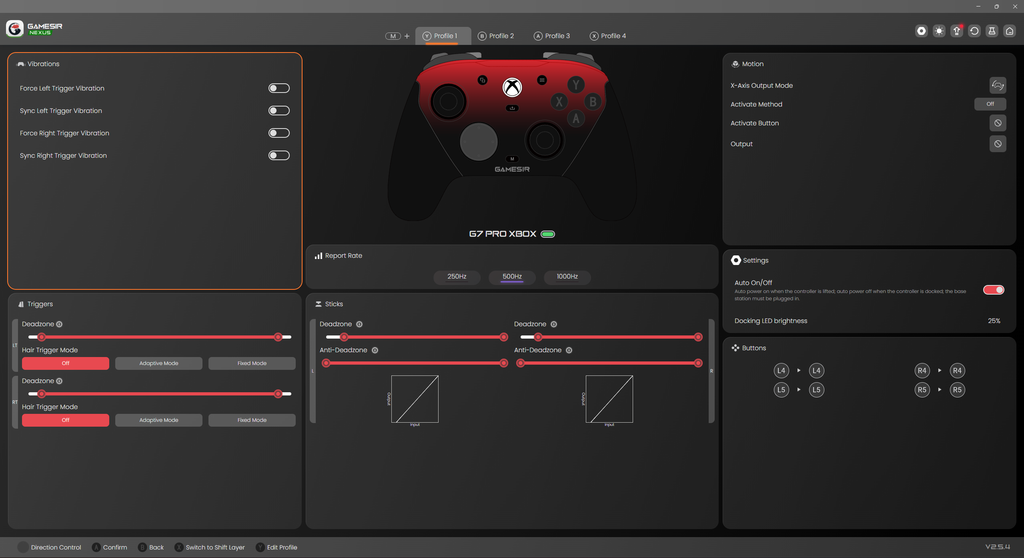
If you do want to customise everything, Nexus gives you plenty to work with. You can change controller behaviour, configure additional buttons and make use of features like the gyroscope.
For me, though, the out-of-the-box experience has already been good enough.
GameSir G7 Pro vs DualSense and Xbox Elite
The G7 Pro ended up sitting in a nice middle ground between the other controllers I was considering.
I thought about buying a DualSense, particularly because I already like the feel of PlayStation controllers, but Windows compatibility was something I did not want to think about. Some games handle the DualSense brilliantly while others still make the experience less straightforward than it should be.
The Xbox Elite was another option, but it is considerably more expensive and also much heavier.
The G7 Pro gives me most of what I actually wanted: an Xbox-style layout, excellent Windows compatibility, reliable wireless connectivity, TMR sticks, extra controls, trigger stops and a charging dock.
At the roughly $120 AUD I paid, I think the value is excellent. At closer to $160 AUD, the decision is slightly harder because you are entering a much more competitive price range, but there is still a lot included for the money.
What I Like Most
My favourite thing about the GameSir G7 Pro is how little I have to think about it.
That sounds strange for a controller loaded with features, but it is genuinely the biggest compliment I can give it. I pick it up and it connects. Windows recognises it. My games recognise it. The controls feel good. When I am done, I put it back on the dock and it charges. There is very little friction anywhere in the experience.
The grips are also excellent, the TMR sticks feel controlled, and I like knowing that features such as the trigger stops, gyro and additional buttons are available even if I do not use them regularly.
What I Do Not Like
There are really only two things bothering me so far.
The first is the size. The controller feels slightly smaller than I would prefer. It remains comfortable even during longer sessions, but I think making the grips and overall body just a little larger would have made it fit my hands better.
The other issue is the sound of the face buttons. They feel responsive, but the pronounced click is not really my preference. I would have liked something slightly quieter and more dampened.
Neither complaint is remotely serious enough to make me stop using it.
GameSir G7 Pro Review Verdict
The GameSir G7 Pro is not a controller I bought because I wanted to become more competitive. In fact, several of its biggest selling points are features I barely use.
I rarely touch the rear buttons, I generally leave the trigger stops disabled and I still use a mouse and keyboard whenever I play competitive shooters.
Yet it has still become the controller I keep reaching for.
That is because the basics are so good. The wireless connection has been completely reliable, Windows compatibility has been effortless, the grips are comfortable, the TMR sticks feel great and the included charging dock means battery life almost disappears from consideration.
On top of that, you still get the more enthusiast-focused features if you want them, including trigger stops, additional programmable controls, a PC gyroscope, swappable components and wired USB-C connectivity with a detachable cable retainer.
I would still like GameSir to make it slightly larger and quieten the face buttons, but those are relatively minor complaints.
At around $120 AUD, which is what I paid, I think the G7 Pro is extremely easy to recommend. At approximately $160 AUD, I would still consider it a very good controller, although waiting for a sale makes the value proposition much stronger.
For now, it is staying as my main controller for PC gaming.
Techtroduce Score: 9/10
I’ve also been testing other parts of my gaming setup, including a full eight-fan AsiaHorse Nyota setup with standard and reverse-blade 120mm and 140mm fans.
PROS
- Extremely reliable 2.4GHz connection
- Excellent plug-and-play compatibility on Windows
- TMR sticks feel tight and controlled
- Comfortable textured grips
- Charging dock is genuinely useful
- Dongle integrates neatly into the dock
- Direct USB-C wired connection available
- Detachable cable retainer included
- Trigger stops
- Additional programmable controls
- PC gyroscope
- Swappable faceplate
- 3.5mm headset jack
- Solid overall build quality
CONS
- Slightly smaller than I would prefer
- Face buttons are fairly loud and clicky
- Xbox connectivity is wired rather than wireless
- Around $160 AUD is considerably less attractive than the $120 AUD sale price I paid