
Close Menu
    Facebook X (Twitter) Instagram
    Facebook X (Twitter) Instagram
    TechtroduceTechtroduce
    Subscribe
    • NEWS
    • GUIDES
    • COMPARISONS
    • REVIEWS
    TechtroduceTechtroduce
    Home » Meta Quest 2 and Quest Pro OS Updates End in March 2027
    NEWS Updated:November 4, 2026

    Meta Quest 2 and Quest Pro OS Updates End in March 2027

    Abyan KhanBy Abyan KhanNovember 4, 2026Updated:November 4, 2026No Comments3 Mins Read
    Facebook Twitter Pinterest LinkedIn Tumblr Email
    Share
    Facebook Twitter LinkedIn Pinterest Email

    Meta has confirmed that Quest 2 and Quest Pro will receive their final operating system update by March 2027, ending new feature development for both standalone VR headsets. Security patches and critical bug fixes will continue through December 2027, while existing games, purchased applications and PC VR functionality will remain supported.

    The company detailed the transition in an official developer announcement published on November 2, 2026. Horizon OS v213 will be the final operating system release for Quest 2 and Quest Pro, with the update scheduled to reach all supported devices by March 2027. Meta VR OS SDK v213 will also be the last supported software development kit version for the two headsets.

    After that release, new operating system features, platform capabilities and APIs will be exclusive to Quest 3, Quest 3S and newer hardware. Meta will also stop testing subsequent OS and SDK releases against Quest 2 and Quest Pro.
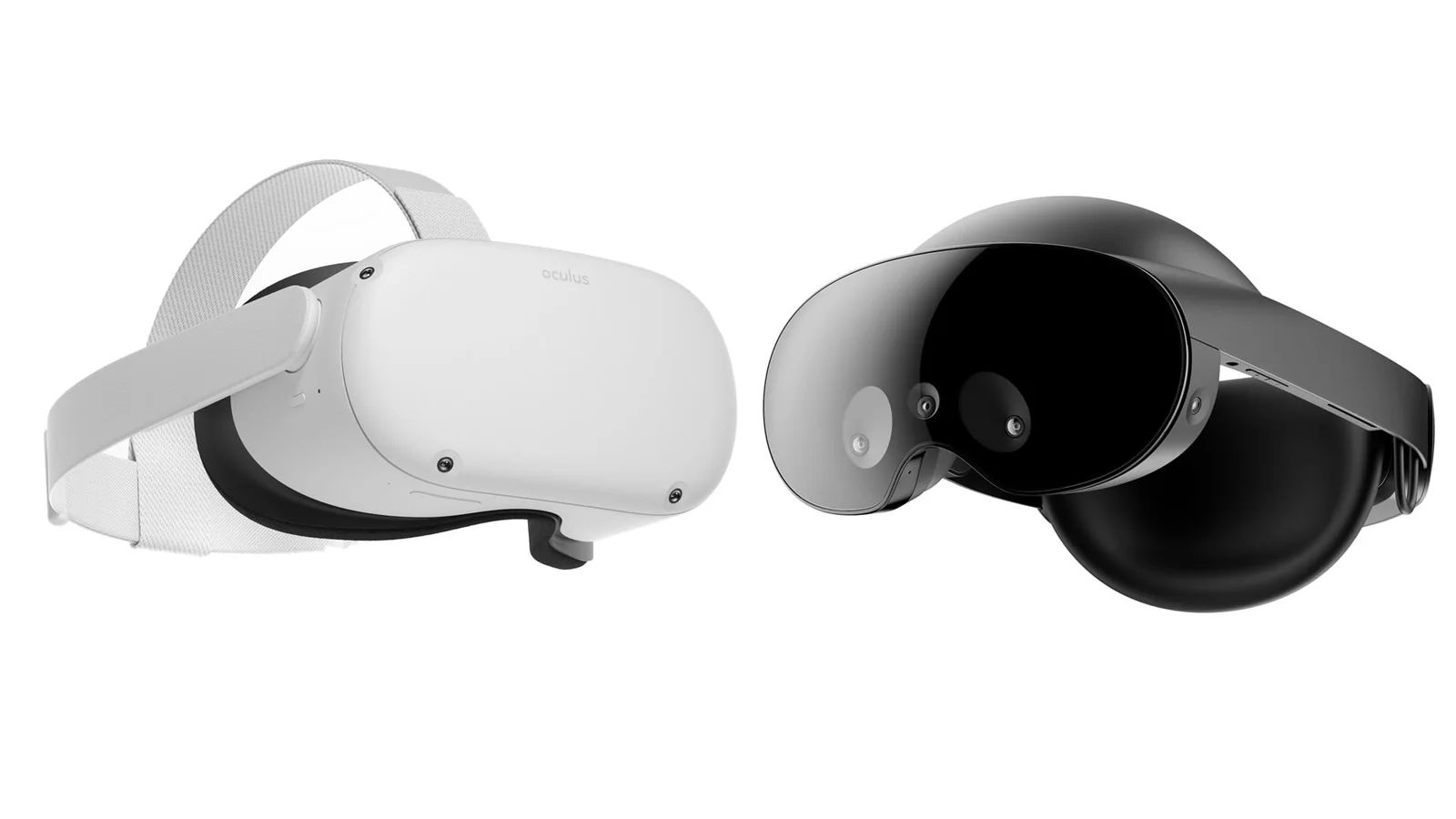
    Meta Quest 2 and Quest Pro side by side in a clean product comparison image, showing the white Quest 2 and black Quest

    Although feature development is ending, Meta is not immediately discontinuing access to games or the Quest Store.

    Existing Quest 2 and Quest Pro owners will retain access to their purchased applications, and compatible games will remain available for purchase and download. Meta says no applications will be removed from the Store solely because of the transition.

    Developers can also continue releasing updates for existing Quest 2 and Quest Pro applications, including bug fixes, new content and seasonal events. The company has not announced a cutoff date for those updates.

    Multiplayer cross-play between Quest 2, Quest Pro, Quest 3 and Quest 3S will remain supported at the platform level. However, developers will still need to maintain compatibility between different versions of their games.

    PC VR functionality through Quest Link will also continue working on both older headsets. This means owners who use their Quest 2 or Quest Pro with a gaming PC will not lose that capability as part of the announced software transition.

    The next major deadline arrives in December 2027, when Meta will stop accepting new application submissions that support Quest 2 or Quest Pro. After that cutoff, developers can release new titles for Quest 3, Quest 3S and newer devices, but those titles will no longer be offered on the older headsets.

    December 2027 will also mark the end of Meta’s scheduled quarterly security patches and critical bug fixes for Quest 2 and Quest Pro.

    For developers maintaining existing games, Meta recommends either preserving compatibility with the older v213 platform or creating separate device-specific builds. The latter approach allows newer headsets to use additional capabilities without requiring older hardware to support them.

    Developers who decide to discontinue support in a way that removes access to purchased content or essential services must provide affected customers with at least 180 days’ notice under Meta’s application policies.

    Quest 2 originally launched in October 2020, followed by Quest Pro in October 2022. Both headsets were discontinued commercially in 2024, but Meta says millions of players continue using the older devices.

    The company now considers Quest 3 and Quest 3S its baseline hardware for VR gaming development. Its upcoming Meta VR Glasses, planned for spring 2027, will also use the same operating system and development tools as the newer Quest devices.

    For existing Quest 2 and Quest Pro owners, the announcement establishes a clear end date for new system features and security maintenance without immediately ending access to their game libraries or PC VR functionality. Future game compatibility will increasingly depend on whether individual developers continue supporting the older hardware.

    Share. Facebook Twitter Pinterest LinkedIn Tumblr Email
    Abyan Khan
    • Instagram
    • LinkedIn

    Abyan Khan is a dedicated writer and tech enthusiast currently pursuing a Bachelor’s degree in Information Technology. With over 3 years of professional writing experience, he specializes in crafting clear, engaging, and informative content across a range of topics, particularly in the tech and gaming industries. Abyan combines his academic knowledge with real-world insights to deliver articles that are both well-researched and reader-friendly.

    Related Posts

    CaTHaRSiS: The Last of Atelier Launches December 1 on PC

    November 4, 2026

    Brigandine: Abyss Reveals Free Update Roadmap Through April 2027

    November 4, 2026

    Guild Wars Afterlife Announced, Launches January 13, 2027

    November 4, 2026
    Leave A Reply Cancel Reply

    Google Techtroduce

    See more Techtroduce stories on Google.

    Add us on Google

    • Meta Quest 2 and Quest Pro OS Updates End in March 2027November 4, 2026
      Meta Quest 2 and Quest Pro receive their final OS update by March 2027, with security patches through December 2027. Existing games and PC VR remain supported.
    • CaTHaRSiS: The Last of Atelier Launches December 1 on PCNovember 4, 2026
      CaTHaRSiS: The Last of Atelier is reportedly launching December 1, 2026, on Steam, featuring ten painting-inspired worlds and a playable demo.
    • Brigandine: Abyss Reveals Free Update Roadmap Through April 2027November 4, 2026
      Brigandine: Abyss gets its first free update, with Creative Mode, subclass skills, difficulty options and AI improvements planned through April 2027.
    TRENDING NOW

    Sony And Tencent Quietly Settle Horizon Clone Lawsuit

    SEGA Shuts Down Hopes For PS5 Sonic Adventure Remasters

    Fortnite v43.00 Downtime Confirmed for November 1

    Fortnite Adds Cisco Hold Music as New Icon Series Emote

    Facebook Instagram YouTube
    © 2026 Techtroduce. All Rights Reserved | Cookies Policy | Privacy Policy | Contact Us | About Us | Corrections Policy

    Type above and press Enter to search. Press Esc to cancel.

    Manage Consent
    To provide the best experiences, we use technologies like cookies to store and/or access device information. Consenting to these technologies will allow us to process data such as browsing behavior or unique IDs on this site. Not consenting or withdrawing consent, may adversely affect certain features and functions.
    Functional Always active
    The technical storage or access is strictly necessary for the legitimate purpose of enabling the use of a specific service explicitly requested by the subscriber or user, or for the sole purpose of carrying out the transmission of a communication over an electronic communications network.
    Preferences
    The technical storage or access is necessary for the legitimate purpose of storing preferences that are not requested by the subscriber or user.
    Statistics
    The technical storage or access that is used exclusively for statistical purposes. The technical storage or access that is used exclusively for anonymous statistical purposes. Without a subpoena, voluntary compliance on the part of your Internet Service Provider, or additional records from a third party, information stored or retrieved for this purpose alone cannot usually be used to identify you.
    Marketing
    The technical storage or access is required to create user profiles to send advertising, or to track the user on a website or across several websites for similar marketing purposes.
    • Manage options
    • Manage services
    • Manage {vendor_count} vendors
    • Read more about these purposes
    View preferences
    • {title}
    • {title}
    • {title}