
Close Menu
    Facebook X (Twitter) Instagram
    Facebook X (Twitter) Instagram
    TechtroduceTechtroduce
    Subscribe
    • NEWS
    • GUIDES
    • COMPARISONS
    • REVIEWS
    TechtroduceTechtroduce
    Home » SteamOS 0.5.10 Beta Improves Steam Frame VR Streaming Quality
    NEWS Updated:November 20, 2026

    SteamOS 0.5.10 Beta Improves Steam Frame VR Streaming Quality

    Abyan KhanBy Abyan KhanNovember 20, 2026Updated:November 20, 2026No Comments3 Mins Read
    Facebook Twitter Pinterest LinkedIn Tumblr Email
    Share
    Facebook Twitter LinkedIn Pinterest Email

    Valve has released SteamOS 0.5.10 beta for Steam Frame, introducing improvements to VR streaming image quality, display sharpness, eye-tracking responsiveness and wireless connectivity. The November 19 update also adds per-game controller vibration settings and fixes a boot issue affecting some headsets after operating system updates.

    The release is available through the Steam Frame Beta channel. Valve’s official patch notes confirm that the update improves streaming video decoding performance, allowing the headset to use higher default streaming resolutions. This change is particularly relevant to PC VR gaming, where the headset receives compressed video streamed from a gaming PC.

    One of the main additions is a global display sharpness control, enabled by default. Users can adjust the setting through VR Settings > Display > Display Sharpness, providing more control over the headset’s visual presentation.
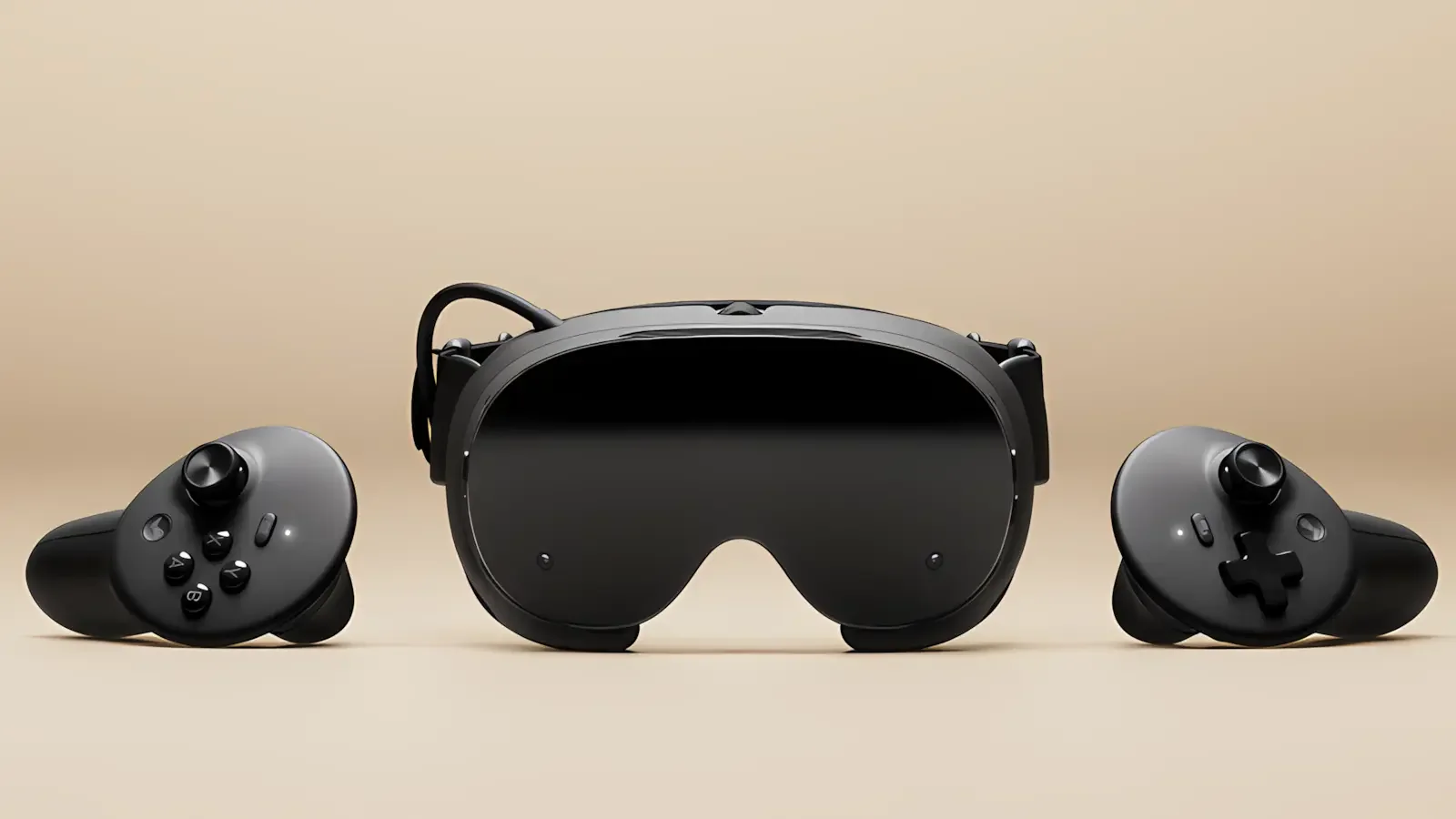
    Official-style product photograph of the Steam Frame VR headset and controller against a beige background

    Valve has also reduced green tint in high-frequency greyscale image content and addressed head wobble when streaming remote desktops. These changes target specific visual artifacts rather than introducing a new rendering technology.

    The improvements build on earlier SteamOS 0.5.9 and SteamVR streaming enhancements, which introduced chroma-key passthrough functionality and additional Steam Link improvements.

    SteamOS 0.5.10 also improves Multi-Link Streaming reliability under unfavorable network conditions. Valve has not published comparative performance measurements, but the change is intended to make wireless streaming more robust when network conditions deteriorate.

    Eye-tracking latency has been reduced, particularly at lower frame rates. Because eye tracking can influence how VR rendering and sharpening techniques prioritize different areas of an image, responsiveness is an important consideration for compatible VR applications.

    The update additionally upgrades the Iris video decoder driver and renames the existing Foveated Sharpening feature to SGSR Sharpening. The underlying sharpening functionality was introduced in previous SteamOS 0.5 releases, including support for Steam Link VR streaming and the ability to apply centered sharpening when eye tracking is disabled.

    Controller customization receives an improvement through adjustable haptic feedback strength for individual games. The option is accessible through VR Settings > Controllers > Manage Controller Bindings, allowing players to customize vibration intensity without relying on a single preference across their entire library.

    Valve has also fixed an issue that could leave Steam Frame stuck on its startup logo following an operating system update. The fix addresses a boot-related problem that could prevent affected devices from reaching the normal interface.

    For developers, SteamOS 0.5.10 adds support for the XR_KHR_convert_timespec_time extension in the Android runtime, expanding the runtime’s compatibility with applications using that OpenXR extension.

    The update follows a series of software changes expanding Steam Frame’s VR functionality and supported games. The headset’s standalone library has also continued to grow, with 312 Standalone Verified games recently recorded, including 101 VR titles.

    SteamOS 0.5.10 remains a beta release, meaning its new features are still undergoing testing. Steam Frame users who want to install it can select the Beta channel through Settings > System > System Update Channel. Valve has not specified when these changes will become available on the stable channel.

    Share. Facebook Twitter Pinterest LinkedIn Tumblr Email
    Abyan Khan
    • Instagram
    • LinkedIn

    Abyan Khan is a dedicated writer and tech enthusiast currently pursuing a Bachelor’s degree in Information Technology. With over 3 years of professional writing experience, he specializes in crafting clear, engaging, and informative content across a range of topics, particularly in the tech and gaming industries. Abyan combines his academic knowledge with real-world insights to deliver articles that are both well-researched and reader-friendly.

    Related Posts

    GTA 6 Modder Demonstrates DLSS 5 and 60 FPS via PS5 Remote Play

    November 20, 2026

    Assetto Corsa Rally 0.7 Adds Lancia Cars, Sweden and DLSS 5

    November 20, 2026

    Dual Orb Collection Announced for Switch, Launches March 2027

    November 20, 2026
    Leave A Reply Cancel Reply

    Google Techtroduce

    See more Techtroduce stories on Google.

    Add us on Google

    • SteamOS 0.5.10 Beta Improves Steam Frame VR Streaming QualityNovember 20, 2026
      Valve's SteamOS 0.5.10 beta improves Steam Frame VR streaming resolution, display sharpness, eye tracking, wireless reliability and controller haptics.
    • GTA 6 Modder Demonstrates DLSS 5 and 60 FPS via PS5 Remote PlayNovember 20, 2026
      A GTA 6 modder demonstrates DLSS 5 and 59 FPS output using PS5 Remote Play, Veyra and an RTX 5080, with added latency and image limitations.
    • Assetto Corsa Rally 0.7 Adds Lancia Cars, Sweden and DLSS 5November 20, 2026
      Assetto Corsa Rally Update 0.7 adds two Lancia Delta S4 cars, Rally Sweden stages, multiplayer improvements and DLSS 5, FSR 4 and XeSS 3 support.
    TRENDING NOW

    Fortnite Leak Shows New Universe Selector With Disney and Rocket League

    Girls und Panzer Mahjong Tag Battle Announced for PS5, Switch 2

    AMD Gaming Revenue Drops 40% Despite Record $13.4B Quarter

    Probably Stolen Began as a Steam Demo With Just 28 Peak Players

    Facebook Instagram YouTube
    © 2026 Techtroduce. All Rights Reserved | Cookies Policy | Privacy Policy | Contact Us | About Us | Corrections Policy

    Type above and press Enter to search. Press Esc to cancel.

    Manage Consent
    To provide the best experiences, we use technologies like cookies to store and/or access device information. Consenting to these technologies will allow us to process data such as browsing behavior or unique IDs on this site. Not consenting or withdrawing consent, may adversely affect certain features and functions.
    Functional Always active
    The technical storage or access is strictly necessary for the legitimate purpose of enabling the use of a specific service explicitly requested by the subscriber or user, or for the sole purpose of carrying out the transmission of a communication over an electronic communications network.
    Preferences
    The technical storage or access is necessary for the legitimate purpose of storing preferences that are not requested by the subscriber or user.
    Statistics
    The technical storage or access that is used exclusively for statistical purposes. The technical storage or access that is used exclusively for anonymous statistical purposes. Without a subpoena, voluntary compliance on the part of your Internet Service Provider, or additional records from a third party, information stored or retrieved for this purpose alone cannot usually be used to identify you.
    Marketing
    The technical storage or access is required to create user profiles to send advertising, or to track the user on a website or across several websites for similar marketing purposes.
    • Manage options
    • Manage services
    • Manage {vendor_count} vendors
    • Read more about these purposes
    View preferences
    • {title}
    • {title}
    • {title}