
Close Menu
    Facebook X (Twitter) Instagram
    Facebook X (Twitter) Instagram
    TechtroduceTechtroduce
    Subscribe
    • NEWS
    • GUIDES
    • COMPARISONS
    • REVIEWS
    TechtroduceTechtroduce
    Home » Epic Games Launcher Preview Adds Fedora Linux Support
    NEWS Updated:November 21, 2026

    Epic Games Launcher Preview Adds Fedora Linux Support

    Abyan KhanBy Abyan KhanNovember 21, 2026Updated:November 21, 2026No Comments3 Mins Read
    Facebook Twitter Pinterest LinkedIn Tumblr Email
    Share
    Facebook Twitter LinkedIn Pinterest Email

    Epic Games has expanded official Linux support for its new Epic Games Launcher Preview, restoring the AppImage download and confirming compatibility with Fedora 43 or newer. The change arrives alongside version 0.120.0, which also introduces improvements to game installation management, uninstall controls, and downloads.

    The updated launcher now officially supports three major Linux distributions: Ubuntu 22.04 LTS or newer, Debian 12 or newer, and Fedora 43 or newer. Epic has confirmed the supported versions and installation methods in its updated launcher documentation.

    Ubuntu and Debian users can install the Preview through the .deb package, while Fedora users can download the AppImage directly from Epic’s official launcher website. Other Linux distributions may also run the software, although Epic says they have not been officially tested or supported.
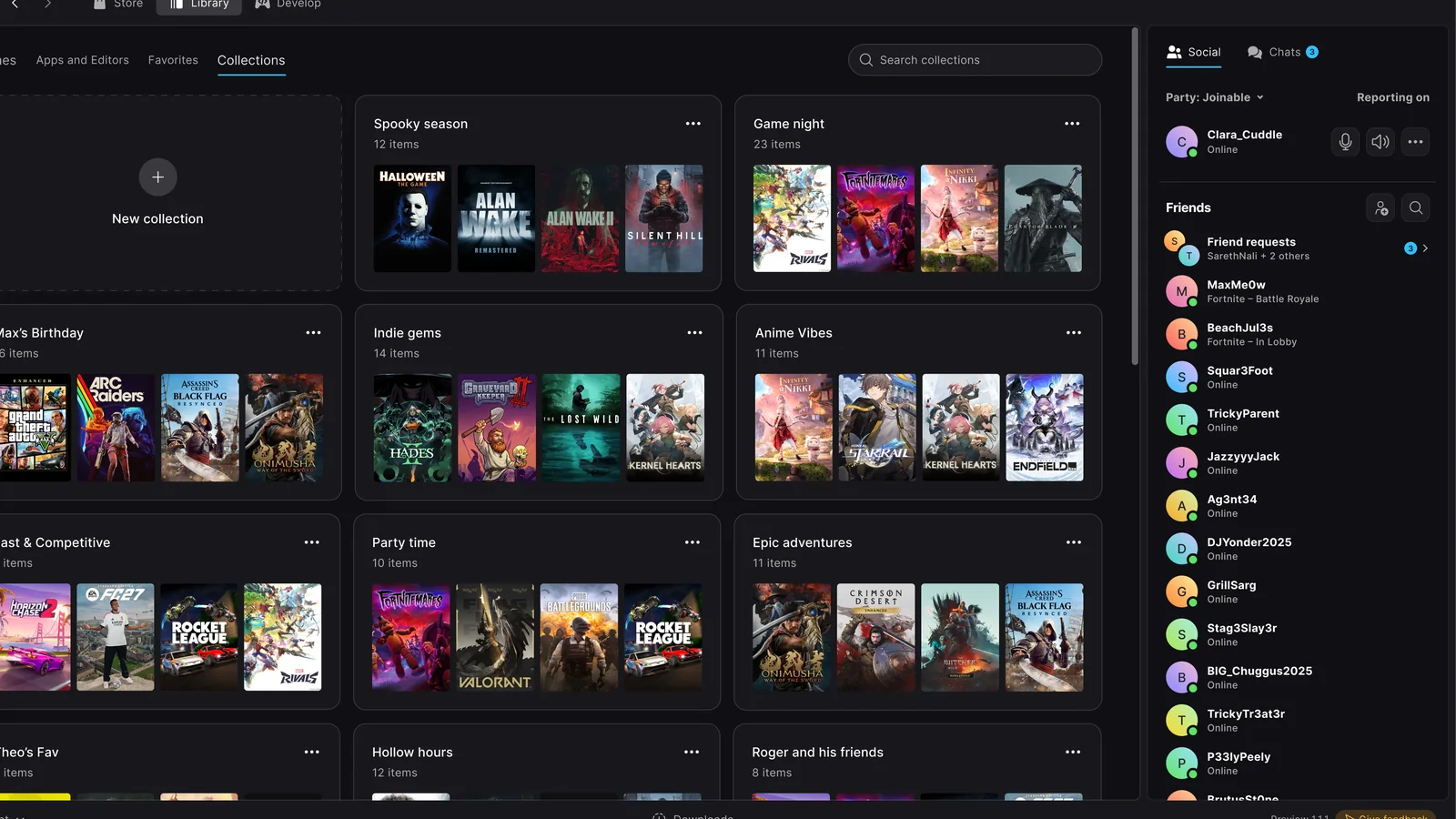
    Epic Games Launcher Preview game detail page featuring CONTROL Resonant artwork, installation controls, activity

    The AppImage’s return is particularly significant because the launcher originally shipped with the portable format when its public Preview launched in October 2026. Epic subsequently replaced that download with a Debian package, limiting the officially available installation options for users of other distributions.

    Earlier in November, Epic outlined plans to expand official Epic Games Launcher support to SteamOS, alongside other Linux distributions. The latest update delivers support for Fedora through the restored AppImage, although SteamOS is not yet included in the officially supported distribution list.

    Beyond Linux compatibility, version 0.120.0 introduces several improvements to game installation management. Players can now change the folder directory where a game’s files are located, providing additional flexibility when organizing installations across storage locations.

    The update also adds an Uninstall option to the menu for completed items in the Downloads section. When removing the launcher itself, users can now select which files to delete, with file sizes and removal progress displayed during the process.

    Launcher updates that have already finished downloading will now install when the computer is idle, reducing the need for users to manage those updates manually.

    Epic has also addressed two download-related issues. One fix resolves a problem where games could remain marked as failed after an incomplete repair operation. Another corrects situations where the Downloads section displayed no progress indication while the launcher checked game files before beginning a download.

    For Linux users considering the Preview, Epic specifies a 64-bit x86-64 processor running at 2 GHz with at least two cores, 4 GB of RAM, and 2 GB of available storage. An internet connection is required for setup and online features, although eligible installed games can use offline mode.

    However, native Linux support for the launcher does not mean every game sold through the Epic Games Store will run natively on Linux. Epic acknowledges that many games are available only as Windows builds and may require a compatibility layer. Players are advised to check individual game compatibility before installing.

    The new launcher also remains a Preview rather than a finished replacement for the legacy application. Epic warns that some existing features, including certain social and account management functions, are not yet available.

    Epic Games Launcher Preview 0.120.0 is available through the company’s official download page for supported Windows, macOS, and Linux systems.

    Share. Facebook Twitter Pinterest LinkedIn Tumblr Email
    Abyan Khan
    • Instagram
    • LinkedIn

    Abyan Khan is a dedicated writer and tech enthusiast currently pursuing a Bachelor’s degree in Information Technology. With over 3 years of professional writing experience, he specializes in crafting clear, engaging, and informative content across a range of topics, particularly in the tech and gaming industries. Abyan combines his academic knowledge with real-world insights to deliver articles that are both well-researched and reader-friendly.

    Related Posts

    GTA 6 Players Report PS5 Crashes With Error CE-108255-1

    November 21, 2026

    BrokenLore: DON’T PLAY Confirmed for Nintendo Switch 2

    November 21, 2026

    1666: Amsterdam December Update Will Double Explorable World

    November 21, 2026
    Leave A Reply Cancel Reply

    Google Techtroduce

    See more Techtroduce stories on Google.

    Add us on Google

    • Epic Games Launcher Preview Adds Fedora Linux SupportNovember 21, 2026
      Epic Games Launcher Preview 0.120.0 restores AppImage support for Fedora 43 and newer, alongside Ubuntu and Debian, with new installation features.
    • GTA 6 Players Report PS5 Crashes With Error CE-108255-1November 21, 2026
      GTA 6 players report repeated PS5 crashes with error CE-108255-1, sometimes preventing gameplay. The cause remains unconfirmed.
    • BrokenLore: DON’T PLAY Confirmed for Nintendo Switch 2November 21, 2026
      BrokenLore: DON'T PLAY is coming to Nintendo Switch 2 alongside PS5, Xbox Series X|S, and PC, with a new trailer revealed at The Horror Game Awards 2026.
    TRENDING NOW

    Phantom Blade Zero Gets 5 GB Patch, Warns Against NVIDIA Driver 621.01

    Fortnite Adds PAC-MAN Mecha Ghosts and Blinky Sprite

    Steam Frame Pricing Appears on Steam Search Ahead of Launch

    Conan: The Black Pyramid Announced for PC, Launching in 2027

    Facebook Instagram YouTube
    © 2026 Techtroduce. All Rights Reserved | Cookies Policy | Privacy Policy | Contact Us | About Us | Corrections Policy

    Type above and press Enter to search. Press Esc to cancel.

    Manage Consent
    To provide the best experiences, we use technologies like cookies to store and/or access device information. Consenting to these technologies will allow us to process data such as browsing behavior or unique IDs on this site. Not consenting or withdrawing consent, may adversely affect certain features and functions.
    Functional Always active
    The technical storage or access is strictly necessary for the legitimate purpose of enabling the use of a specific service explicitly requested by the subscriber or user, or for the sole purpose of carrying out the transmission of a communication over an electronic communications network.
    Preferences
    The technical storage or access is necessary for the legitimate purpose of storing preferences that are not requested by the subscriber or user.
    Statistics
    The technical storage or access that is used exclusively for statistical purposes. The technical storage or access that is used exclusively for anonymous statistical purposes. Without a subpoena, voluntary compliance on the part of your Internet Service Provider, or additional records from a third party, information stored or retrieved for this purpose alone cannot usually be used to identify you.
    Marketing
    The technical storage or access is required to create user profiles to send advertising, or to track the user on a website or across several websites for similar marketing purposes.
    • Manage options
    • Manage services
    • Manage {vendor_count} vendors
    • Read more about these purposes
    View preferences
    • {title}
    • {title}
    • {title}