
Close Menu
    Facebook X (Twitter) Instagram
    Facebook X (Twitter) Instagram
    TechtroduceTechtroduce
    Subscribe
    • NEWS
    • GUIDES
    • COMPARISONS
    • REVIEWS
    TechtroduceTechtroduce
    Home » Steam Frame SteamOS 0.5.7 Beta Adds WebXR and VR Improvements
    NEWS Updated:November 4, 2026

    Steam Frame SteamOS 0.5.7 Beta Adds WebXR and VR Improvements

    Abyan KhanBy Abyan KhanNovember 4, 2026Updated:November 4, 2026No Comments3 Mins Read
    Facebook Twitter Pinterest LinkedIn Tumblr Email
    Share
    Facebook Twitter LinkedIn Pinterest Email

    Valve has released SteamOS 0.5.7 Beta for Steam Frame, introducing WebXR support for Chromium, improvements to VR pose prediction, changes to foveated sharpening and several controller and audio fixes. The update also brings SteamVR 2.19.1 to the company’s standalone VR headset and removes support for Advanced Supersampling.

    The changes were detailed in Valve’s official Steam Frame update announcement. SteamOS 0.5.7 is currently available through the headset’s Beta update channel, meaning users must opt in to install the new features while they remain in testing.

    One of the most significant additions is WebXR support for Chromium version 157 and newer. WebXR is a web technology that allows compatible browsers to deliver immersive virtual reality experiences, including interactive 3D environments and browser-based VR applications. The update enables the necessary platform support on Steam Frame, although individual experiences still depend on browser and application compatibility.
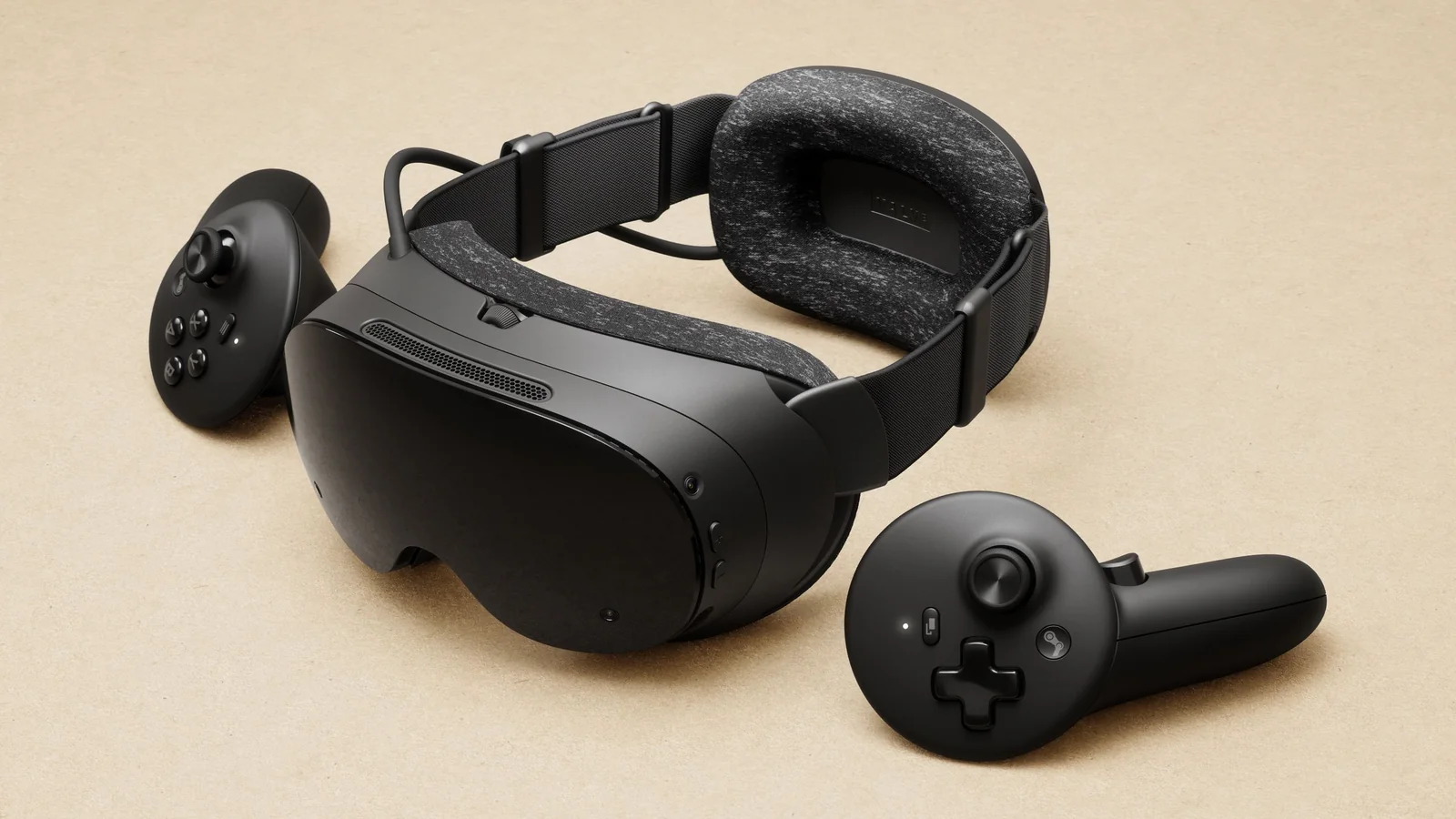
    Angled close-up of the Steam Frame headset showing its padded rear headstrap, black visor and wireless controller

    The update also improves vibration filtering used for pose prediction, addressing an issue affecting certain Steam Frame units. Pose prediction helps the VR system estimate headset movement when presenting the next frame, making it an important part of responsive virtual reality tracking. Valve has not provided performance measurements or specified how many headsets were affected by the issue.

    SteamOS 0.5.7 changes how foveated sharpening interacts with eye tracking. Previously, disabling Eye Tracking also disabled foveated sharpening. The two features now operate independently, with sharpening defaulting to the center of the display when eye tracking is turned off.

    This adjustment is relevant to Valve’s broader work on eye-tracking-dependent VR rendering, including the recent foveated rendering update for Half-Life: Alyx. Foveated rendering and sharpening are separate techniques, however, and the SteamOS update specifically changes the behavior of the headset’s sharpening feature.

    Valve has also removed Advanced Supersampling support from Steam Frame. The official patch notes do not explain the reason for its removal or announce a replacement. Users who previously relied on the option will no longer find it supported in this beta release.

    Alongside these display changes, Steam Frame now includes SteamVR 2.19.1, a version that also brings improvements to Steam Link streaming and Linux VR compatibility. Additional headset changes include a 30-second display-dimming period before sleep and an adjustment to the guided tour that keeps Steam docked directly in front of the user.

    Controller compatibility receives several smaller improvements. Valve has added default Steam Frame controller bindings for Chromalab, Batman Arkham and Doom VFR, reducing the need for users to configure their own bindings for these titles. The update also corrects battery reporting so controllers can properly display a 0% charge level.

    Audio reliability is another focus. SteamOS 0.5.7 fixes a bug that could cause audio playback through USB or Bluetooth speakers to stop when an application attempted to access the microphone.

    New microphone controls also allow users to disable echo cancellation and noise suppression separately. These options require the current Steam Client Beta in addition to the SteamOS update, so installing SteamOS 0.5.7 alone does not necessarily make the controls available.

    Steam Frame owners can install the update by opening Settings, selecting System and switching the System Update Channel to Beta. Users who want the new microphone controls must separately enable the Steam Client Beta through Settings > System > Steam Client Update Channel.

    Valve has not announced when SteamOS 0.5.7 will move to the stable update channel. Until then, the new WebXR compatibility, sharpening changes, pose prediction improvements and audio fixes remain part of the Steam Frame Beta release.

    Share. Facebook Twitter Pinterest LinkedIn Tumblr Email
    Abyan Khan
    • Instagram
    • LinkedIn

    Abyan Khan is a dedicated writer and tech enthusiast currently pursuing a Bachelor’s degree in Information Technology. With over 3 years of professional writing experience, he specializes in crafting clear, engaging, and informative content across a range of topics, particularly in the tech and gaming industries. Abyan combines his academic knowledge with real-world insights to deliver articles that are both well-researched and reader-friendly.

    Related Posts

    SanDisk Extreme Pro V3 SSD Hits 2,400 MB/s Sustained Writes

    November 4, 2026

    Zero Parades: Director’s Cut Now Available on PS5, Xbox and Switch 2

    November 4, 2026

    Meta Quest 2 and Quest Pro OS Updates End in March 2027

    November 4, 2026
    Leave A Reply Cancel Reply

    Google Techtroduce

    See more Techtroduce stories on Google.

    Add us on Google

    • Steam Frame SteamOS 0.5.7 Beta Adds WebXR and VR ImprovementsNovember 4, 2026
      Valve releases SteamOS 0.5.7 Beta for Steam Frame with Chromium WebXR support, VR tracking improvements, controller bindings and audio fixes.
    • SanDisk Extreme Pro V3 SSD Hits 2,400 MB/s Sustained WritesNovember 4, 2026
      SanDisk Extreme Pro V3 2TB achieves 2,400 MB/s sustained writes in independent USB4 testing, outperforming rivals but costing around €570.
    • Zero Parades: Director’s Cut Now Available on PS5, Xbox and Switch 2November 4, 2026
      Zero Parades: Director's Cut launches on PS5, Xbox Series X|S and Switch 2 for $39.99, with new story content and console-specific features.
    TRENDING NOW

    Fluxnium Says Its Fibers Could Pull Uranium Directly From Seawater

    Fortnite Persona 5 Leak Points to Ann Takamaki and Morgana Bus

    Call of Duty Repacking Black Ops 7 and Warzone for Modern Warfare 4

    Psikyo Memories Announced for PS5 and Switch 2 in 2027

    Facebook Instagram YouTube
    © 2026 Techtroduce. All Rights Reserved | Cookies Policy | Privacy Policy | Contact Us | About Us | Corrections Policy

    Type above and press Enter to search. Press Esc to cancel.

    Manage Consent
    To provide the best experiences, we use technologies like cookies to store and/or access device information. Consenting to these technologies will allow us to process data such as browsing behavior or unique IDs on this site. Not consenting or withdrawing consent, may adversely affect certain features and functions.
    Functional Always active
    The technical storage or access is strictly necessary for the legitimate purpose of enabling the use of a specific service explicitly requested by the subscriber or user, or for the sole purpose of carrying out the transmission of a communication over an electronic communications network.
    Preferences
    The technical storage or access is necessary for the legitimate purpose of storing preferences that are not requested by the subscriber or user.
    Statistics
    The technical storage or access that is used exclusively for statistical purposes. The technical storage or access that is used exclusively for anonymous statistical purposes. Without a subpoena, voluntary compliance on the part of your Internet Service Provider, or additional records from a third party, information stored or retrieved for this purpose alone cannot usually be used to identify you.
    Marketing
    The technical storage or access is required to create user profiles to send advertising, or to track the user on a website or across several websites for similar marketing purposes.
    • Manage options
    • Manage services
    • Manage {vendor_count} vendors
    • Read more about these purposes
    View preferences
    • {title}
    • {title}
    • {title}