


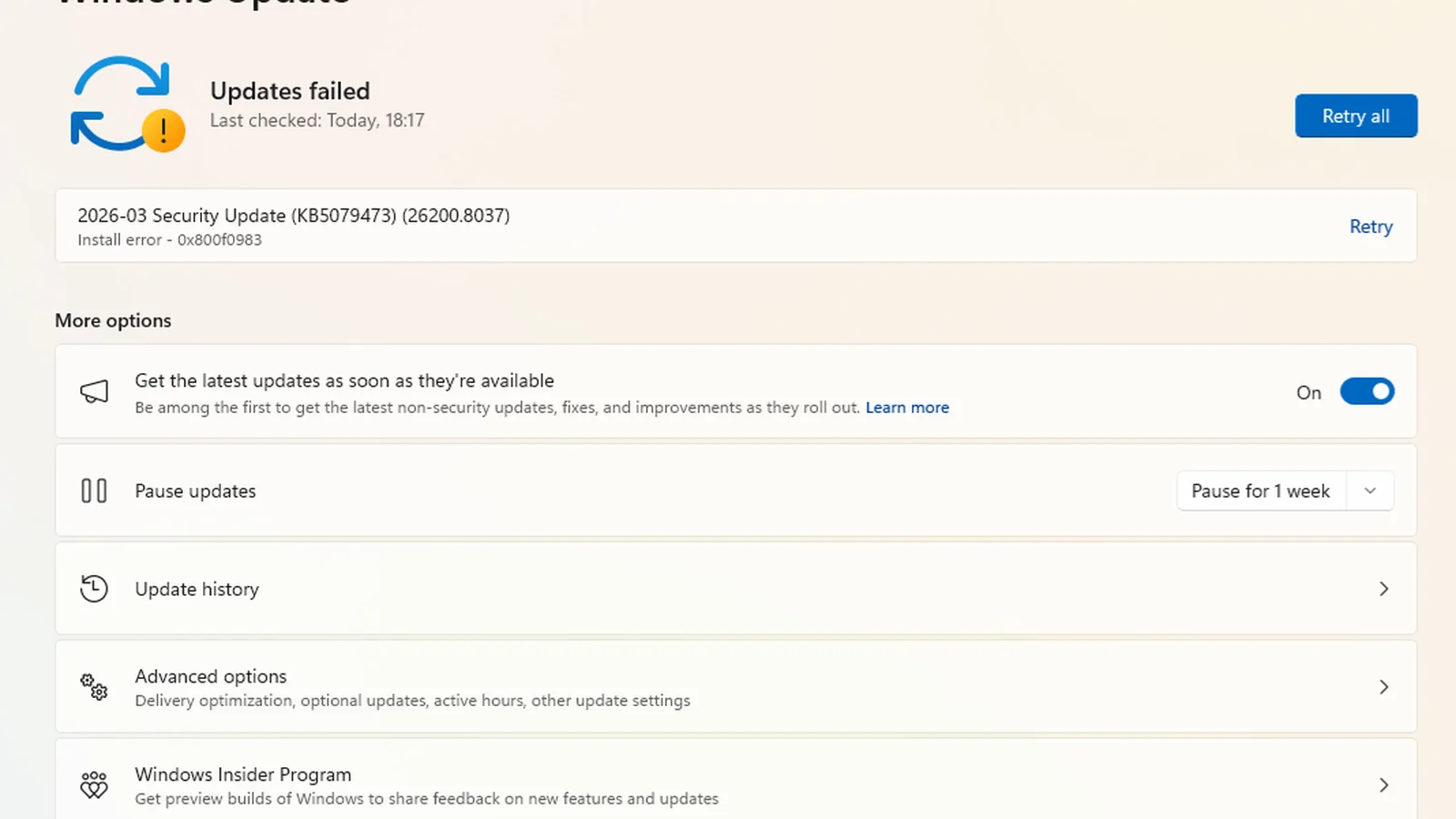
Microsoft’s November 2026 Windows 11 security update, KB5132061, is failing to install on some PCs, with users reporting repeated errors and installations stopping near 99% completion. The problems emerged following the November 10 Patch Tuesday release and affect a mandatory cumulative update intended to deliver security fixes and reliability improvements.
Windows Latest documented the installation failures on November 11 and independently reproduced a case in which the update reached 99% before failing. The publication also received multiple user reports describing unsuccessful installation attempts, including cases where restarting Windows Update or manually installing the package failed to resolve the problem.
The affected update applies to Windows 11 versions 24H2, 25H2 and 26H2, although reports do not establish that every version is experiencing failures at the same rate. Microsoft identifies KB5132061 as the November security update for Windows 11 26H2, 25H2 and supported Enterprise and Education editions of 24H2.
Successful installation brings the operating systems to builds 26300.9974, 26200.9974 and 26100.9974, respectively.
Users have reported several error codes associated with unsuccessful installations, including 0x800F0993, 0x800F0989 and 0x80070306. Additional complaints mention 0x800F0922, suggesting that affected systems are not necessarily encountering an identical failure.
One user reported installation failures across four computers, with errors 0x800F0989 and 0x80070306 appearing on different machines. Attempts to install the update manually and reset Windows Update components reportedly did not help.
Another report involved two virtual machines encountering error 0x80070306. Other users described repeated failures, including attempts using the standalone installer available through Microsoft’s Update Catalog.
Windows Latest reproduced an installation failure at 99% progress, with subsequent attempts failing to complete successfully. However, the publication also confirmed successful installation on another test PC, indicating that the issue does not affect every Windows 11 system.
The Register separately documented complaints surrounding the same November Patch Tuesday release, adding to evidence that the installation problems extend beyond an isolated report.
Microsoft is reportedly investigating the failures, according to information independently obtained by Windows Latest. However, the company has not publicly confirmed a root cause or acknowledged the installation problem in its official KB5132061 release documentation.
As of November 12, Microsoft’s support page continues to state that it is not aware of any known issues with the update.
One possible explanation involves Windows Sandbox, the optional Windows feature that allows applications to run inside an isolated virtualized environment.
Windows Latest documented a user whose installation logs referenced a Sandbox-related file. On that system, disabling Windows Sandbox and restarting the computer reportedly allowed KB5132061 to install successfully.
The suspected connection remains unconfirmed. At least one other affected user reportedly encountered installation errors without Windows Sandbox enabled, meaning the feature cannot currently explain every reported failure.
For users experiencing repeated errors who already have Windows Sandbox enabled, temporarily disabling the feature through the Windows Features settings, restarting and retrying the update may be worth considering. However, this is a reported workaround rather than an officially confirmed fix, and disabling Sandbox temporarily removes its isolated testing environment.
Other troubleshooting options include restarting Windows and attempting the installation again, or using the Microsoft Update Catalog to download the correct standalone package. Microsoft’s installation guidance also specifies prerequisite updates and servicing stack requirements for supported Windows 11 versions.
These alternatives are not guaranteed to work. Some affected users have already reported failures when installing the cumulative update manually.
Windows 11 also provides a recovery option under Settings > System > Recovery called Fix problems using Windows Update. This reinstalls the current Windows version while preserving installed applications, files and settings, although it is a more substantial troubleshooting step than simply retrying a cumulative update.
The installation failures matter because KB5132061 is a monthly security update rather than an optional feature release. Microsoft lists security improvements alongside fixes for existing Windows problems, including HDMI and DisplayPort audio failures affecting certain AMD graphics cards and issues involving USB audio devices.
For PC gamers using affected AMD graphics hardware, the audio fixes are particularly relevant. A machine that cannot install KB5132061 will not receive those specific corrections through the failed update.
More importantly, unsuccessful installation means the PC does not receive the security fixes contained in KB5132061 unless they are delivered through another successfully installed update. This can leave systems without the latest protections included in Microsoft’s November security release.
The issue should not be confused with a confirmed gaming performance regression. Current reports concern the installation process itself, and there is no verified evidence that KB5132061 causes lower frame rates or game instability on systems where it installs successfully.
Microsoft has not announced a dedicated corrective update or a timetable for resolving the reported installation errors. Until the underlying cause is established, affected Windows 11 users may need to rely on supported troubleshooting methods while monitoring Windows Update for a successful installation.
