


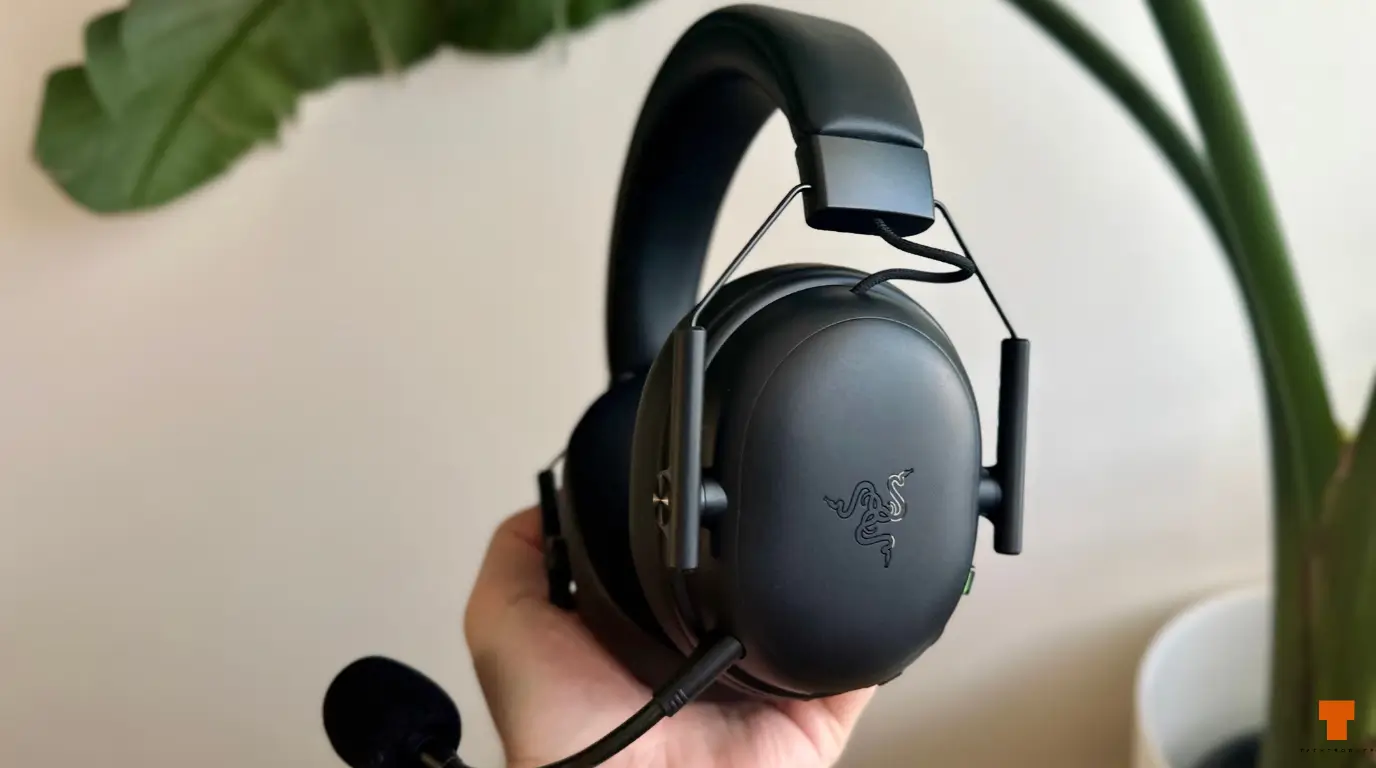
The Razer BlackShark V3 X HyperSpeed is a lightweight wireless gaming headset focused on low-latency gaming, long battery life and practical controls rather than flashy extras.
I bought the PC version, model RZ04-05420100-R3M1, from Harvey Norman for AU$178. I did have a AU$100 gift card for the store, which made paying close to full retail much easier to justify.
What interested me most was whether the BlackShark V3 X HyperSpeed could deliver the things I actually care about in a gaming headset: low weight, reliable wireless performance, decent positional audio, a good microphone and battery life that doesn’t constantly have me reaching for a charger.
So far, it gets a lot of that right, although there are a few areas where it feels more practical than premium.
Unboxing the BlackShark V3 X HyperSpeed
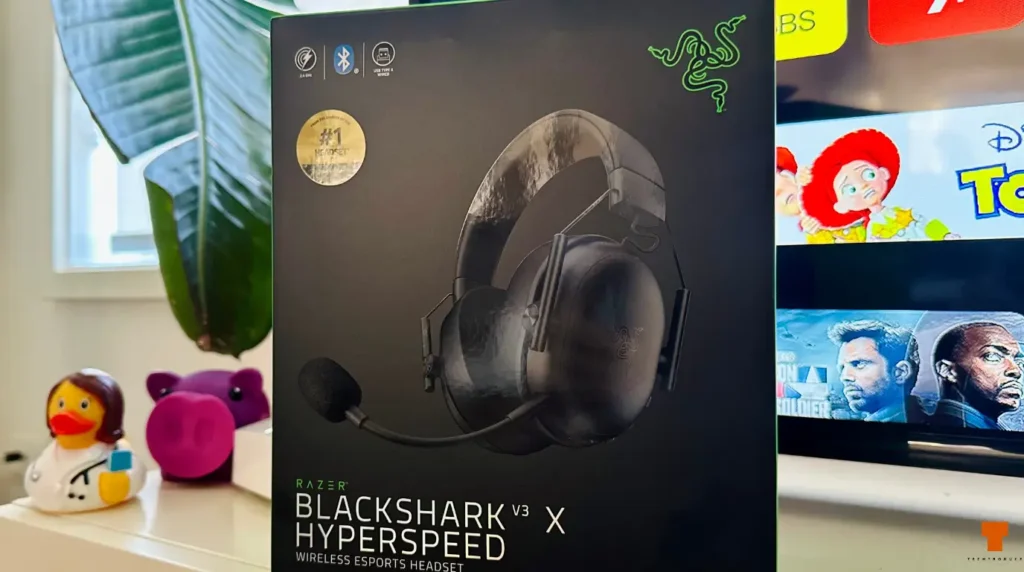
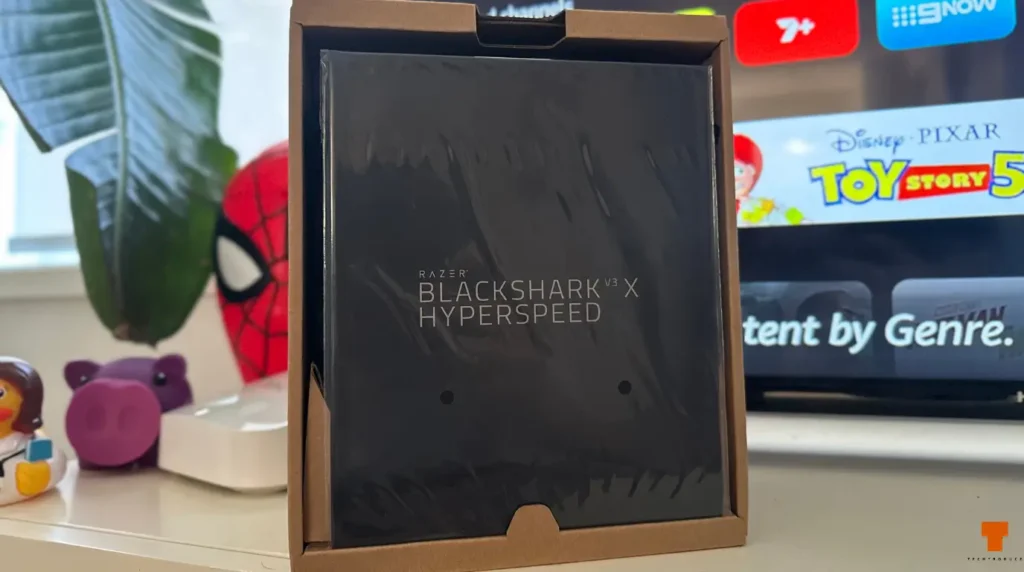
One of my first surprises was the unboxing experience.
The headset itself has a fairly understated design, but the packaging and presentation felt noticeably more premium than I expected.
Everything was neatly arranged when I opened the box, the headset was properly presented and the accessories had their own place rather than simply being thrown inside.
It gives you that satisfying feeling of opening a more expensive gaming product without going overboard with unnecessary packaging.
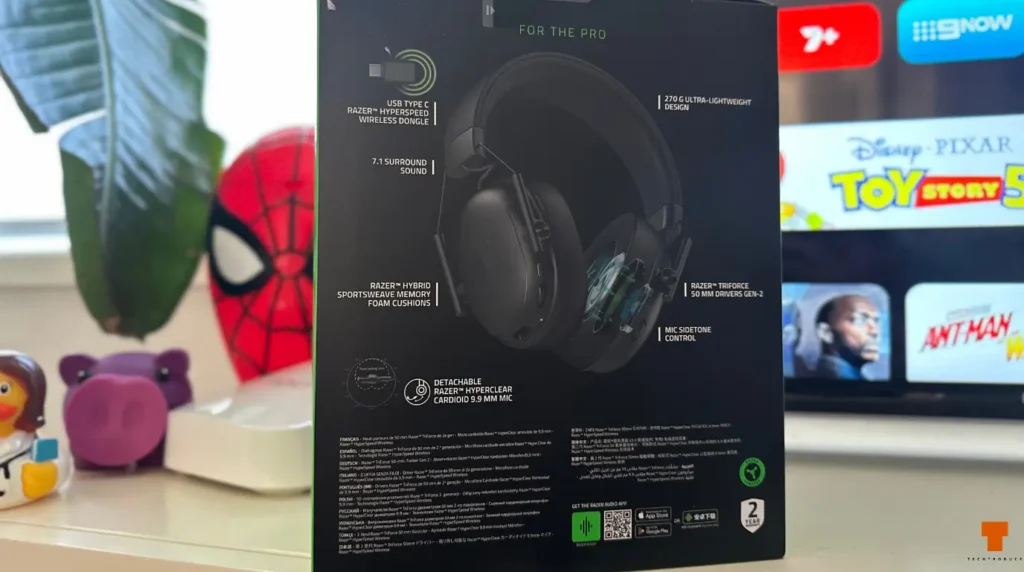
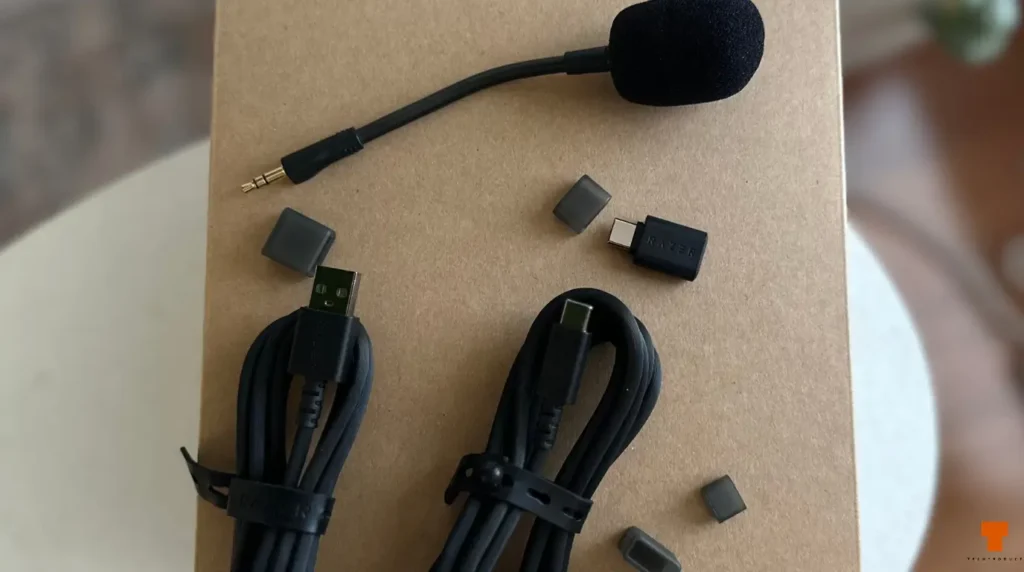
Inside the package you get the headset, detachable microphone, HyperSpeed wireless dongle and the included cables.
The premium feeling changes slightly once you actually take the headset out, though.
Razer BlackShark V3 X HyperSpeed Design and Build
The first thing I noticed after picking up the BlackShark V3 X HyperSpeed was just how light it is.
Razer lists the headset at approximately 270 grams, and you can genuinely feel that low weight when you pick it up or wear it.
That is probably one of its biggest strengths.
The BlackShark doesn’t feel like a massive piece of hardware sitting on your head, and Razer hasn’t added unnecessary design elements that would make it heavier.
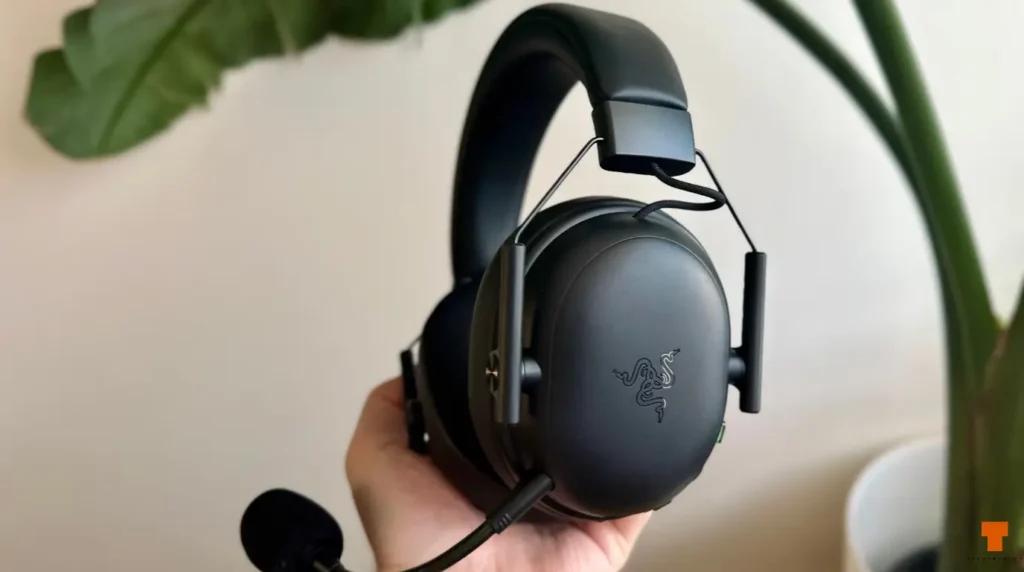
There is also no RGB lighting, and I actually consider that a positive. RGB on a headset has always felt a bit pointless to me because you can’t see it while you’re wearing it anyway.
More importantly, this is a wireless headset.Any power being used to light up RGB is power that could otherwise contribute toward battery life. I would much rather have longer wireless runtime than lighting I can’t see. The all-black design also looks clean enough without it.
The headset itself does not necessarily feel as premium as the unboxing experience, however. I wouldn’t call it cheap. Nothing about the construction feels obviously poor. But at around AU$180, don’t expect luxurious materials everywhere.
The focus appears to have been on keeping the headset light and functional rather than making every surface feel expensive. Considering how light it is, I think that is a reasonable compromise.
Comfort: Excellent Weight, Average Headband
Comfort is a slightly mixed experience.
The low overall weight helps a lot. At around 270 grams, the BlackShark V3 X HyperSpeed does not feel overly heavy during longer periods of use, and the ear cushions are comfortable around my ears. The headband is where I have more of an issue.
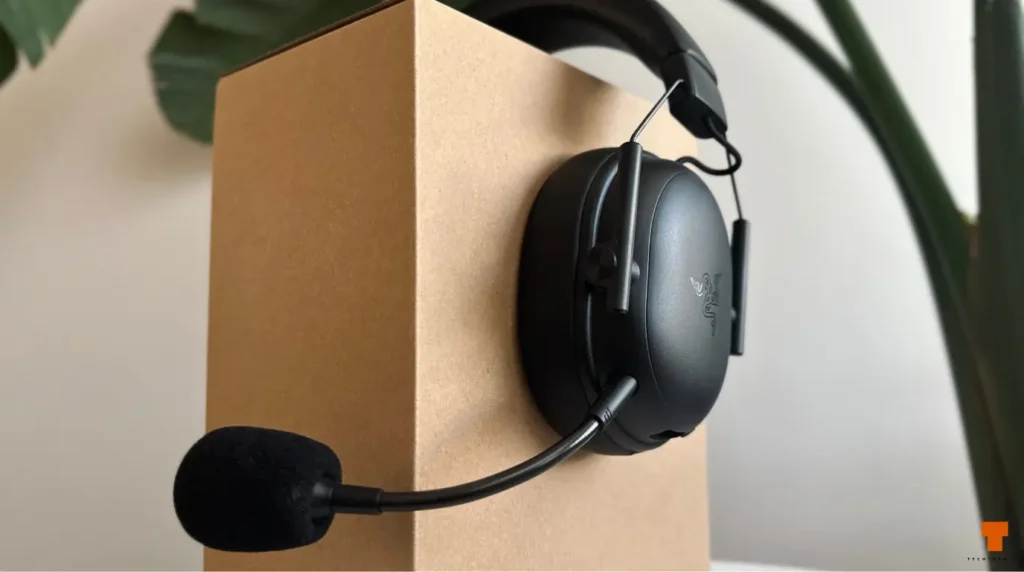
I don’t find the headband particularly comfortable. After wearing the headset for a while, I can notice the pressure across the top of my head more than I would like. It isn’t enough to make the entire headset uncomfortable, largely because the headset itself is so light, but it stops me from calling the overall comfort exceptional.
The best way I can describe it is simple:
The weight is excellent, the ear cushions are comfortable, but the headband could be better.
Controls Are Simple and Useful
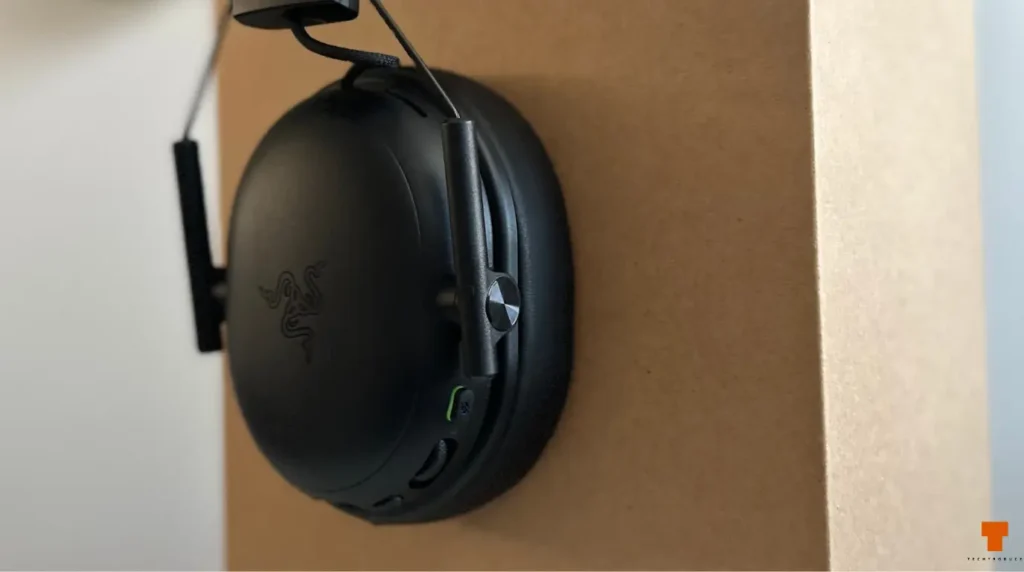
Razer has split the physical controls across the two earcups, and the layout is fairly easy to understand.
On one earcup you have the microphone mute control, master volume wheel, power button, USB-C port and detachable microphone connection. One detail I particularly like is how the main volume wheel behaves on PC. Rather than giving me a completely separate headset volume level, turning the wheel changes the actual Windows system volume.
If I turn the wheel on the headset, I can see the Windows volume level changing at the same time. It is a small detail, but I prefer it because I don’t have two separate volume controls to keep adjusting.
The opposite earcup has another wheel, but this is not a second normal volume control. It adjusts microphone sidetone, which controls how much of your own voice you hear fed back through the headphones while you are speaking. Turn it up and you hear more of your own voice. Turn it down and that feedback becomes quieter.
Having a dedicated physical sidetone control is genuinely useful because you don’t have to dig through software every time you want to change it.
Connectivity
The BlackShark V3 X HyperSpeed gives you three main connection options:
- 2.4GHz Razer HyperSpeed wireless
- Bluetooth 5.3
- USB wired audio
For PC gaming, the included HyperSpeed wireless dongle is the connection I care about most.
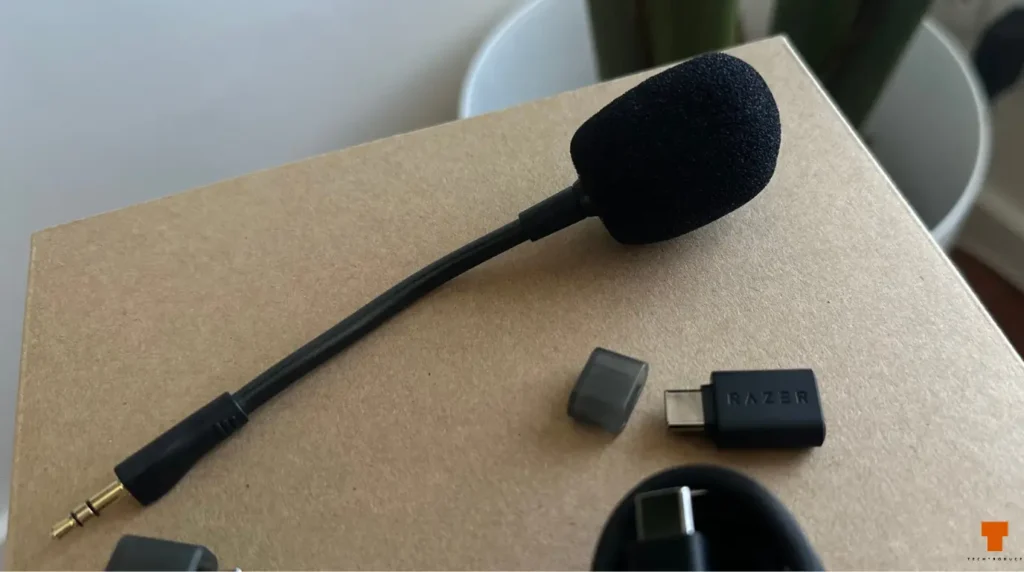
The 2.4GHz connection is designed around low latency, which makes sense for competitive gaming. Bluetooth is useful for other devices such as a phone or tablet. One limitation is that you cannot listen to Bluetooth and 2.4GHz audio simultaneously. You can switch between them, but you can’t hear both sources at the same time. That isn’t a huge issue for how I use the headset, but it is worth knowing if you like having your phone connected while gaming on PC.
For exact specifications and compatibility details, Razer has the full product information on its official BlackShark V3 X HyperSpeed page.
BlackShark V3 X HyperSpeed Sound Quality
My impression of the sound so far is pretty straightforward.
It’s good.
That isn’t meant as an insult. Dialogue comes through clearly, gaming audio sounds clean and there is enough bass for general use without everything becoming muddy. What I haven’t experienced is some massive immediate wow factor.
This isn’t the sort of headset where I put it on and suddenly started hearing completely new details in everything. For gaming and everyday use, though, I think most people will be perfectly happy with it.
Music Performance
Music is probably one of the less impressive areas for me. It is absolutely usable for Spotify, YouTube or general listening, but the overall music experience feels fairly basic. I would not buy the BlackShark V3 X HyperSpeed specifically for music.
If music was my main priority, I would rather use headphones designed around music first and gaming second. The BlackShark is very clearly the opposite.
My First Stereo Test Went Completely Wrong
One funny thing happened almost immediately after setting the headset up. I opened a left-and-right stereo test on YouTube.
The video said:
LEFT
And I could hear it through both earcups.
Then it said:
RIGHT
Again, both sides.
For a moment, I thought something was wrong with the headset. It turned out Windows had Mono Audio enabled. Mono Audio combines the left and right channels, so of course every stereo test sounded like it was coming through both sides. Once I disabled Mono Audio in Windows accessibility settings, the left and right channels worked normally.
So if you buy this headset and directional audio seems completely wrong, check Windows before assuming the headset is faulty.
Is the “Esports” Branding Actually Meaningful?
Razer and retailers describe the BlackShark V3 X HyperSpeed as a wireless esports headset. That does not mean this is some separate special esports edition. The esports positioning comes from the feature set. You get a relatively lightweight headset, low-latency 2.4GHz wireless, large gaming-focused drivers and a microphone designed to reduce unwanted background noise.
Those features make sense for competitive gaming. Whether the audio itself deserves the esports label is something I am still testing properly. One of my main games is Rainbow Six Siege, where directional audio genuinely matters. Hearing footsteps is one thing. Working out whether someone is above you, below you, behind a wall or approaching from another room is much more important.
I have not spent enough proper competitive time with the BlackShark V3 X HyperSpeed in Siege yet to claim it gives some massive positional advantage. Stereo separation seems fine after fixing my Windows settings, but I want more real gameplay time before saying anything stronger than that. I would rather be honest about that than write the usual “I could hear every enemy perfectly” line after ten minutes of testing.
BlackShark V3 X HyperSpeed Microphone Quality
The microphone has probably impressed me more than the sound quality itself. The headset comes with a detachable cardioid microphone. My voice comes through clearly, but the thing I noticed most was how little background noise it picked up. You can barely hear much background noise coming through the microphone during normal use.
That is exactly what I want from a gaming headset mic. I am not using a headset microphone to record studio vocals. I want teammates to hear what I am saying without hearing everything else happening around me. For Discord, multiplayer gaming and general calls, it has been very good so far.
The microphone is also detachable, which is useful when you are not using voice chat.
BlackShark V3 X HyperSpeed Battery Life
Battery life is one of the strongest parts of the headset on paper. Razer rates the PC BlackShark V3 X HyperSpeed for up to 70 hours of wireless use. I have not owned the headset long enough to independently confirm the full 70-hour figure, so I am not going to pretend I have tested every hour of it.
But even if real-world battery life falls below the maximum rating, there is still a lot of headroom. And this is another reason I like the lack of RGB. Why sacrifice battery power to light up the outside of a headset that you can’t see while wearing it? Give me the extra runtime instead.
Charging is handled through USB-C.
Razer Synapse and Virtual 7.1 Surround
The headset can be used without Razer Synapse, but the software gives PC users access to additional settings such as audio adjustments and microphone configuration. Virtual 7.1 surround is also available on supported Windows systems.
Personally, I would not automatically assume surround is better just because the option exists. For competitive shooters, wider or more cinematic audio does not necessarily mean better positional accuracy. I plan to test normal stereo and virtual surround separately in Rainbow Six Siege before deciding which configuration I prefer.
Razer BlackShark V3 X HyperSpeed Specifications
- Model: RZ04-05420100-R3M1
- Drivers: 50mm dynamic drivers
- Frequency response: 12Hz–28kHz
- Impedance: 32 ohms
- Wireless: Razer HyperSpeed 2.4GHz
- Bluetooth: Bluetooth 5.3
- Wired connection: USB
- Weight: Approximately 270g
- Microphone: Detachable cardioid microphone
- Battery life: Up to 70 hours
- Charging: USB-C
- PC software: Razer Synapse
- Virtual surround: 7.1 on supported Windows systems
For the complete official specification sheet, check Razer’s BlackShark V3 X HyperSpeed product and support pages.
What I Like
The weight is probably my favourite part of the BlackShark V3 X HyperSpeed. At around 270 grams, it is genuinely light.
The microphone has also been better than I expected, particularly when it comes to reducing background noise. I like the physical controls too.
Having a dedicated sidetone wheel is useful, while the main volume control integrating directly with Windows makes everyday use simpler. The rated battery life is another major selling point.
I also genuinely like the lack of RGB. It keeps the headset clean and avoids using battery power on lighting I cannot see while wearing it anyway.
Finally, the unboxing experience feels premium, even if the headset materials themselves feel more functional.
What I Don’t Like
The headband is my biggest comfort complaint. The headset is light and the ear cushions feel good, but the headband is not particularly comfortable on the top of my head.
The overall sound also has not blown me away. It is good for gaming and everyday use, but music performance feels fairly basic. The materials do not necessarily feel like those of a AU$180 luxury product either.
Again, I do not think it feels cheap. It just feels like Razer has prioritised low weight over premium materials. There is also no simultaneous Bluetooth and 2.4GHz audio.
Finally, competitive positional audio still needs more testing before I would call it a major strength.
Verdict
The Razer BlackShark V3 X HyperSpeed gets most of the important things right for a wireless gaming headset.
It is extremely light, offers low-latency wireless connectivity, has strong rated battery life and, in my experience so far, a surprisingly good microphone. The lack of RGB is actually a positive for me. I would much rather have the battery life.
The physical controls also make sense, particularly the dedicated microphone sidetone adjustment. There are compromises. The headband is not as comfortable as I would like, the construction does not feel particularly luxurious and music performance is nothing special.
At AU$178, it also is not cheap.
What you are paying for is a very lightweight wireless gaming headset with strong battery specifications, a good microphone and a feature set clearly designed around gaming rather than music or flashy aesthetics.
The remaining question for me is competitive audio.
If the BlackShark V3 X HyperSpeed proves excellent at locating footsteps and movement during longer Rainbow Six Siege sessions, that will do more to justify the “esports” label than anything printed on the box.
For now, though, my experience has been positive.
If you’re also working on the look and airflow of your gaming setup, I recently tested eight AsiaHorse Nyota fans in a Thermaltake View 71 TG, including both standard and reverse-blade models.
Rating: 8/10
PROS
- Extremely lightweight
- Good microphone quality
- Very little background noise through the mic
- Up to 70 hours of rated battery life
- No RGB wasting battery power
- Comfortable ear cushions
- Useful dedicated sidetone control
- Main volume wheel integrates with Windows volume
- 2.4GHz wireless, Bluetooth and USB connectivity
- Detachable microphone
- Premium-feeling unboxing experience
- Clean, understated design
CONS
- Headband is not particularly comfortable
- Build does not feel especially luxurious
- Music performance is fairly basic
- Sound is good rather than exceptional
- No simultaneous Bluetooth and 2.4GHz audio
- AU$178 is not cheap
- Competitive positional audio still needs more testing
