


Microsoft has expanded Windows 11 Search with new controls that let users adjust system settings, launch applications and perform other desktop actions directly from the search interface. The improvements are rolling out through Windows 11 Insider Experimental Preview Build 26340.9843, released on October 30, 2026, with independent testing confirming that the interface can launch applications including Steam.
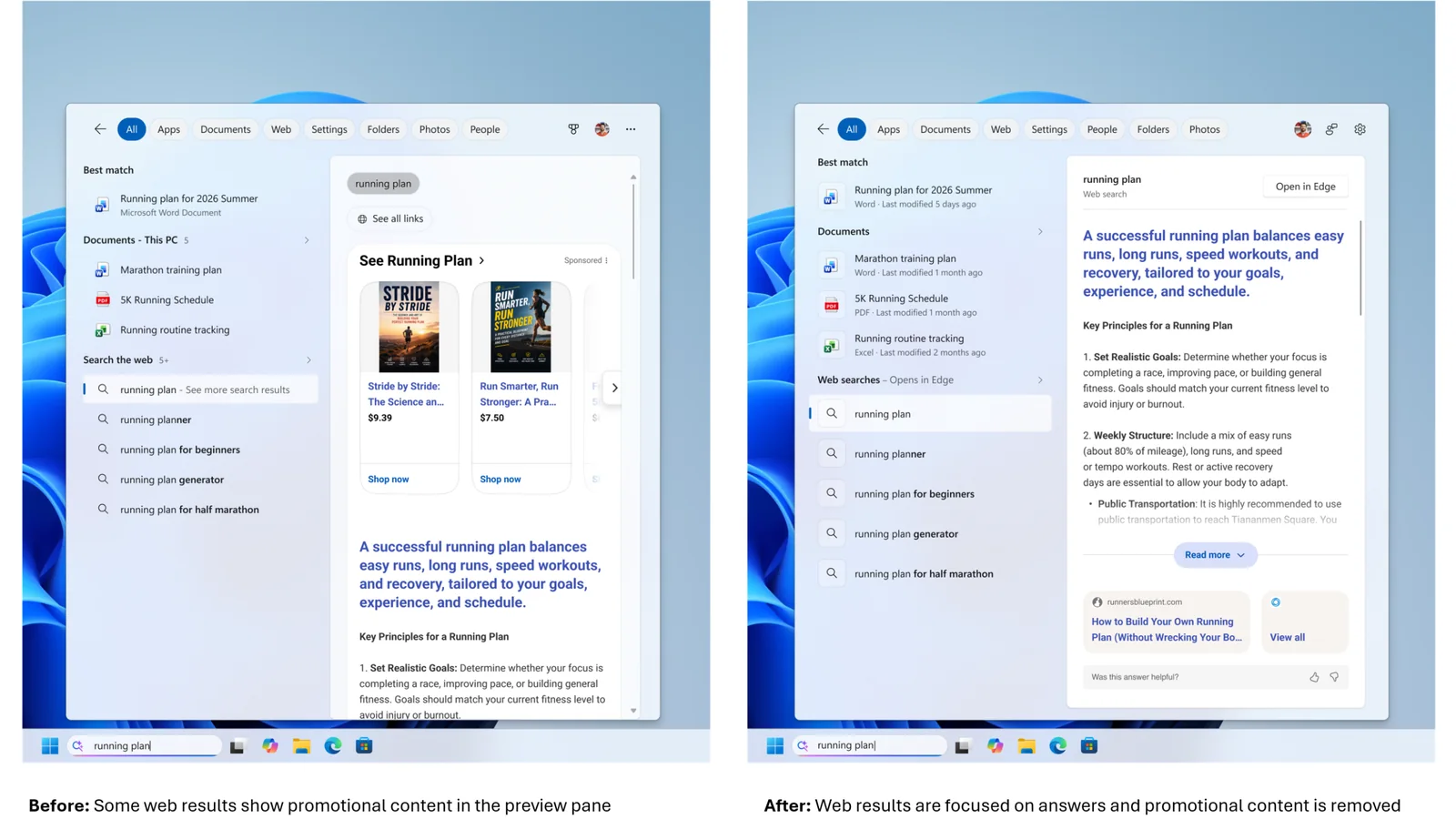
The update builds on Microsoft’s redesigned Windows 11 Search experience, which began rolling out earlier in October. Rather than simply finding files, applications and settings, the new interface allows users to perform supported tasks through search queries without navigating through separate menus.
The most significant addition is an expanded set of inline actions. Users can adjust system volume, screen brightness and mouse cursor size using sliders displayed directly within Windows Search. Microsoft has also improved action labels and introduced suggestions to help users discover available commands.
For example, searching for a specific volume level can bring up an actionable result that changes the setting. The inline sliders provide another way to make adjustments without opening the main Windows Settings application.
ComputerBase independently tested the updated interface in the Experimental build and confirmed that several actions work. Its hands-on testing demonstrated the ability to launch Word and Steam, lock the desktop, set a specific volume level and capture screenshots. Document previews also functioned during testing.
However, the implementation remains incomplete. ComputerBase found that switching from dark mode to light mode did not work through the new Search interface, indicating that some actions are still unsupported or unreliable in the preview.
Microsoft is also introducing Phone Link integration directly into Search. Users with compatible Android phones connected to their PCs can initiate calls, send text messages and access phone controls such as Do Not Disturb. According to Microsoft’s release notes, iPhone support is planned for early 2027.
Beyond system controls, the interface now offers richer results for local files and online information. Document previews can display information including the file’s location, author and last modification date. Search can also show answers for weather, stock prices and other factual queries, alongside applications and games available through the Microsoft Store.
Additional filters allow users to narrow results by categories such as Files & Folders, Settings and Actions. Results and suggestions can receive positive or negative feedback through a right-click menu, while unwanted items can be removed from the initial Search view.
For PC gamers, the ability to launch Steam through a search command is a practical example of the new interface’s application controls. The expanded volume and display settings could also make routine desktop adjustments more convenient. Microsoft has not announced any gaming performance improvements associated with these Search changes.
The same Experimental build introduces a separate gaming-focused improvement: Quick Settings access from the Gaming Task View navigation bar in Xbox mode. This allows users to reach the Windows taskbar’s full set of Quick Settings without leaving Xbox mode.
The Search changes are part of Microsoft’s broader Windows 11 development efforts, which also include reducing Windows 11 memory usage on consumer PCs.
For now, the redesigned Search experience remains limited to the Windows Insider Experimental channel and is being distributed gradually. Microsoft says eligible Insiders can access the experimental feature through Settings, Windows Update, Windows Insider Program and Feature flags.
ComputerBase activated the interface using the third-party ViVeTool utility for its testing, demonstrating that the functionality can be present in a build even when it has not yet been enabled for a particular system.
Microsoft has not provided a general release date for the expanded Search controls. As with other Experimental channel features, availability and functionality may change during testing, and inclusion in an Insider build does not guarantee a future public release.
