


AV Access has introduced the iDock B12, an 8K dual-monitor KVM docking station designed for users who share monitors and peripherals between a gaming desktop and a work laptop. Announced on November 19, 2026, the device supports high-refresh-rate displays up to 4K at 165Hz, variable refresh rate (VRR), 2.5GbE networking, and one-button switching between two computers.
The iDock B12 is available through AV Access’s official website for $299.99. A Black Friday promotion running from November 19 through November 30 reduces the price by 15% to $254.99.
The docking station’s main gaming feature is its support for high-bandwidth display connections without requiring users to reconnect their monitors whenever they switch computers. AV Access advertises resolutions up to 8K at 60Hz, 4K at 165Hz, and 1080p at 480Hz or 360Hz on compatible desktop systems.
It also supports NVIDIA G-SYNC and AMD FreeSync variable refresh rate technology, allowing compatible displays to synchronize their refresh rates with GPU output to reduce screen tearing and stuttering. Actual VRR functionality depends on the connected graphics card, monitor, cables, and selected display configuration.
The device supports ultrawide gaming monitors as well, including 3440 × 1440 at 165Hz and 5120 × 1440 at 120Hz. These capabilities make the dock relevant to PC users who want to retain high refresh rates while sharing their displays with another computer.
High-refresh display compatibility is particularly important as gaming platforms continue expanding their VRR capabilities. Recent SteamOS improvements for AMD HDMI 2.1 VRR demonstrate the continuing attention given to variable refresh rate support across PC gaming software and hardware.
Beyond gaming displays, the iDock B12 combines an HDMI 2.1 input and DisplayPort 2.0 input for a desktop PC with a USB-C connection for a laptop. Its display outputs consist of one HDMI 2.1 port and one DisplayPort 2.0 port, with the DisplayPort connections supporting UHBR 13.5 signaling.
The USB-C laptop connection carries display output, USB data, wired networking, and up to 100W of charging power through a single cable. However, the maximum display capabilities differ between the two connected computers.
While compatible desktop PCs can reach the advertised 8K and high-refresh configurations, Windows laptops connected through USB-C are limited to dual 4K displays at 60Hz or a single 4K display at 120Hz. Supported laptop configurations can also reach 1440p at 165Hz.
MacBook users face an additional limitation. Because macOS does not support the USB-C Multi-Stream Transport configuration used by the dock for extended dual displays, the two external monitors operate in mirrored mode rather than providing independent extended desktops.
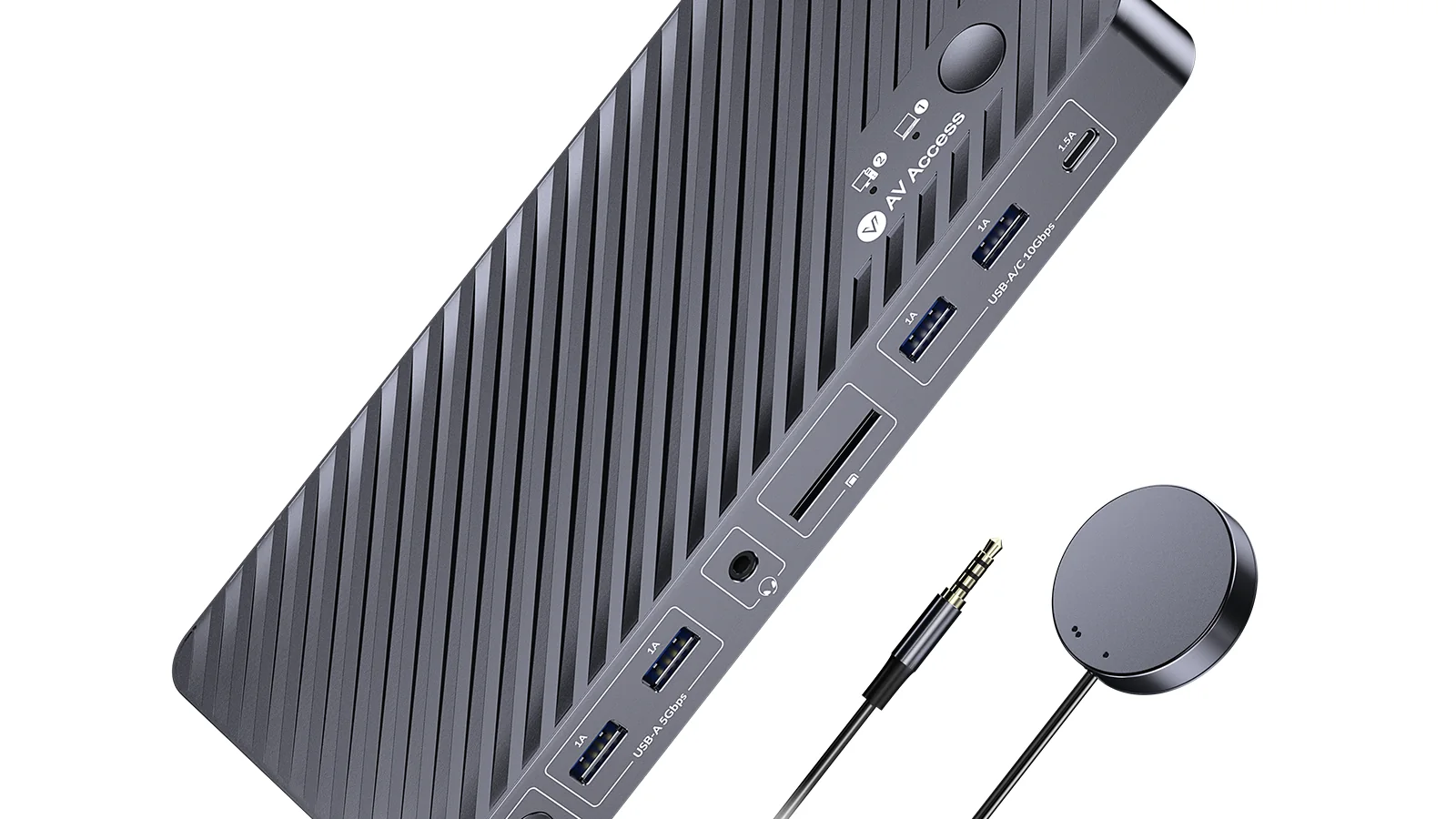
For peripheral connectivity, the iDock B12 provides five USB-A ports and one USB-C peripheral port, with supported data transfer speeds reaching 10Gbps. It also includes an SDXC card reader rated for up to 104MB/s, a 3.5mm combination audio connection, and 2.5GbE Ethernet.
The 2.5GbE connection is a notable upgrade over the earlier iDock B10, which offered Gigabit Ethernet. The additional bandwidth can benefit users transferring large files over compatible local networks, accessing network-attached storage, or downloading games over internet connections faster than 1Gbps. Actual network speeds remain dependent on the connected equipment and network service.
Users can switch their monitors, keyboard, mouse, headset, and other shared peripherals between computers using a button on the docking station or the included EXB01 wired remote. The device also supports waking compatible sleeping computers during switching.
One limitation is the absence of EDID emulation, which means the dock does not maintain a virtual display connection for an inactive computer. This may matter for users who depend on consistent window arrangements when switching between systems.
The iDock B12’s advertised specifications position it as a combined high-refresh KVM switch and laptop dock rather than a conventional USB-C hub. Its practical advantage is the ability to use one dual-monitor setup for desktop gaming and laptop productivity, although the highest refresh rates require compatible desktop hardware and display connections.
AV Access has published the product specifications and compatibility requirements, but the advertised refresh-rate and VRR capabilities have not been independently validated in this report.
